When it comes to gaming mice, specs like DPI and sensor type often steal the spotlight but polling rate is just as important. If you’re trying to improve your aim, responsiveness, or overall precision, understanding polling rate can help you make smarter choices when buying or tuning a mouse.
This article explains what polling rate is, how it affects performance, the real-world differences you may (or may not) feel, and ends with a clear conclusion.
What Is Polling Rate?
Polling rate is how often your mouse reports its position to your computer every second.
It is measured in Hertz (Hz).
Common polling rates:
| Polling Rate | Reports Per Second | Time Between Reports |
|---|---|---|
| 125 Hz | 125 reports/s | 8 ms |
| 250 Hz | 250 reports/s | 4 ms |
| 500 Hz | 500 reports/s | 2 ms |
| 1000 Hz | 1000 reports/s | 1 ms |
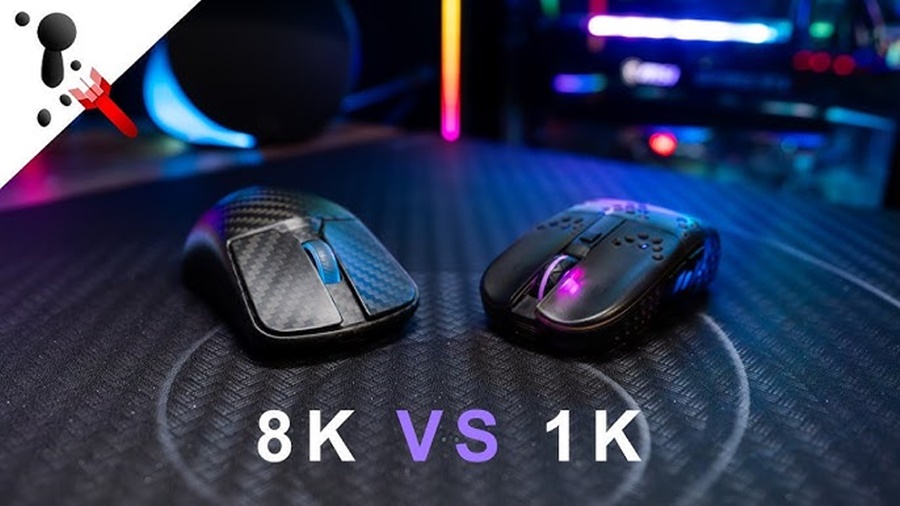
| 2000–8000 Hz | 2000–8000 reports/s | 0.5–0.125 ms |
The higher the number, the more frequently the mouse sends updates about its movements.
How Polling Rate Affects Gaming Performance
1. Lower Input Latency
Higher polling rates drastically reduce the delay between your physical movement and your computer registering it.
- 125 Hz (8 ms delay) can feel sluggish for fast games
- 500–1000 Hz (2–1 ms delay) is a sweet spot for most gamers
- 2000–8000 Hz (<0.5 ms delay) feels extremely responsive, especially in competitive FPS titles
Why this matters:
In fast-paced games like CS2, Valorant, Apex Legends, or Fortnite, every millisecond counts especially for flicks or micro-adjustments.
2. Smoother and More Accurate Cursor Movement
Higher polling rates create smoother tracking, especially during fast swipes.
A low polling rate can cause:
- Jittery cursor movement
- Skipped frames in your mouse movement
- Inconsistent aim during rapid turns
A high polling rate gives:
- Smoother lines when tracking targets
- More consistent motion even at high speeds
- Better micro-aim control
3. Better for High Refresh Rate Monitors
If you’re gaming on 144 Hz, 240 Hz, or 360 Hz monitors, a low polling rate can become a bottleneck.
Example:
A 360 Hz monitor refreshes every 2.78 ms, but a 125 Hz polling mouse updates every 8 ms, creating visible desync between mouse movement and display updates.
Higher polling rates sync better with high refresh displays.
4. CPU Usage and Battery Life
Higher polling rates do have downsides.
CPU Usage
- 1000 Hz uses more CPU than 500 Hz
- 8000 Hz uses significantly more CPU and benefits most from fast processors
For modern gaming PCs, 1000 Hz is usually no problem.
Wireless Battery Life
Wireless mice drain faster at higher polling rates:
- 125–500 Hz = longer battery life
- 1000–4000+ Hz = shorter battery life
Some wireless gaming mice auto-adjust polling rate to save power when idle.
5. When Higher Polling Rate Actually Matters
You’ll benefit most from higher polling rates if you play:
- Competitive FPS games
- Battle royale shooters
- Rhythm games
- High-precision strategies (RTS/MOBA microing)
You will not notice much difference in:
- Casual games
- Turn-based games
- RPGs without aim-intensive mechanics
- Desktop work
Recommended Polling Rate Settings
Here’s a simple guide:
| Player Type | Best Polling Rate |
|---|---|
| Casual gamer | 500 Hz |
| Regular gamer | 1000 Hz |
| Competitive FPS player | 1000–4000 Hz |
| Esports professionals | 2000–8000 Hz (if supported) |
| Wireless battery saver | 500 Hz |
Conclusion
Polling rate is a crucial, often overlooked factor in gaming performance. A higher polling rate reduces input delay, smooths cursor movement, and improves aiming precision especially noticeable in fast-paced competitive games.
However, extremely high rates like 4000–8000 Hz offer diminishing returns unless you have a high refresh rate monitor, a powerful CPU, and a game that benefits from precise mouse tracking.