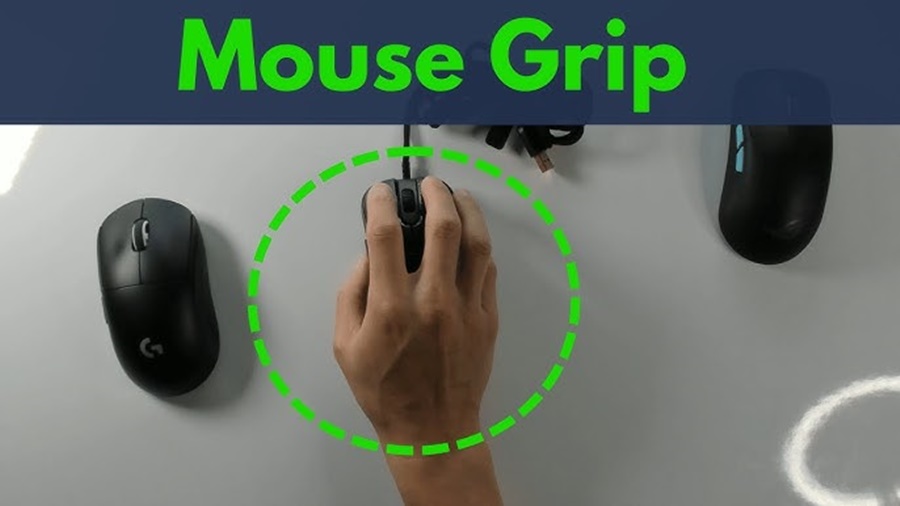
Choosing the right gaming mouse grip can dramatically improve your comfort, accuracy, and overall performance. While gamers often focus on DPI, switches, or RGB lighting, the way you hold your mouse may have an even greater impact on your gameplay. Most players naturally fall into one of three major grip styles: palm grip, claw grip, and fingertip grip. Understanding these styles along with their strengths and weaknesses can help you refine your aim, reduce fatigue, and select the best mouse for your needs.
1. Palm Grip
What It Is
The palm grip involves resting your entire hand palm and fingers comfortably across the mouse’s body. This is the most natural and relaxed grip, similar to how you might hold a TV remote or resting your hand flat on a surface.
Benefits
- Maximum comfort: Full-hand contact helps distribute pressure, making it ideal for long play sessions.
- Smooth, controlled movements: Larger arm movements translate into steady tracking, great for low-sensitivity settings.
- Reduced finger fatigue: Since fingers are less curled or tense, this grip is easier on joints.
Best For
- FPS players using low DPI and arm aiming
- Casual or marathon gaming sessions
- Larger mice with high-profile shapes
2. Claw Grip
What It Is
With the claw grip, your palm touches the back of the mouse while your fingertips arch sharply downward to press the buttons. This creates a distinctive “claw” shape.
Benefits
- Faster clicking: The arched position allows rapid actuation perfect for semi-auto weapons or games requiring click bursts.
- Enhanced precision: Finger-based micro-adjustments offer better control for sudden movements and tracking targets.
- Good balance of control and speed: You get both stability from the palm and agility from the fingertips.
Best For
- Competitive FPS players
- Games requiring quick reaction times (e.g., MOBAs)
- Medium-sized mice
3. Fingertip Grip
What It Is
Only your fingertips make contact with the mouse your palm floats above it. This is the lightest, most agile grip style, giving players full freedom of movement.
Benefits
- Fastest overall movement: Minimal contact reduces drag, enabling lightning-quick flicks and directional changes.
- Exceptional precision: Fine fingertip control helps with pixel-perfect aiming and micro-corrections.
- Less hand pressure: No palm contact means minimal strain on the wrist.
Best For
- High-sensitivity players
- Fast-paced shooters requiring rapid repositioning
- Small, lightweight mice
How to Choose the Right Grip
1. Consider Your Game Type
- Tac shooters (Valorant, CS2): Claw or fingertip for precision; palm for steadiness.
- Battle royales (Apex, Fortnite): Claw grip often gives the best mix of speed and control.
- MOBA and RTS: Claw or fingertip enables faster clicks and rapid actions.
2. Match Grip to Mouse Shape
- Palm: Larger, ergonomic mice
- Claw: Medium-sized mice with a pronounced hump
- Fingertip: Compact, lightweight mice
3. Think About Comfort
What feels natural to you matters most. No grip is “best” for everyone. Try switching grips during practice sessions to see how each affects your endurance, tracking, and reaction time.
Conclusion
Your mouse grip influences everything from precision to comfort. Whether you prefer the relaxed stability of the palm grip, the versatile speed of the claw grip, or the unmatched agility of the fingertip grip, choosing the right style can elevate your gaming performance. Combining the appropriate grip with a mouse suited to your hand size and playstyle ensures.