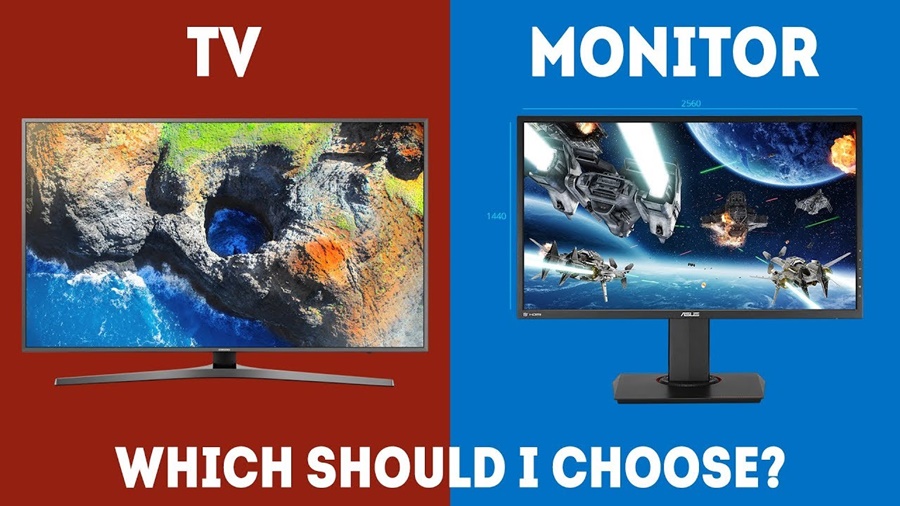
Choosing between a gaming monitor and a TV for gaming is one of the most common (and confusing) decisions for gamers today. With modern TVs offering high refresh rates and monitors growing larger and more immersive, the line between the two has blurred.
So which one is actually better for gaming?
The honest answer: it depends on how, what, and where you play. This article breaks it all down performance, visuals, comfort, cost, and use cases so you can make the right call for your setup.
Understanding the Basics
Before diving into comparisons, let’s clarify what each option is designed for.
What Is a Gaming Monitor?
A gaming monitor is built specifically for close-range use at a desk. Its priorities are:
- Fast response times
- High refresh rates
- Low input lag
- Competitive performance
What Is a Gaming TV?
A TV is designed for entertainment at a distance. Modern gaming TVs focus on:
- Large screen immersion
- High resolution (4K and beyond)
- Rich colors and HDR
- Couch or living-room gaming
Performance: Input Lag and Response Time
Gaming Monitor Performance
This is where monitors shine.
- Input lag: Extremely low (often under 5ms)
- Response time: 1ms–2ms on many models
- Motion clarity: Excellent for fast-paced action
This makes monitors ideal for:
- Competitive FPS games (CS2, Valorant, Call of Duty)
- Esports and ranked play
- Players who need instant reactions
TV Performance
Modern TVs have improved a lot, especially with “Game Mode,” but they still lag behind monitors.
- Input lag: Typically 8–15ms (higher without Game Mode)
- Response time: Slower than monitors
- Motion handling: Good, but not esports-level
For most casual gamers, this difference is barely noticeable but competitive players will feel it.
Winner for performance: Gaming Monitor
Refresh Rate and Smoothness
Gaming Monitors
- Common refresh rates: 144Hz, 165Hz, 240Hz, even 360Hz
- Designed to sync perfectly with GPUs
- Excellent for high-FPS gaming
TVs
- Most TVs are 60Hz
- Premium gaming TVs offer 120Hz
- Few go beyond 120Hz
If you’re gaming on a powerful PC pushing high frame rates, a monitor will fully take advantage of it. Consoles (PS5, Xbox Series X) max out at 120Hz, making TVs more viable.
Winner for high refresh rates: Gaming Monitor
Screen Size and Immersion
Gaming Monitors
- Typical sizes: 24″–32″
- Ultrawide options add immersion
- Best viewed up close
Perfect for focused, intense gameplay but less cinematic.
TVs
- Sizes range from 43″ to 85″+
- Ideal for couch gaming
- Massive immersion for open-world and story games
If you love big worlds, split-screen multiplayer, or cinematic experiences, TVs feel unbeatable.
Winner for immersion: TV
Visual Quality: Resolution, HDR, and Color
Gaming Monitors
- Common resolutions: 1080p, 1440p, some 4K
- HDR support exists but is often weaker
- Colors are good, but vary by panel type
TVs
- Almost all modern TVs are 4K
- Superior HDR brightness and contrast
- OLED TVs deliver perfect blacks and stunning color
For visual fidelity alone, especially HDR gaming, TVs particularly OLED are hard to beat.
Winner for visuals: TV
Desk Gaming vs Couch Gaming
Gaming Monitor Setup
Best if you:
- Play at a desk
- Use keyboard and mouse
- Sit close to the screen
- Focus on competitive gaming
TV Setup
Best if you:
- Play from a couch or bed
- Prefer controllers
- Enjoy relaxed, social gaming
- Use your console as an entertainment hub
This is less about specs and more about lifestyle.
Console Gaming vs PC Gaming
PC Gaming
- Gaming monitors are usually better
- Higher refresh rates
- Lower latency
- Better GPU compatibility
Console Gaming
- TVs work extremely well
- PS5 and Xbox Series X support 4K, 120Hz, HDR, VRR
- Fewer benefits from ultra-high refresh monitors
PC gamers: Monitor advantage
Console gamers: TV or monitor both work well
Price and Value
Gaming Monitors
- Affordable options start low
- High-end esports monitors can be expensive
- Best value for performance per dollar
TVs
- Larger screens cost more
- OLED and high-end models are pricey
- Often used for movies and streaming too
If gaming is your only priority, monitors are more cost-effective. If gaming is part of a broader entertainment setup, TVs justify their price.
Which Should You Choose?
Choose a Gaming Monitor If:
- You play competitive or fast-paced games
- You’re a PC gamer
- You sit at a desk
- You want maximum responsiveness
- You care about high FPS above all else
Choose a TV If:
- You play mostly on console
- You love cinematic, immersive games
- You game from a couch
- You want one screen for gaming, movies, and shows
- You value visuals over milliseconds
Conclusion
When it comes to choosing between a gaming monitor and a TV, there is no one-size-fits-all answer. The best option depends entirely on your gaming habits, setup, and personal preferences.
A gaming monitor is the ideal choice for players who prioritize speed, precision, and responsiveness. It excels in competitive and fast-paced games, especially for PC gamers who want high refresh rates, low input lag, and smooth performance at close viewing distances.
On the other hand, a TV offers a more immersive and visually stunning experience. Its larger screen, superior HDR, and cinematic presentation make it perfect for console gaming, story-driven titles, and relaxed couch play. For gamers who want a single display for gaming, movies, and streaming, a TV delivers excellent overall value.