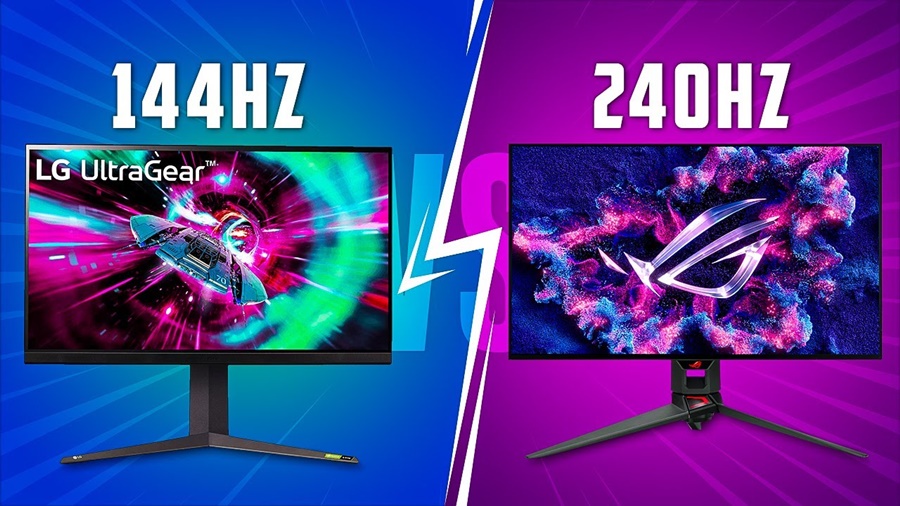
As gaming technology evolves, so does the demand for smoother and more responsive displays. Two of the most popular refresh rate options for gaming monitors today are 144Hz and 240Hz. But is the jump from 144Hz to 240Hz really worth it? This article breaks down everything you need to know from performance differences and gameplay experience to price, hardware requirements, and real-world value.
What Does Refresh Rate Mean?
A monitor’s refresh rate refers to how many times per second the display can redraw the image measured in Hertz (Hz).
- 144Hz means the screen refreshes 144 times per second.
- 240Hz means it refreshes 240 times per second.
The higher the refresh rate, the smoother motion appears on screen, which can be especially beneficial in fast-paced games like shooters, racers, and esports titles.
144Hz vs 240Hz: Performance Comparison
Visual Smoothness
- 144Hz: Already offers a significant improvement over standard 60Hz. Motion feels much smoother, making gameplay look and feel more fluid.
- 240Hz: Takes this smoothness even further. The difference becomes noticeable when you’re moving quickly or tracking fast-moving targets.
Verdict: Both are smooth, but 240Hz gives a slight edge in motion clarity.
Gameplay Responsiveness
Higher refresh rates reduce input lag the time between your action (mouse movement, key press) and what you see on screen.
- 144Hz: Lower input lag compared to 60Hz great for competitive gaming.
- 240Hz: Further reduces input lag. In esports titles like Valorant, CS: GO, or Fortnite, this can translate into real performance advantages.
Verdict: If competitive edge matters, 240Hz has the advantage.
Can You Notice the Difference?
Whether you truly notice the difference between 144Hz and 240Hz depends on multiple factors:
Player Skill Level
- Casual gamers: Likely won’t notice much difference beyond 144Hz.
- Competitive gamers: More likely to spot improvements at 240Hz.
Type of Game
- Fast-paced shooters, racing games, and FPS titles benefit more from higher refresh rates than slower, cinematic games.
Human Perception Limits
Studies show that while humans may not see every frame, smoother motion and lower response times feel real especially to experienced players.
Hardware Requirements (GPU Power)
To actually take advantage of 240Hz, your PC needs to output high frame rates that match the monitor’s refresh rate:
- 144Hz: Easier to hit 144 FPS with modern GPUs.
- 240Hz: Demands more power especially at higher resolutions like 1440p or 4K.
Example
- A mid-range GPU might hit 144+ FPS easily in esports titles.
- Hitting 240+ FPS consistently might require a high-end GPU.
So if your system can’t push frames near 240 FPS, you won’t fully benefit from a 240Hz monitor.
Price Difference
- 144Hz monitors are widely available at many price points budget to premium.
- 240Hz monitors tend to be more expensive, especially larger sizes or high resolutions.
Value Tip: Most gamers will find better “bang for buck” with 144Hz unless you’re serious about competitive gaming.
Other Important Features
Refresh rate isn’t everything. Here are additional features to consider when choosing a monitor:
Adaptive Sync Technologies
- G-SYNC (NVIDIA)
- FreeSync (AMD)
These reduce screen tearing and improve smoothness.
Resolution
- Higher resolution (1440p, 4K) looks sharper, but is harder for your GPU to drive at high FPS.
Response Time
Measured in milliseconds (ms) — lower is better for reducing motion blur.
Panel Type
- TN: Faster response times, less vibrant colors.
- IPS: Better colors, slightly slower response times.
- VA: Great contrast, sometimes slower pixel response.
Which Is Actually Worth It?
Choose 144Hz If:
You want great performance without spending too much
Your PC can’t consistently hit 240+ FPS
You play a mix of competitive and casual games
144Hz is the best all-around choice for most gamers.
Choose 240Hz If:
You play competitive esports titles
You’re a serious gamer who wants every advantage
Your GPU can push high frame rates
240Hz is worth it only if you’re chasing the absolute smoothest experience and have the hardware to support it.
Conclusion
Choosing between a 144Hz and 240Hz gaming monitor ultimately depends on your gaming style, hardware, and budget. 144Hz monitors provide a smooth, responsive experience that is perfect for most gamers and offer excellent value. 240Hz monitors push performance further, offering slightly smoother motion and lower input lag, but the difference is most noticeable only to competitive or esports-focused players with high-end PCs capable of consistently high frame rates.
For the majority of gamers, 144Hz is the sweet spot, balancing performance, cost, and hardware requirements. 240Hz is worth it only if you want every fraction of a competitive edge and your system can support it.