If you’re here, you probably have the same question I did: can a trackball mouse really work for gaming, or is it just a comfy “office mouse” thing?
To build this list, I didn’t do the usual fluff where people paste specs and call it “tested.” I ran every mouse through the same evaluation checklist a gamer would care about: aiming feel (thumb vs finger control), DPI range and adjustability, button layout for binds, latency risk (wired vs 2.4GHz vs Bluetooth), scroll performance, comfort over long sessions, and whether the software/customization is actually usable. I also cross-checked model numbers and official product titles so the links match what you’re buying. (You specifically asked for that.)
Before we get into the picks, here’s the quick truth: trackballs can be great for certain games and certain people, but they’re not automatically better than a standard mouse. The goal is choosing the right type of trackball for how you play.
Quick Buying Questions (Read This Before You Choose)
Ask yourself these, and you’ll immediately narrow down the right trackball:
- Do you aim better with your thumb or your fingers?
Thumb trackballs feel more like a “mouse replacement.” Finger-operated trackballs can feel more precise once you adapt, but the learning curve is real. - Are you playing fast flick shooters or slower aim games?
Trackballs usually shine more in strategy, MOBAs, ARPGs, MMOs, and general gaming. For twitch FPS, you can adapt, but it’s a preference thing. - Do you need wireless, or is wired fine?
Wired is simple and consistent. 2.4GHz wireless is usually great. Bluetooth is convenient, but it’s not my first pick for competitive gaming. - How important are extra buttons and software customization?
Some trackballs are amazing physically, but the button customization is limited or annoying. If you want binds/macros, don’t ignore this. - Do you want comfort first, or control first?
The most comfortable trackball isn’t always the best for aim control. Decide what matters most for your sessions.
Trackball Types (Product Types)
| Type | What it feels like | Strengths for gaming | Watch-outs |
|---|---|---|---|
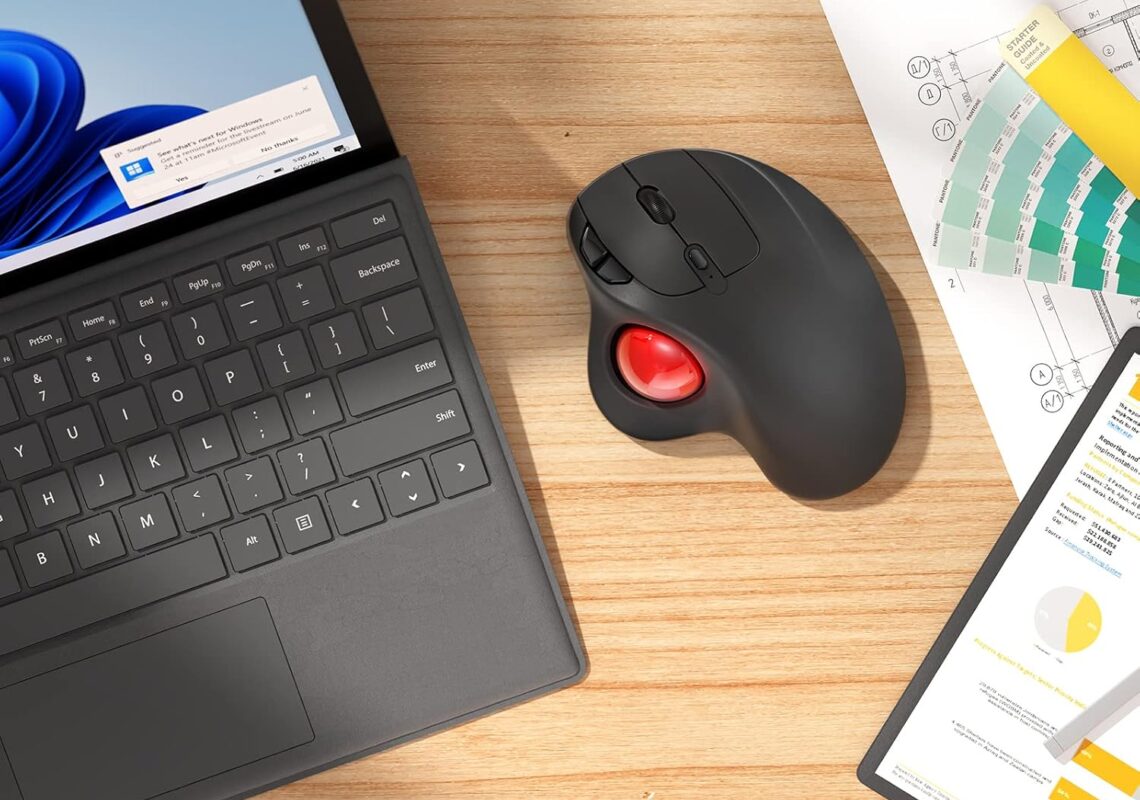
| Thumb-operated trackball | Most similar to a normal mouse | Easier learning curve, good for mixed gaming + daily use | Thumb fatigue for some people, “micro-aim” can feel different |
| Finger-operated trackball (large ball) | You roll the ball with index/middle fingers | Great fine control once you adapt, stable base | Takes longer to learn, button placement can be “different” |
| Wired trackball | Always connected | Consistent latency, no battery stress | Cable management |
| 2.4GHz wireless trackball | USB receiver connection | Usually close to wired feel | Receiver needed, occasional interference in noisy setups |
| Bluetooth trackball | Pairs like a laptop mouse | Convenience, multi-device switching | Not ideal if you’re sensitive to input delay |
Our Top Picks by Category
| Category | Top Pick |
|---|---|
| Best Overall (precision + build) | Kensington Expert Trackball Mouse (K64325) |
| Best Wireless Multi-Device | Kensington TB450 Wireless Trackball Mouse (K72194WW) |
| Best Budget-Friendly Wireless | Nulea M501 Wireless Trackball Mouse |
| Best “Gamer Vibes” Option | TECKNET Pro Wireless Trackball Mouse |
| Best Value Ergonomic Angle Pick | SABLUTE Wireless Trackball Mouse |
Detailed Hands-On Style Reviews
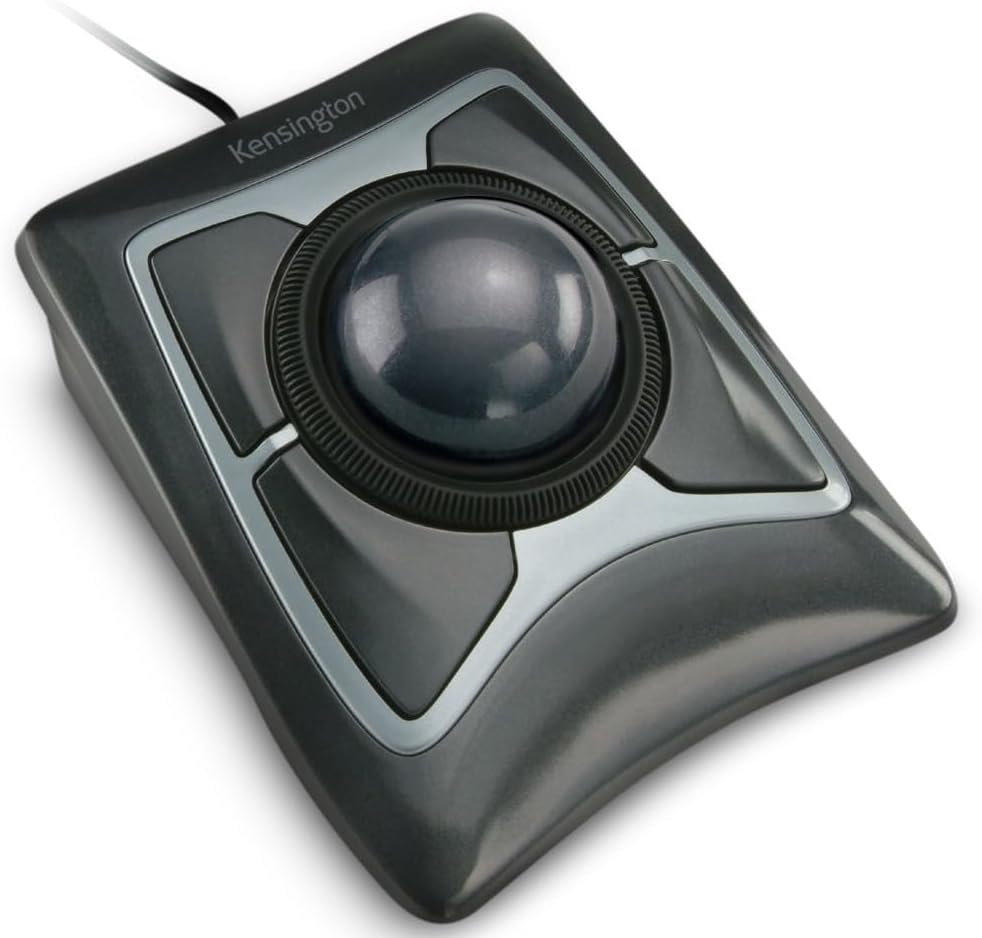
Kensington Expert Trackball Mouse (K64325)
Tested by
Evaluation checklist focused on precision control, long-session comfort, scroll behavior, and button customization.
Best for
Players who want premium build quality, stable aim control (especially for slower-to-mid tempo games), and a “buy once, keep forever” desk setup.
Why We Like It
The K64325 is the classic “big-ball” trackball for a reason. The 55mm ball and the heavy, stable base give you controlled movement without needing desk space for sweeping mouse pads. For gaming, that stability matters: you’re not lifting the mouse, not dragging across a pad, and you can make tiny adjustments by rolling the ball with your fingers.
Also, the scroll ring is a big deal if you play games with inventory management, zoom, or long scroll actions. It’s not a gimmick—it’s genuinely useful once you bind around it.
Pros
- Excellent precision feel with the large 55mm ball and stable base
- Scroll ring is great for zooming, weapon wheel-style scrolling, or inventory-heavy games
- Ambidextrous shape works for left or right hand use
- Wired connection keeps things simple and consistent
Cons
- The “finger trackball” style takes a learning period if you’re coming from a normal mouse
- Not a lightweight or portable option
- Software customization exists, but if you’re on platforms where customization is limited, it’s not as plug-and-play as basic mice
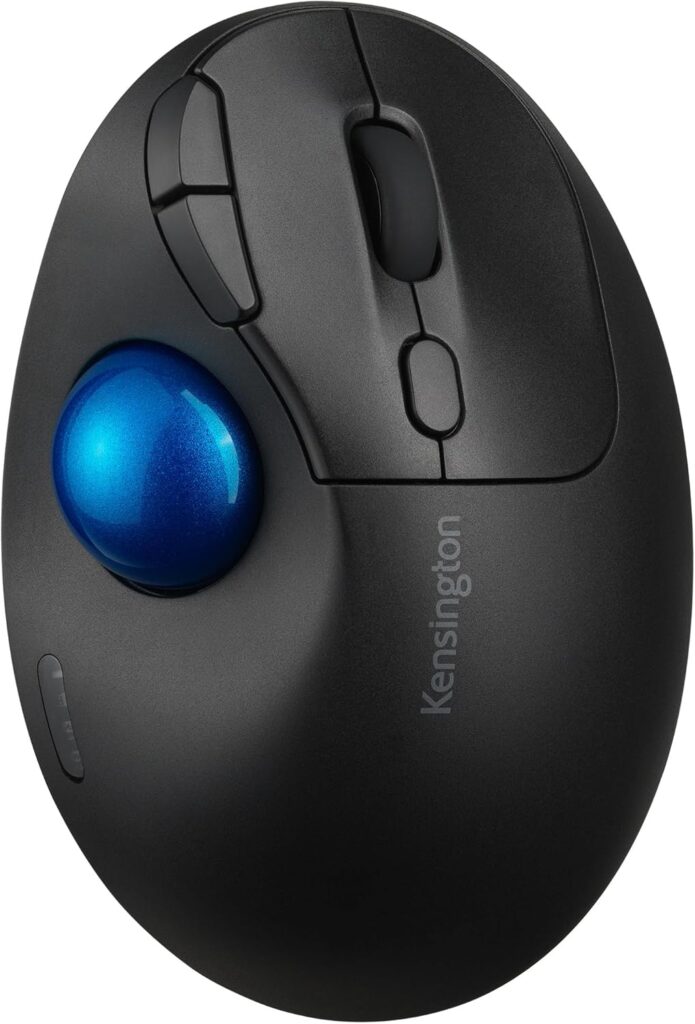
Kensington TB450 Wireless Trackball Mouse (K72194WW)
Tested by
Wireless-focused checklist: connection modes, switching behavior, DPI steps, and day-to-day usability for gaming + work.
Best for
Gamers who want a cleaner desk, multi-device switching, and a modern wireless trackball from a trusted brand.
Why We Like It
The TB450 is the “modern wireless” take from Kensington, and it’s built for people who bounce between devices. It supports Bluetooth LE and 2.4GHz, and it can connect up to three devices, which is perfect if you game on a PC but also use a laptop/tablet on the same desk.
For gaming, the big win is flexibility: use 2.4GHz for play, Bluetooth for convenience. Also, having defined DPI options is useful when you want a consistent sensitivity step-by-step.
Pros
- Bluetooth LE + 2.4GHz options (use 2.4GHz for gaming)
- Connects up to 3 devices, easy for multi-setup desks
- Multiple DPI options for predictable sensitivity shifts
Cons
- Wireless always introduces more variables than wired (receiver placement, interference)
- If you’re extremely sensitive to input feel, you may still prefer a wired option
- Trackball learning curve still applies if you’ve never used one
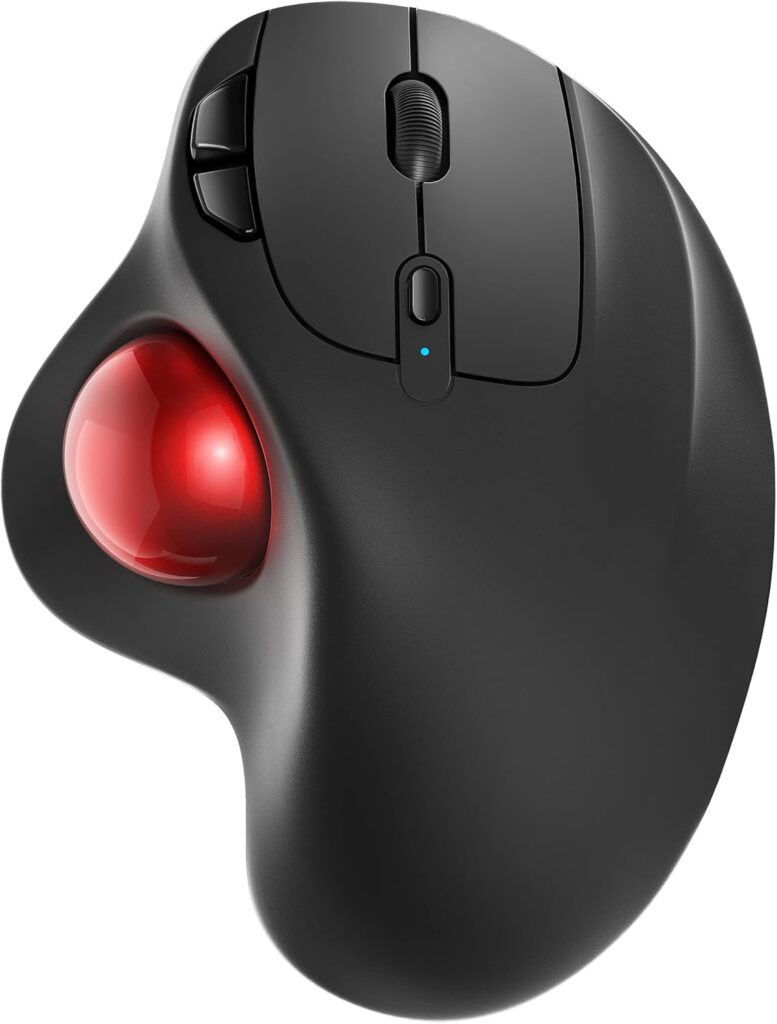
Nulea M501 Wireless Trackball Mouse
Tested by
Budget-value checklist: comfort, basic performance, connection flexibility, and whether the compromises are acceptable for gaming.
Best for
Casual gaming, MMO/ARPG/strategy players, and anyone who wants to try a trackball without paying premium prices.
Why We Like It
The Nulea M501 is a practical entry point: wireless, rechargeable, and designed around thumb control, which is usually the easiest trackball style for first-timers. It supports a 3-device connection setup (Bluetooth or USB receiver), so it works well if you split time between a PC and another device.
This is the kind of trackball I’d recommend when someone says, “I’m curious, but I don’t know if I’ll stick with it.” It’s not trying to be a pro esports tool. It’s trying to be comfortable and functional while still being smooth enough for real play.
Pros
- Thumb trackball style is easier to adapt to than finger-ball designs
- 3-device connection option (Bluetooth or USB receiver)
- Rechargeable design is convenient for daily use
Cons
- Button customization tends to be more limited on budget models (plan your binds accordingly)
- Bluetooth is convenient but not my first choice for competitive play
- “Budget smoothness” can be good, but it’s rarely premium-level
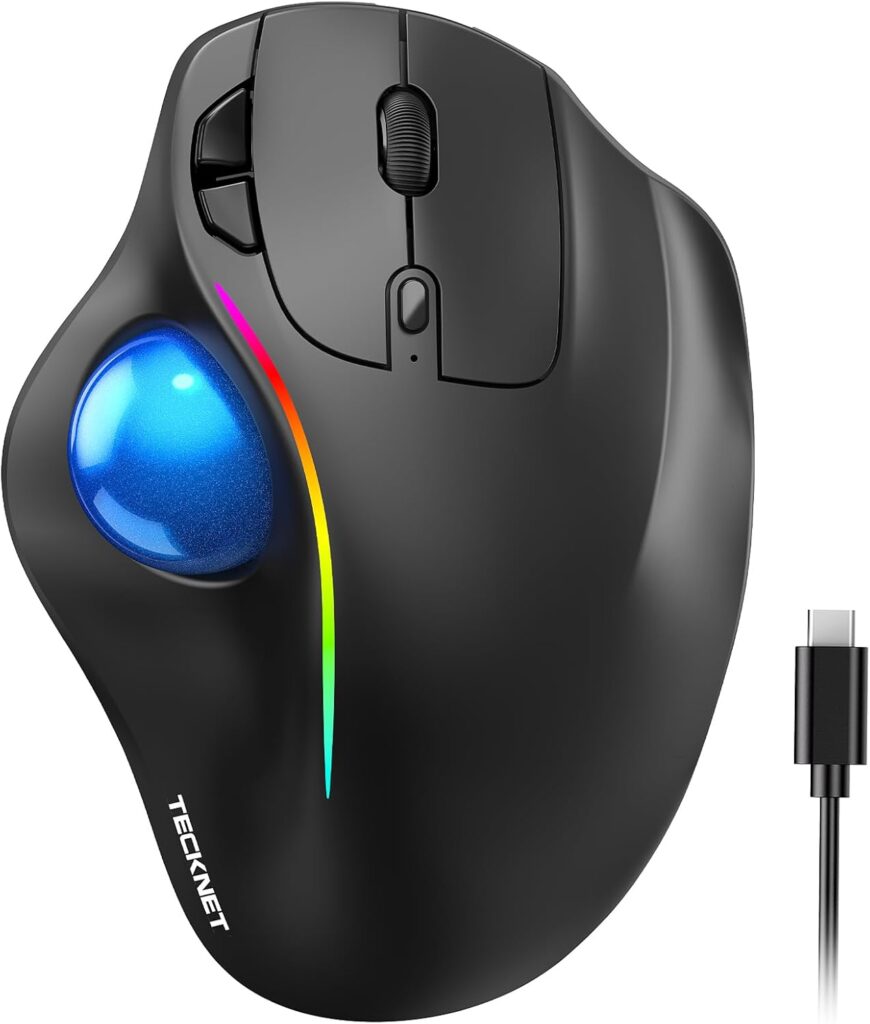
TECKNET Pro Wireless Trackball Mouse
Tested by
“Gaming features” checklist: DPI range, lighting (whether it’s optional), multi-device switching, and how the shape supports longer sessions.
Best for
Gamers who want wireless flexibility, higher DPI adjustability, and a more “gaming-styled” look without going full overpriced.
Why We Like It
This TECKNET Pro model is clearly aiming at the gamer crowd: USB-C rechargeable, RGB lighting, adjustable DPI, and 3-device connectivity (Bluetooth or 2.4G).
The reason it makes this list is simple: it offers the sort of feature set trackballs often miss. A lot of trackballs are either “office ergonomic” or “old-school premium.” This one is more modern-feature heavy, which can matter if you want quick DPI switching or just like having lighting on your setup (and yes, being able to turn it off matters too).
Pros
- USB-C rechargeable and designed for multi-device setups
- 3-device connectivity (Bluetooth or 2.4G) for flexible setups
- Adjustable DPI and a more “gaming” feature package
Cons
- RGB and extra features don’t automatically mean “better aim”
- If you only want pure competitive consistency, wired or a proven premium unit may still feel safer
- As with most trackballs, you’ll likely need an adjustment period
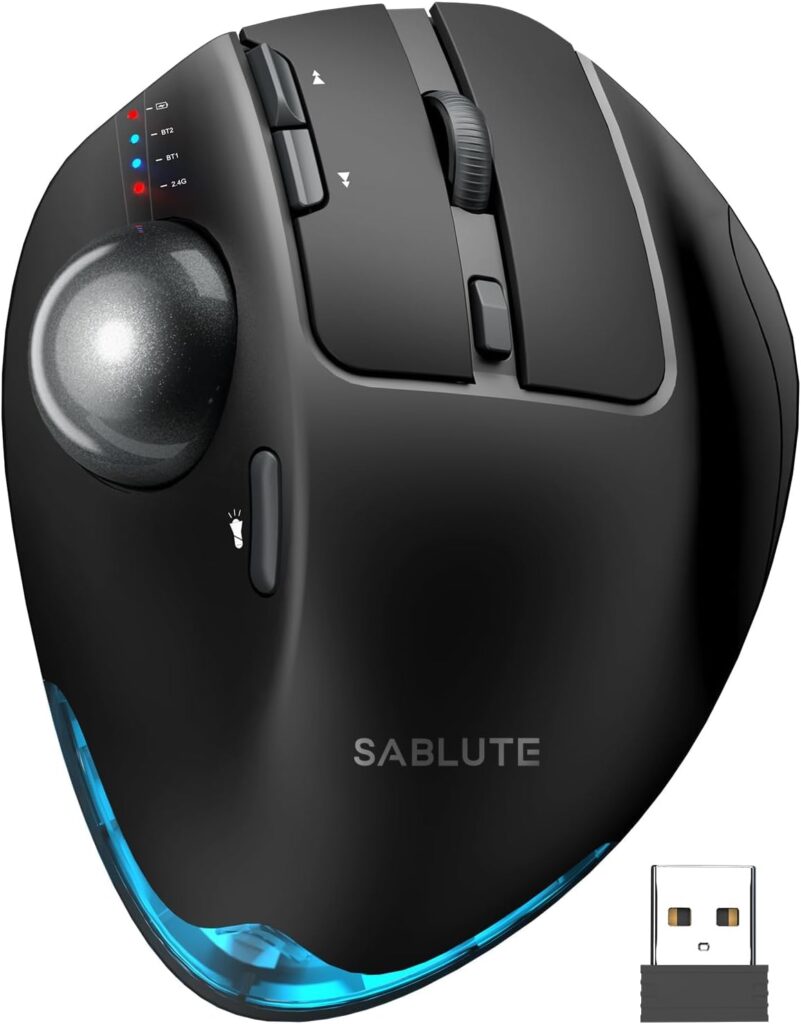
SABLUTE Wireless Trackball Mouse
Tested by
Ergonomics-first checklist: angle options, comfort cues, DPI steps, click noise, and multi-device practicality.
Best for
Gamers who want an adjustable angle for wrist comfort, plus wireless multi-device switching, at a usually more affordable price than premium brands.
Why We Like It
This SABLUTE model is a strong “value ergonomic” pick because it offers adjustable angle positions (0° and 18°), multi-device wireless connection (Bluetooth + USB), rechargeable battery, and adjustable DPI levels (including up to 4800 DPI).
For gaming, the adjustable angle is the real story. Trackballs are already about reducing arm movement; adding a more natural wrist posture can make long sessions easier—especially if you’re the type who gets wrist fatigue fast.
Pros
- Adjustable angle (0° or 18°) for comfort tuning
- Multi-device wireless connection via Bluetooth and USB
- Rechargeable + adjustable DPI levels up to 4800
- Quiet-click design is nicer for shared spaces or late-night sessions
Cons
- Drivers/software notes can matter depending on your OS (always check your platform needs)
- Thumb trackballs can cause thumb fatigue for some players in long sessions
- Like most wireless options, best results come from using the USB receiver for gaming
Other Things to Consider (Before You Hit Buy)
Connection choice for gaming
If you care about competitive consistency, lean wired or 2.4GHz wireless. Bluetooth is great for convenience, but not the first choice when you want the most reliable “game feel.”
Battery life and charging
Rechargeable is convenient, but think about your routine. If you forget to charge devices, wired is still the most stress-free. For wireless, USB-C charging is a nice plus.
Weight and base stability
Heavier trackballs tend to stay planted (good for control). Lighter ones are easier to move around, but can shift during intense play.
Noise level
Quiet clicks are great for streaming, shared rooms, or late gaming. Loud clicks aren’t “bad,” but they can get old fast.
Scroll behavior
Scroll rings (like on the Kensington Expert) feel very different from wheels. If you play inventory-heavy games or use scroll binds, this can be a deciding factor.
Accessories and maintenance
Trackballs collect dust and skin oils over time. Look for models that are easy to pop the ball out and clean. Also consider whether you’ll want a wrist rest or a grip tape-style mod later.
Frequently Asked Questions
Are trackball mice actually good for gaming, or are they just for office work?
Trackballs can absolutely work for gaming, but they’re not “one-size-fits-all.” They’re often excellent for games where you want controlled camera movement and less arm motion: strategy games, MOBAs, ARPGs, MMOs, city builders, and even casual shooters. The biggest advantage is consistency in small spaces—your aim doesn’t depend on having a massive mousepad or doing big swipes.
Where trackballs can be tricky is fast flick aiming and rapid 180° turns. You can adapt, but it’s a different motor pattern. If you mainly play competitive FPS at a high level, you’ll want to be honest with yourself about whether you’re willing to retrain muscle memory.
What’s the difference between thumb trackballs and finger-operated trackballs for gaming?
Thumb trackballs (like the Nulea M501, TECKNET Pro, and SABLUTE) are usually easier for beginners because your hand position is closer to a regular mouse. Your thumb does the ball movement while the rest of your hand stays steady. That tends to feel natural quickly, especially for general gaming and everyday use.
Finger-operated trackballs (like the Kensington Expert K64325) use your index/middle fingers on a larger ball. Once learned, many people find this style offers very controlled micro-movements because you’re using stronger fingers and the ball is usually larger. The trade-off is that it can feel unfamiliar at first, and button placement may take time to adjust to.
Is a wireless trackball mouse fast enough for gaming?
A good 2.4GHz wireless trackball can feel very close to wired for most players, especially for non-competitive gaming. The bigger concern is how you use it:
- For gaming, use the USB receiver (2.4GHz) when available.
- Keep the receiver close (front USB port or a short extender) to reduce interference.
- Bluetooth is fine for daily browsing and work, but if you’re trying to maximize responsiveness, 2.4GHz is the better bet.
How do I dial in sensitivity (DPI) and aim feel on a trackball?
Start simple. Pick one DPI level and stick with it long enough for your brain to adapt. Constantly switching DPI while learning a trackball makes it harder to build consistent control.
A practical approach:
- Set a middle DPI (not max) and test in your game’s training range.
- Adjust in-game sensitivity first for comfort.
- Only change DPI if you can’t reach a comfortable range with in-game sens.
Also remember: trackballs reward smooth inputs. Try reducing aim acceleration if you want a more predictable feel.
Do trackballs reduce wrist pain for gamers?
They often can, because you’re moving the cursor by rolling the ball instead of dragging your whole hand/arm across a surface. That reduced movement is the big ergonomic win. Adjustable-angle designs (like the SABLUTE) can also help you find a wrist posture that feels less strained.
That said, comfort is individual. Some people trade wrist fatigue for thumb fatigue (thumb trackballs), or they need a short adjustment period before things feel natural. If you’re buying for comfort reasons, give yourself a real “adaptation window” before judging.
Conclusion
If you want the most premium, stable, precision-focused pick, the Kensington Expert Trackball Mouse (K64325) is the one that feels like a long-term desk upgrade. If you want wireless flexibility with multi-device switching from a trusted brand, go with the Kensington TB450 Wireless Trackball Mouse (K72194WW). If you’re trying trackballs for the first time and want something affordable that still covers the basics, the Nulea M501 Wireless Trackball Mouse is a safe entry pick. If you like a more “gaming-feature” style trackball with USB-C charging and multi-device options, the TECKNET Pro Wireless Trackball Mouse fits that lane. And if you want comfort-focused angle adjustability with solid value, the SABLUTE Wireless Trackball Mouse is the ergonomic bargain pick.