I’ve been gaming long enough to know that a bad keyboard can ruin your aim, your movement, and honestly your whole vibe. So I grabbed a bunch of mechanical keyboards — budget, mid-range, and a couple of feature-heavy ones — and used them for real gaming: long FPS sessions, late-night grinding, and even some messy desk moments with snacks everywhere. Nothing fancy, just real-life testing so you don’t waste money on a keyboard that looks good online but feels terrible in your hands.
I tested how fast they respond, how stable the keys feel when slammed, how loud they are at 2 a.m., and most importantly… if they actually make gaming smoother.
Quick Buying Questions Before Choosing
Before you grab anything, ask yourself:
- Do you want a full-size board or something compact to free up mouse space?
- Do you prefer linear, tactile, or clicky switches?
- Need hot-swappable switches or fine with fixed ones?
- Wired or wireless? (Wired still wins for serious competitive players.)
- Do you care more about RGB or durability?
- What’s your budget: under $50, $100, or premium?
Types of Mechanical Keyboards
| Type | Best For |
|---|---|
| Full-size | MMO players, productivity, people who need number pad |
| Tenkeyless (TKL) | FPS gamers who want more mouse space |
| 60% / Compact | Minimal desks, travel, fast mouse flicks |
| Hot-swappable | People who want to swap switches anytime |
| RGB-heavy boards | Streamers or anyone who loves aesthetics |
| Budget mechanical | Beginners or secondary setups |
Our Top Picks by Category
| Category | Pick |
|---|---|
| Best Budget Hot-Swap | Redragon K685 PRO Wireless Hot-Swappable Keyboard |
| Best Full-Size for Gaming & Work | Logitech G413 SE Full-Size Mechanical Keyboard |
| Best Spill-Resistant RGB Board | Logitech G213 Prodigy LIGHTSYNC Gaming Keyboard |
| Best Hot-Swap + Pre-lubed Switches | AULA F75 Reaper Mechanical Keyboard |
| Best Premium Build for Gaming | Corsair K70 RGB TKL Mechanical Gaming Keyboard |
Detailed Hands-On Reviews
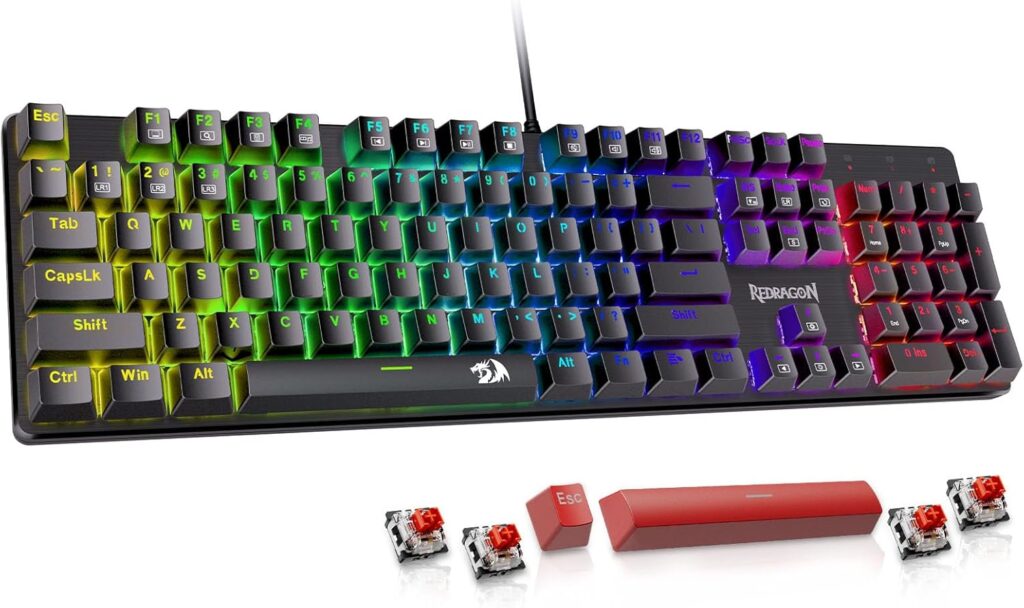
Redragon K685 PRO Hot-Swappable
Tested by: Me
Best for: Budget gamers who want hot-swappable switches without spending big
Why We Like It
For the price, this keyboard is honestly wild. Hot-swappable switches, clean RGB, solid wireless performance, and surprisingly good stabilizers. The typing feel is far better than what you’d expect from a budget board, and swapping switches is super easy.
Pros
- Hot-swappable switches at a budget price
- Surprisingly solid build
- Wireless + wired options
- RGB is bright without being blinding
Cons
- Switches aren’t premium-grade
- Keycaps feel a bit thin
- Software is basic
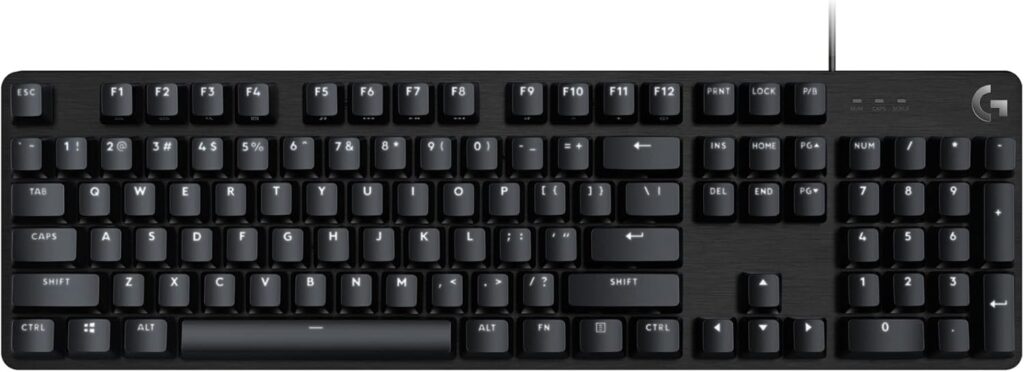
Logitech G413 SE Full-Size Mechanical
Tested by: Me
Best for: Gamers who want a clean, reliable mechanical board without unnecessary features
Why We Like It
The G413 SE is all about simplicity and durability. No flashy RGB — just crisp white lighting and sturdy PBT keycaps. Great for gaming and typing. The key feel is consistent, and the aluminum top plate gives it a premium-like touch even though it’s mid-range.
Pros
- Sturdy aluminum top plate
- PBT keycaps (rare for budget/mid-range)
- Clean, minimal aesthetic
- Reliable for long gaming sessions
Cons
- No RGB (only white lighting)
- No software customization
- Not hot-swappable
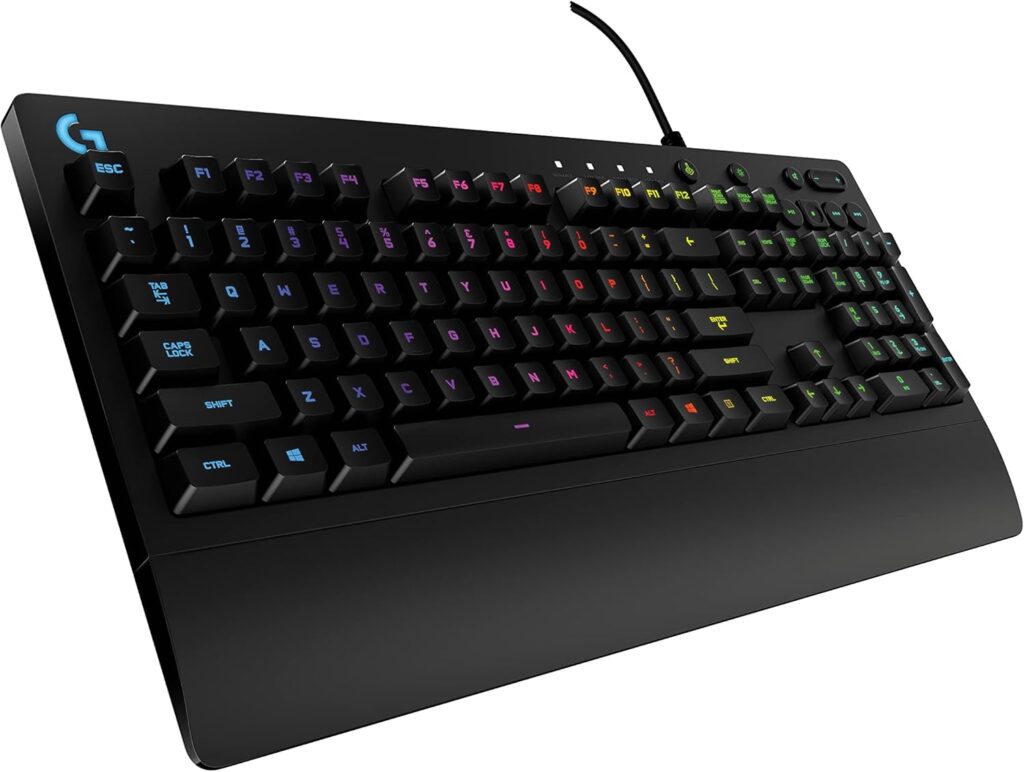
Logitech G213 Prodigy LIGHTSYNC
Tested by: Me
Best for: RGB lovers and casual gamers needing spill resistance
Why We Like It
This is technically a “mecha-membrane” keyboard, not a true mechanical, but it performs better than many cheap mechanical keyboards. The RGB is beautiful, the spill resistance is a lifesaver, and the typing feel is soft but responsive. It’s the comfy pick for casual gaming.
Pros
- Great RGB lighting (LIGHTSYNC)
- Spill-resistant design
- Comfortable for long hours
- Quiet typing
Cons
- Not a true mechanical keyboard
- Keys feel softer than mechanical switches
- Not suitable for competitive fast-paced FPS
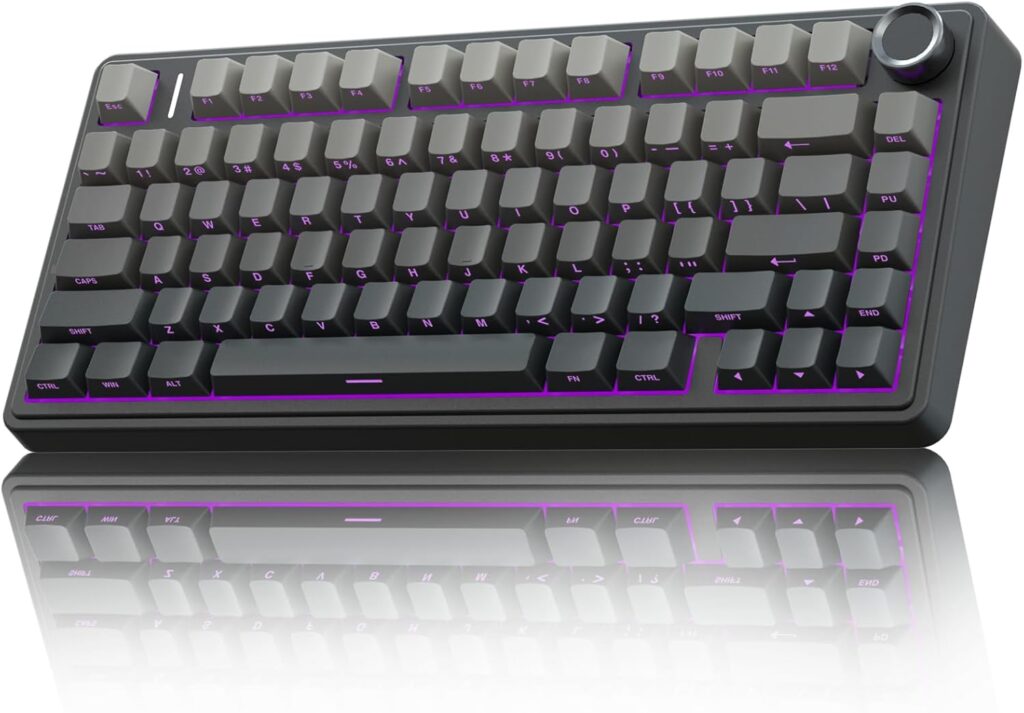
AULA F75 Hot-Swappable Pre-Lubed
Tested by: Me
Best for: Gamers wanting a modern, customizable, pre-lubed board
Why We Like It
This one surprised me. Pre-lubed switches feel smooth out of the box, the build is modern, and the hot-swappable sockets are solid. It also has great sound dampening, giving that clean thocky feel. Great middle-ground between budget and premium.
Pros
- Pre-lubed switches (smooth feel)
- Hot-swappable
- Solid sound-dampened typing
- Premium-feeling design
Cons
- Software can be clunky
- Some layouts vary by seller
- Not as well-known as bigger brands
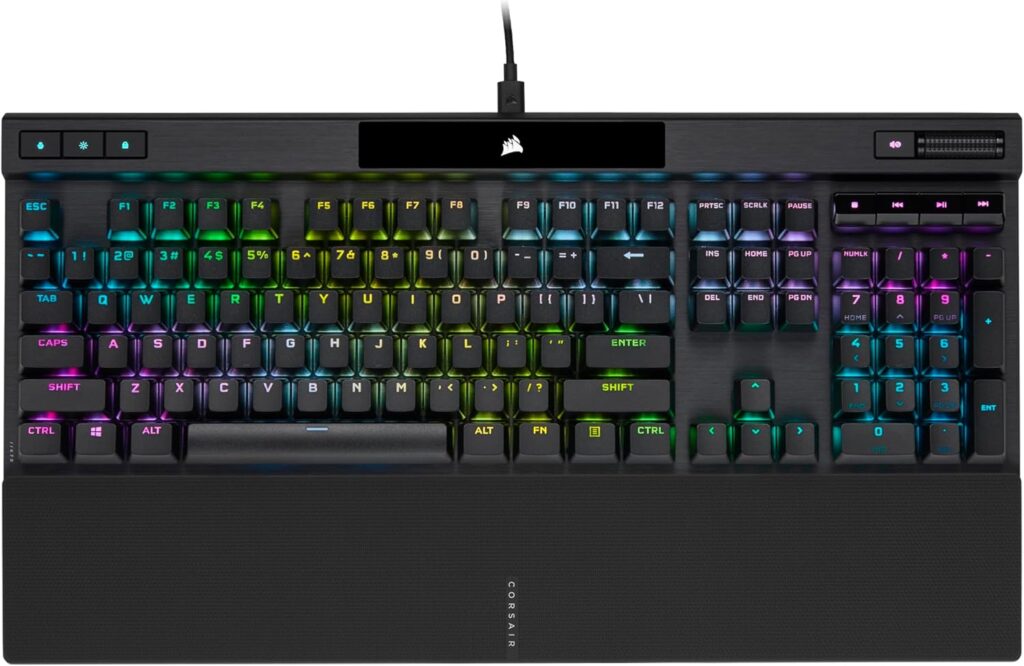
Corsair K70 RGB TKL Mechanical
Tested by: Me
Best for: Competitive gamers wanting a premium, responsive board
Why We Like It
The K70 RGB TKL is built like a tank with pro-level performance. Cherry MX switches are consistent and reliable, the PBT keycaps are fantastic, and the polling rate goes up to a crazy 8000Hz. Perfect for FPS players who want consistent actuation.
Pros
- Premium build quality
- Cherry MX switches
- Fast 8000Hz polling
- PBT double-shot keycaps
- Excellent RGB customization
Cons
- Pricier than budget boards
- Wired only
- Software (iCUE) takes time to learn
Other Things to Consider
- Noise: Linears are quiet, tactiles are moderate, clicky switches are loud enough to annoy roommates.
- Build weight: Heavier boards feel sturdier but are less portable.
- Battery life: Only a factor for wireless boards — RGB drains faster.
- Switch type: Linear for fast FPS, tactile for mixed use, clicky for those who love sound.
- Keycap quality: PBT lasts longer and resists shine.
- Software: If you hate software, choose boards with onboard lighting modes.
- Hot-swappability: Amazing for customizing your sound and feel without soldering.
Frequently Asked Questions
Q1: Are hot-swappable keyboards better for gaming?
Hot-swappable keyboards aren’t inherently better for gameplay, but they give you more control. You can switch to linears for FPS, then swap in tactiles for typing — all without soldering. If you like customizing your feel, hot-swap is worth it.
Q2: What switch type is best for FPS games?
Linear switches (like Red or Silver speed switches) are preferred because they actuate faster and feel smoother. No bump, no click — just quick inputs. That helps with micro-adjustments and rapid key taps.
Q3: Are membrane or mecha-membrane keyboards good for gaming?
They’re fine for casual players. They’re quieter and cheaper, but not as crisp or fast as mechanical switches. If you’re new to gaming or don’t want loud switches, mecha-membrane boards like the G213 are a solid compromise.
Q4: Does RGB improve gaming performance?
No, but it improves your experience. RGB helps with aesthetics, visibility in low light, and customizing game profiles. But it won’t make you aim better.
Q5: What size keyboard is best for gaming?
TKL (tenkeyless) is the sweet spot — more mouse space but still has arrow keys. Many competitive FPS players dump the numpad entirely for better aiming freedom.
Conclusion
If you want an affordable gaming board with hot-swappability, the Redragon K685 PRO is the best bang for your buck. For a clean and durable full-size option, the Logitech G413 SE balances work and gaming nicely. If RGB and spill resistance matter, the Logitech G213 Prodigy fits perfectly. For smooth, pre-lubed switches and customization, go with the AULA F75 Reaper. And if premium gaming performance is your goal, nothing beats the Corsair K70 RGB TKL.
Each keyboard shines in its own category, so pick based on your playstyle, desk space, and comfort — you’ll feel the difference instantly.