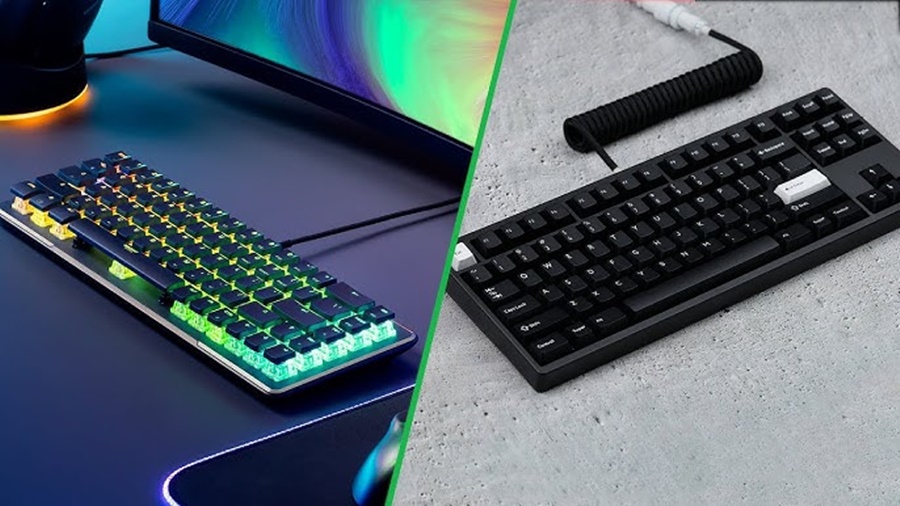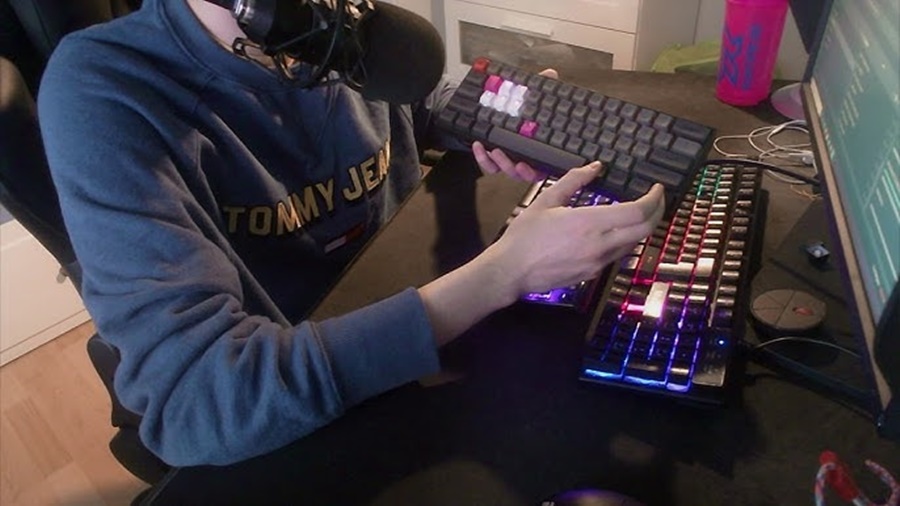
Choosing the right keyboard layout can make a big difference in your typing comfort, desk setup, and productivity. While all keyboards serve the same essential function, their layouts vary significantly in terms of size, features, and portability. The three most popular layouts are Full-Size, Tenkeyless (TKL), and 60% keyboards.
This article breaks down each layout, highlighting their advantages, drawbacks, and ideal use cases to help you make an informed decision.
1. Full-Size Keyboards
Overview
A Full-Size keyboard is the standard layout most people are familiar with. It includes all the keys you’d expect:
- Function row (F1–F12)
- Navigation cluster (Insert, Home, Delete, etc.)
- Arrow keys
- A full numeric keypad (Numpad)
Typically, a full-size keyboard has 104–108 keys, depending on the region or manufacturer.
Advantages
- Complete key set: No functions are hidden behind key combinations; every key has its dedicated spot.
- Ideal for data entry: The numpad is crucial for accountants, programmers, and anyone working with numbers.
- Easy transition: If you’re used to standard office keyboards, this layout feels the most natural.
Disadvantages
- Large footprint: Takes up significant desk space, leaving less room for your mouse.
- Less portable: Not ideal for travel or compact setups.
- May cause ergonomic strain: The wide layout can push your mouse farther away, potentially causing shoulder discomfort during long use.
Best For
- Office workers and accountants
- Gamers who need dedicated keys for macros
- Users who prefer traditional, all-inclusive layouts
2. Tenkeyless (TKL) Keyboards
Overview
A Tenkeyless keyboard, often abbreviated as TKL, removes the numeric keypad from the standard layout, resulting in about 87 keys. Despite dropping the numpad, it retains the function row, navigation cluster, and arrow keys.
Advantages
- More compact: Saves around 20% of desk space compared to full-size keyboards.
- Better ergonomics: Allows you to keep your mouse closer, reducing strain on your shoulders and arms.
- Balanced layout: Still retains most of the keys needed for everyday productivity and gaming.
Disadvantages
- No numpad: Can be inconvenient for users who frequently input numbers.
- Not as small as compact keyboards: Still larger than 60% layouts, so not ideal for minimal setups.
Best For
- Gamers who want more mouse space
- Office workers who only occasionally use the numpad
- Users who want a balance between function and portability
3. 60% Keyboards
Overview
A 60% keyboard is a minimalist compact layout that removes the function row, navigation cluster, and numpad. It retains only the alphanumeric keys and essential modifiers, typically around 61 keys.
All missing functions are accessed through layered key combinations (e.g., holding Fn + another key).
Advantages
- Ultra-compact: Frees up a huge amount of desk space and is easy to carry.
- Aesthetically clean: Minimal design favored by enthusiasts and streamers.
- Encourages efficient typing: Forces reliance on layers, which can speed up workflow once mastered.
Disadvantages
- Learning curve: Requires memorizing multiple function layers for arrows, F-keys, and media controls.
- Not ideal for productivity: Lacks dedicated keys for navigation and numbers.
- Limited compatibility: Some games or software may rely on missing keys.
Best For
- Minimalists and travelers
- Gamers who prioritize mouse movement space
- Keyboard enthusiasts who enjoy customization
4. Side-by-Side Comparison
| Feature | Full-Size | Tenkeyless (TKL) | 60% Keyboard |
|---|---|---|---|
| Key Count | ~104–108 | ~87 | ~61 |
| Numpad | Yes | No | No |
| Function Row | Yes | Yes | No |
| Navigation Keys | Yes | Yes | No |
| Portability | Low | Moderate | High |
| Desk Space | Large | Medium | Small |
| Ideal For | Data entry, office use | Gaming, balanced setups | Travel, minimalist setups |
5. Which Keyboard Layout Should You Choose?
Your ideal keyboard layout depends on how you use your computer:
- Choose a Full-Size Keyboard if you rely heavily on the numpad for data entry, spreadsheets, or calculations.
- Choose a Tenkeyless Keyboard if you want a balance of comfort, functionality, and space-saving design.
- Choose a 60% Keyboard if portability, minimalism, or aesthetics are your top priorities and you’re comfortable using layered shortcuts.
Conclusion
The differences between Full-Size, Tenkeyless, and 60% keyboards extend beyond just size they affect comfort, productivity, and even your desk aesthetics.
For most users, Tenkeyless offers the best balance of function and form. However, if your workflow demands a numpad or if you prefer ultra-compact designs, both Full-Size and 60% options are excellent in their own right.
Ultimately, the best keyboard is the one that matches your habits, workspace, and comfort.