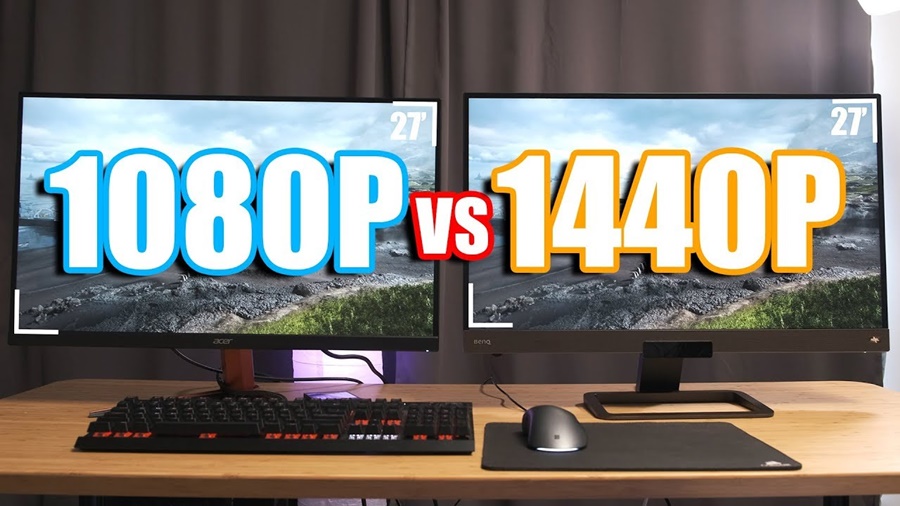
Choosing a gaming monitor can be confusing with all the specs and resolutions available. Two of the most popular options today are 1080p (Full HD) and 1440p (QHD) monitors. But which one is better for gaming? Let’s break it down in this detailed guide so you can make an informed decision.
What Do 1080p and 1440p Mean?
1080p (Full HD)
- Resolution: 1920 × 1080 pixels
- Also called Full HD
- Common, affordable, and widely supported
1440p (QHD / WQHD)
- Resolution: 2560 × 1440 pixels
- Also called Quad HD
- Offers more detail than 1080p
- In simple terms, 1440p has more pixels and therefore sharper and clearer images than 1080p.
Image Quality: Sharpness & Detail
1080p
Good image quality
Looks great on smaller screens (24″ and below)
Less detail compared to 1440p
1440p
Noticeably sharper images
Better clarity in textures and environments
Great for larger screens (27″ and above)
If you care about visuals and crisp graphics, 1440p generally wins. You’ll notice more detail in games with rich landscapes or high-resolution textures.
Performance: FPS & Hardware Requirements
1080p Gaming
Easier to push high FPS (Frames Per Second)
Good for competitive gamers who want 144+ FPS
Less demanding on GPU and CPU
1440p Gaming
More demanding than 1080p
Requires a stronger graphics card for high FPS
Still manageable with mid to high-end GPUs
If your priority is competitive gaming and high FPS, 1080p may be the better choice, especially if you don’t have a top-tier GPU.
If you want visual fidelity and smoothness and have a strong GPU, 1440p is excellent.
Refresh Rates: Smoothness Matters
Both 1080p and 1440p monitors can offer high refresh rates like 144Hz, 165Hz, and even 240Hz.
However:
- 1080p at high refresh rates is easier to achieve even with modest GPUs.
- 1440p at high refresh rates demands more power from the GPU.
So, if high refresh rate gaming is your priority but hardware is limited 1080p may still be more practical.
Competitive vs. Immersive Gaming
Best for Competitive Gaming:
1080p
- Easier to reach extremely high FPS
- Faster response and smoother gameplay
- Lower input lag
Best for Immersive / AAA Gaming:
1440p
- More detailed graphics
- Better visual experience
- Ideal for story-driven and open-world games
Price Comparison
1080p Monitors
Usually more affordable
Lower price per performance
Easier to get high refresh rates on a budget
1440p Monitors
More expensive than 1080p
Best value for better visuals
Especially worth it if you plan long-term
If you’re on a budget, 1080p is easier on your wallet.
Future-Proofing Your Setup
1440p is increasingly becoming the standard for PC gaming. Over the next few years, more games will optimize for higher resolutions.
If longevity is important, 1440p can be more future-proof than 1080p.
Screen Size & Viewing Distance
Smaller than 24″:
1080p is usually enough because pixels are less noticeable.
24–27″:
1440p shines here clearer visuals without needing excessive GPU power.
Above 27″:
1440p is better because higher resolution matches larger display sizes.
Conclusion
Choose 1080p if:
- You want high FPS for competitive games
- You have a mid or older GPU
- You’re on a tighter budget
Choose 1440p if:
- You value visual fidelity and sharper images
- You have a capable GPU (e.g., RTX 3060 and above, Radeon RX 6700 XT and above)
- You want a more immersive gaming experience
Both resolutions are excellent, but your choice depends on what matters most to you speed and performance, or visual quality and immersion.