
Gaming at 1080p remains the standard for many players, while 4K resolution attracts those seeking the latest technology. However, prioritizing refresh rates and the capabilities of your gaming hardware is essential and often overlooked. My experience shows that 4K can be demanding on systems, making it a less practical choice for some.
At its core, the best resolution for gaming depends largely on your setup and gaming style. Some players swear by the clarity of 4K, but I advocate for a more optimal resolution that caters to your gaming performance and enjoyment.
High Resolutions: Worth the Investment?
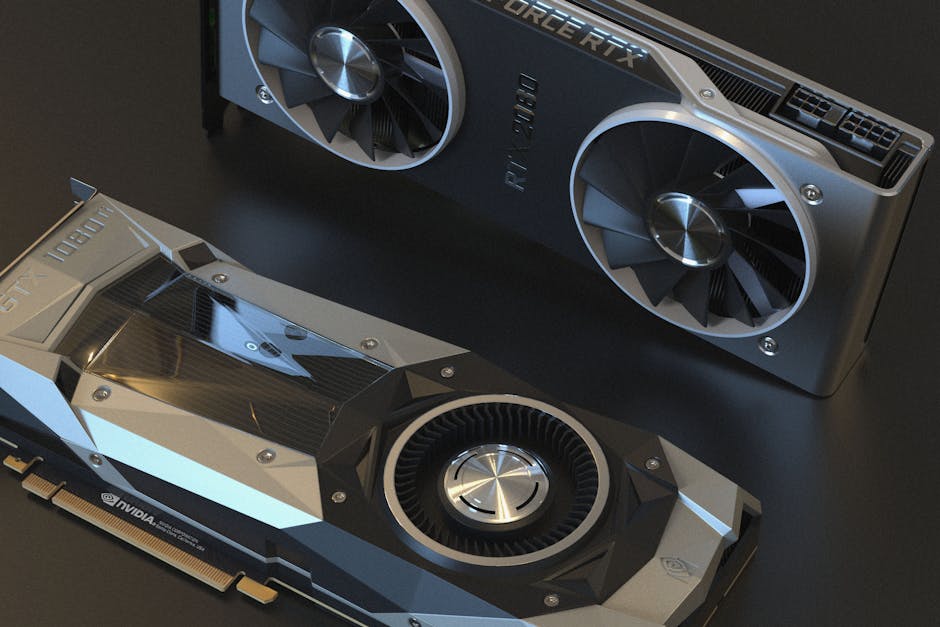
When considering what resolution to choose, you can’t ignore the increase in pixel density. A standard 1080p resolution comes with 1920 x 1080 pixels, while 4K gaming pushes that to 3840 x 2160 pixels. This means more detail and clarity, but there’s a catch. High resolutions demand more processing power from your graphics card.
If your setup isn’t up to par, then gaming (especially fast-paced titles like first-person shooters) could suffer significantly, leading to lag or stuttering.
I often see gamers stumble into the trap of thinking that simply having a 4K monitor makes them better players. However, unless you have a high-end GPU capable of maintaining decent frame rates, a lower resolution can provide smoother gameplay. A resolution like 1440p offers a sweet spot that balances visual fidelity and performance, particularly for competitive gamers.
This midpoint allows for rich visuals while avoiding the significant hardware costs associated with true 4K gaming.
Refresh Rate vs. Resolution: What Matters More?
Another critical factor to consider is refresh rate. This defines how many frames per second your monitor can display. Higher refresh rates lead to smoother gameplay, especially in fast-paced action games. If you’re using a 60Hz monitor, switching to a 144Hz ones can be more beneficial than just bumping your resolution up.
A higher refresh rate will allow you to better respond to the fast action on screen, which is invaluable in competitive situations.
For example, gaming at 1080p resolution on a 144Hz monitor will significantly improve your responsiveness compared to playing at 4K on a 60Hz monitor. You’ll often find that pro gamers favor higher refresh rates at lower resolutions as it gives them the competitive edge. If quick reactions are key, prioritize refresh rates over achieving the highest resolution.

Screen Size and Viewing Distance: Consider Your Setup
The screen size and how far you sit from your monitor also play vital roles in your gaming experience. A 27-inch screen at 1440p looks fantastic up close, but when you start scaling up to a larger screen, the differences in resolution become more pronounced.
If you’re playing on a 4K 55-inch TV, the nuances of the extra detail can quickly fade if you’re sitting far enough away. This is why it’s crucial to consider how distance affects your perception of resolution before making an upgrade.
For most desktop setups, a resolution of 1440p on a 27-inch monitor is often the gold standard because it allows for a blend of performance and aesthetic quality that you can fully appreciate without needing the latest GPU. Conversely, if you’re gaming on a 32-inch display or larger, stepping up to 4K makes more sense, provided your graphics card can handle it.
A Cost-Benefit Analysis of Gaming Resolutions
Ultimately, weighing the costs against the benefits becomes paramount. The jump from 1080p to 4K isn’t merely an upgrade in resolution; it can mean spending significantly on a graphics card that can push such high resolutions. You might find upgrading to a decent graphics card that supports 1440p provides a better return on investment.
Additionally, the media you consume like movies or games, and how they render at different resolutions also plays a part.
Aside from the hardware costs, there’s the learning curve in adapting to higher resolutions. Most games perform better and appear smoother at lower resolutions with fewer graphical artifacts compared to 4K, where detail can sometimes hide less optimized graphics.
Determine Your Gaming Style for Resolution Needs
Consider your gaming style to better identify the best resolution for your setup. Single-player games that emphasize stunning visuals may benefit from higher resolutions like 4K. However, for multiplayer or competitive gamers, keeping your resolution lower but ensuring high refresh rates is often the way to go. It boils down to what kind of gaming experience you prefer.
If you’re keen on graphical fidelity in immersive RPGs, investing in a 4K setup may be worthwhile. On the flip side, if your focus is on fast-paced competitive games, sticking with 1080p or 1440p at high refresh rates will likely yield a better gameplay experience.
For fellow gamers still on the fence, consider my guide comparing a budget gaming setup vs. a premium gaming battlestation here: Budget Gaming Setup vs Premium Gaming Battlestation.
The Verdict: What Resolution Should You Choose?
For competitive gamers, 1080p or 1440p with high refresh rates offers the best performance. If graphics quality is your primary focus and your hardware can handle it, then 4K is worth considering. A 27-inch display at 1440p strikes a good balance for both serious gamers and those who enjoy rich visuals.
Related reading: 4k vs 1440p gaming.
Frequently Asked Questions
What resolution is best for console gaming?
For console gaming, 1080p is widely regarded as the sweet spot for a balance between performance and visual quality. Next-gen consoles, however, support higher resolutions like 1440p or 4K, providing even sharper images when paired with a compatible display.
Why does resolution matter in gaming?
Resolution affects the clarity and detail of the visuals in a game, impacting immersion and overall enjoyment. Higher resolutions enable more pixels to be rendered, which can enhance the visual fidelity and provide a more realistic experience.
Can a high resolution affect frame rate?
Yes, higher resolutions can significantly affect frame rates, as rendering more pixels requires more graphical power. If a system cannot handle the load, it may result in lower frame rates, leading to less smooth gameplay.
How does screen size impact gaming resolution?
Screen size can greatly influence the perceived sharpness of a resolution; larger screens benefit from higher resolutions to avoid pixelation. On smaller screens, lower resolutions like 1080p can still look good without noticeable quality loss.
Is 1080p still good for gaming?
Yes, 1080p is still a solid choice for gaming, especially for gamers using mid-range hardware or older consoles. It provides a good balance of image quality and performance, and many games run smoothly at this resolution.
Ultimately, deciding what is the best resolution for gaming involves understanding your personal preferences and hardware capabilities.




