
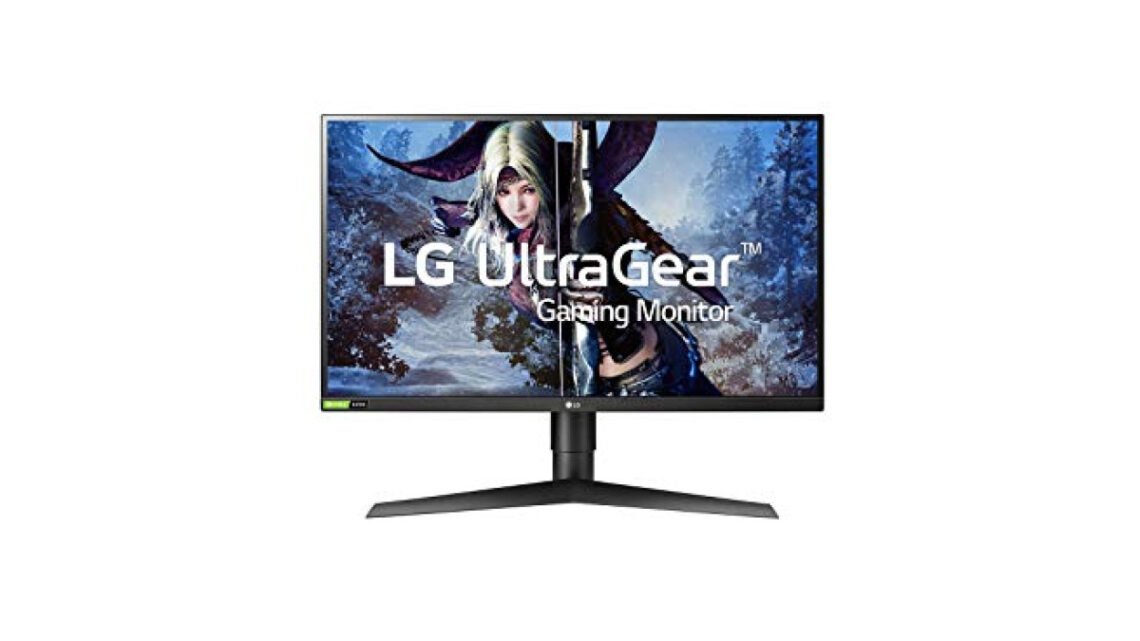
The LG UltraGear 27GL850 review is worth a close look, with its 1ms response time and G-Sync compatibility, this monitor aims to deliver sharp visuals for both gaming and graphic design tasks.
LG 27GL850
Best for: Gamers seeking immersive experiences
- Incredible color accuracy and vibrancy
- Fast response time reduces motion blur
- Smooth performance with FreeSync support
- Might be overkill for casual use
- HDR performance could be better
One standout feature is the nano IPS technology, which enhances color accuracy and vibrancy, essential for serious gaming and professional design work. The trade-off, however, might be its price point; although not exorbitant, it’s slightly above what budget-conscious buyers might prefer. The ultra-fast response time reduces motion blur, ensuring smooth performance during fast-paced action.
For anyone serious about gaming or graphic design, this monitor checks numerous boxes that matter.
| Best for | Gamers seeking immersive experiences |
| Not ideal for | Budget-conscious users |
| Standout feature | Nano IPS display |
| Value | Premium |
| Bottom line | A top choice for gamers and creative professionals. |
Things I like
- Exceptional color accuracy thanks to nano IPS technology.
- 1ms response time significantly reduces motion blur.
- G-Sync compatibility for smooth gameplay without screen tearing.
Things I’d improve
- Higher price point for budget-conscious users.
- Lack of built-in speakers, which may be inconvenient.
- Limited adjustability for ergonomics compared to some competitors.
Overview
| Brand | LG |
| Type | Gaming Monitor |
| Finish/Color | Black |
| Material | Plastic, Metal Stand |
| Warranty | 1-year limited warranty |
| Mounting/Format | VESA mount compatible |
The LG Ultragear 27GL850 fits firmly into the gaming monitor category while also appealing to professionals who require precision in color and clarity. With its premium features, it’s clearly designed to deliver a high-performance visual experience.
Design & Build
| Finish | Matte Black |
| Dimensions | 24.4 x 22.1 x 9.6 inches |
| Weight | 20.1 lbs |
| Stand | Height adjustable; tilt; swivel |
Visually, the LG UltraGear 27GL850 has a sleek, modern design with a matte black finish that minimizes glare. The construction feels solid, with a metal stand that adds stability and an adjustable height feature to tailor the monitor to your preference. The bezels are also quite thin, maximizing the screen space for an immersive viewing experience.
The matte screen finish is noteworthy as it reduces reflections, a practical choice for environments with bright lighting. This feature keeps distractions at bay, allowing you to focus entirely on your games or projects. However, the tilt option could benefit from added ergonomics; while it allows some adjustment, a more extensive range would suit various user preferences better.
Performance
In terms of performance, the LG UltraGear 27GL850 excels primarily because of its rapid 1ms response time and 144Hz refresh rate. These specifications translate into crisp visuals with minimal motion blur, even during hectic gaming moments. Whether racing through a game or battling in a first-person shooter, the responsiveness keeps you ahead.
Supported by G-Sync technology, this monitor mitigates screen tearing and stuttering, empowering you to enjoy fluid frames at high refresh rates. The vivid colors produced by the nano IPS display make a world of difference, offering 98% coverage of the DCI-P3 color space. This level of color precision is particularly beneficial for graphic designers or anyone who values accurate visual output.
How It Handles Everyday Situations
- For late-night gaming sessions, the low blue light feature reduces eye strain significantly, making for a comfortable experience.
- When multitasking with document editing and gaming, the large screen real estate facilitates comfortable viewing without losing detail.
- In environments with varying lighting, the matte finish minimizes glare, ensuring consistent display quality.
- Using it for console gaming? The responsive input lag keeps action-packed titles smooth and engaging.
Ease of Use & Installation
Setting up the LG UltraGear 27GL850 is straightforward. The provided instructions guide you through the steps, and the installation hardly requires technical expertise. The monitor is VESA mount compatible, which provides you with options if you prefer to mount it onto your wall or a dedicated arm.
Operationally, the on-screen display (OSD) menu is intuitive and easy to navigate. Adjustments to brightness, contrast, and settings can be done without hassle, allowing you to fine-tune your viewing preferences easily. However, the monitor lacks built-in speakers, which might pose an inconvenience, particularly if you’re looking to keep your setup minimal.
How It Compares
| Option | Best for | Key difference |
| Acer Predator XB271HU | Competitive gaming | Higher refresh rate up to 165Hz |
| BenQ PD3200U | Content creation | 4K resolution for enhanced detail |
| ASUS ROG Swift PG259QN | Professional esports | Extreme refresh rate of 360Hz |
The LG UltraGear 27GL850 stands strong for its balance of gaming responsiveness and color accuracy. While competitors may offer higher refresh rates or resolutions, this model holds its own as an all-around monitor for gamers and professionals alike.
Who Should Buy This
Great fit
- Gamers who prioritize color accuracy and quick response times.
- Creative professionals needing a reliable display for graphics work.
- Users who appreciate features like G-Sync compatibility to enhance gameplay.
Look elsewhere if
- Your primary focus is on budget-friendly options.
- You need built-in speakers for convenience.
- You require extensive ergonomic adjustments beyond tilt, height, and swivel.
Final Verdict
For serious gamers and those in creative fields, the LG UltraGear 27GL850 stands out as the top choice. If your needs are less demanding, consider the ASUS VG245H for a budget-friendly option, while casual users may find a decent fit in the Dell S2419H.
LG 27GL850
Best for: Gamers seeking immersive experiences
- Incredible color accuracy and vibrancy
- Fast response time reduces motion blur
- Smooth performance with FreeSync support
- Might be overkill for casual use
- HDR performance could be better
We cover keyboard performance in more depth separately.
Frequently Asked Questions
What is the refresh rate of the LG 27GL850?
The LG 27GL850 has a refresh rate of 144Hz, which is ideal for providing smoother visuals during fast-paced gaming. This high refresh rate helps reduce motion blur and enhances overall gaming performance.
Is the LG 27GL850 good for gaming?
Yes, the LG 27GL850 is considered excellent for gaming due to its fast refresh rate, low response time, and vibrant color accuracy. Its features make it suitable for both casual gamers and competitive players.
Does the LG 27GL850 support G-Sync?
The LG 27GL850 supports G-Sync compatibility, which helps to eliminate screen tearing and provides a smoother gaming experience. This feature is particularly beneficial for users with NVIDIA graphics cards.
How to calibrate LG 27GL850 monitor?
To calibrate the LG 27GL850 monitor, access the on-screen display (OSD) menu and navigate to the picture settings. From there, adjust parameters such as brightness, contrast, and color temperature to achieve your desired display quality.
What ports are available on the LG 27GL850?
The LG 27GL850 includes a variety of ports such as HDMI, DisplayPort, and USB 3.0. This variety allows for versatile connectivity options with different devices.



