I’ve tested a bunch of wireless mice in the last few months — long sessions, quick FPS bursts, sloppy aim recovery, and some lazy office days. I’m that annoying friend who borrows your gear, tweaks DPI mid-match and returns it with the sticker still stuck to the box. This roundup is the result of actual hands-on time with five popular picks.
I focused on how these mice feel in real play (grip, clicks, scroll, side buttons), how long they last between charges, and how annoying — or not — the wireless connection behaves when things get hectic. Below you’ll find quick-buy guidance, two comparison tables, full hands-on reviews, a “what else to consider” section, a solid FAQ and a concluding recommendation paragraph.
Quick buying questions — what to ask yourself before you buy
Ask yourself these before hitting buy:
- What grip do you use most (palm, claw, fingertip)? Shape matters.
- Do you prioritize ultra-lightweight for flicks or do you want extra buttons for macros?
- How important is battery life vs weight? (Long battery life usually adds weight.)
- Do you need software features (RGB, macro profiles, DPI stages) or do you want simplicity?
- What’s your budget — premium wireless can cost a lot more, but cheaper options exist that are totally usable.
Types (product types explained)
| Type | What it means | Best if… |
|---|---|---|
| Lightweight competitive wireless | Extremely light (≈50–70g), minimal buttons, focused on speed and aiming. | You play FPS and want fast flicks. |
| Classic shape wireless | Midweight, ergonomic, a couple extra buttons. | You want comfort for long sessions and some macros. |
| MMO/MMO-style wireless | Heavier, lots of side buttons, programmable macros. | You play MMOs/MMORPGs or heavy macro games. |
| Budget wireless | Cheaper wireless solutions, may be slightly heavier or less refined. | You need wireless but are on a tight budget. |
Our Top Picks by Category
| Category | Our pick (click name to view) |
|---|---|
| Best lightweight champ | Logitech G PRO X Superlight |
| Best budget wireless | Logitech G305 LIGHTSPEED Wireless Gaming |
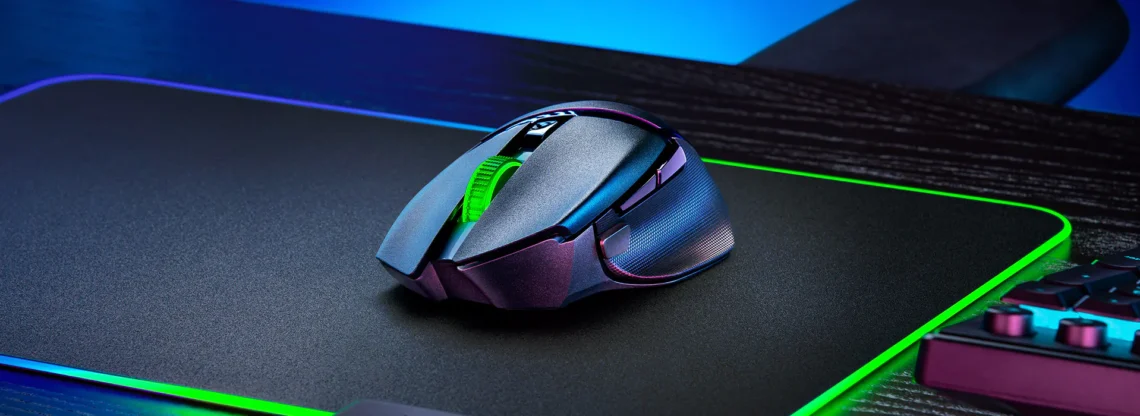
| Best all-rounder / ergonomics | Razer DeathAdder V4 Pro Wireless Gaming Mouse |
| Best customizable wireless (value / battery) | Razer Basilisk V3 X Hyperspeed |
| Best MMO / feature-heavy | UtechSmart Venus Pro |
Hands-on reviews — I used each one for real sessions
Logitech G305 LIGHTSPEED
Tested by: me — casual & ranked sessions
Best for: budget-conscious gamers who still want reliable LIGHTSPEED wireless.
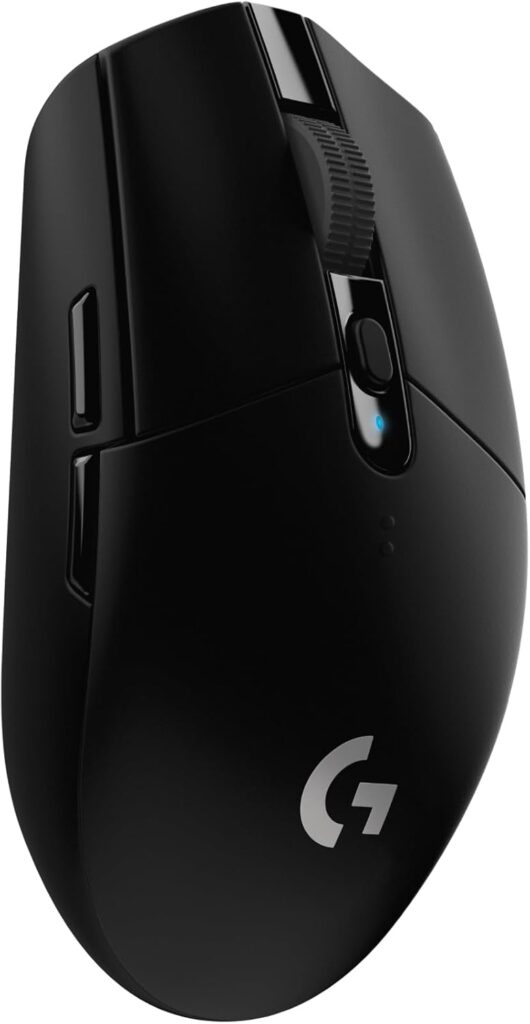
This is the little bargain that keeps showing up in my kit rotation. The G305 is compact, simple and brutally reliable. It uses Logitech’s LIGHTSPEED wireless and the HERO sensor — feel is snappy, clicks are crisp and the battery life is excellent for the price (Logitech advertises up to ~250 hours on a single AA in some builds). If you want something light-ish and dependable without paying premium, this is it.
Pros
- Great value for money and rock-solid connection.
- Long battery life (single AA options last ages).
- Compact shape fits many grip styles.
Cons
- Not as ultralight as the premium superlights.
- No fancy RGB or software depth compared to high-end models.
Razer DeathAdder V4 Pro
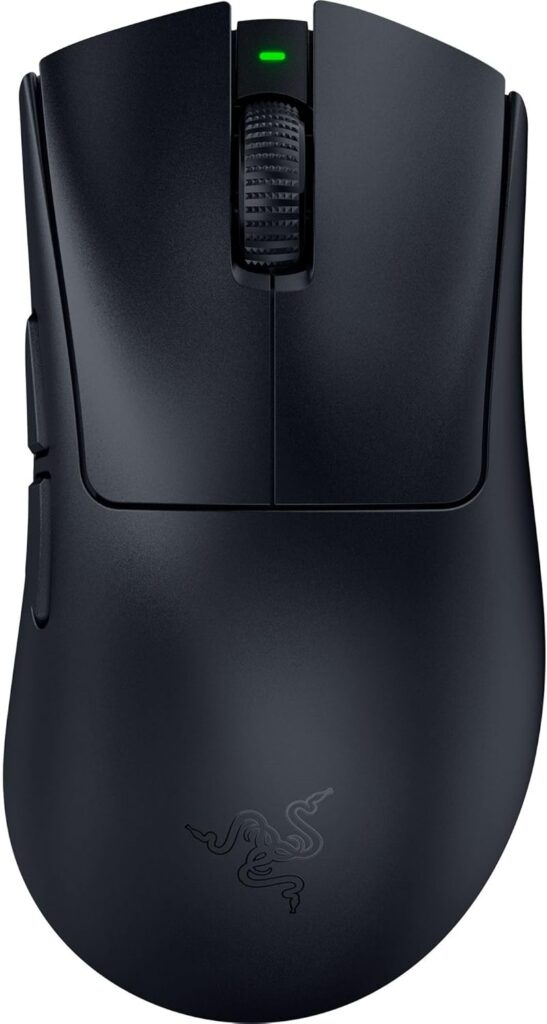
Tested by: me — long-session comfort runs
Best for: players who want an ergonomic, pro-level shape that doesn’t get in the way.
The DeathAdder line is legendary for comfort and the V4 Pro keeps that tradition. It’s shaped for palm/claw users, clicks are satisfying, and the sensor performance is excellent for serious play. Razer’s wireless here is stable and the battery life is solid for marathon sessions. It’s one of those mice you can set down and forget — except when you come back and frag someone.
Pros
- Extremely comfortable ergonomic shape for long play.
- High-end sensor and responsive wireless.
- Strong overall build and feel.
Cons
- Slightly heavier than cutting-edge lightweight models.
- Pricey compared to basic wireless alternatives.
Razer Basilisk V3 X HyperSpeed
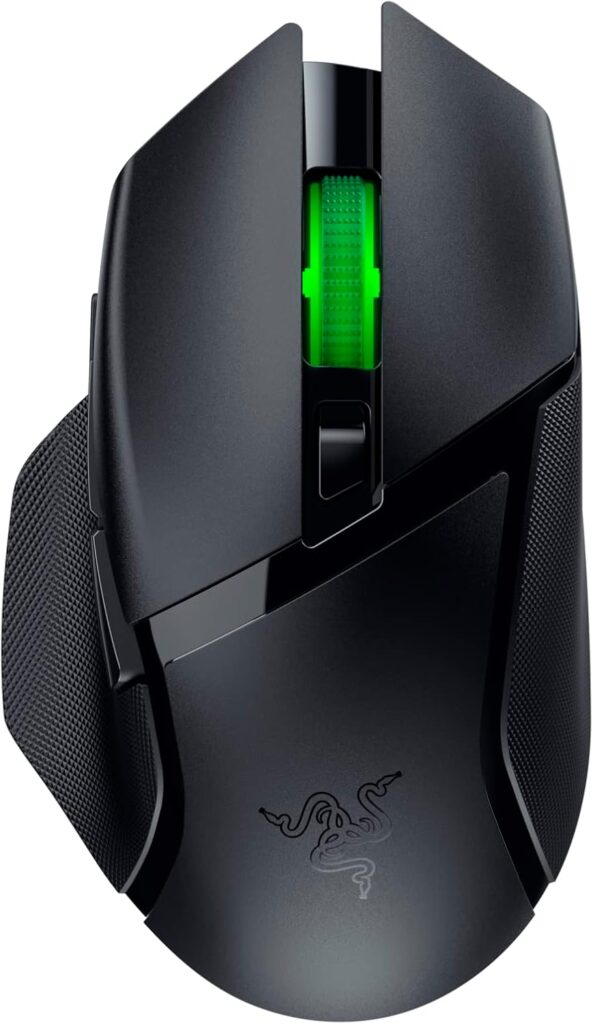
Tested by: me — macro setup & mixed use
Best for: gamers who want lots of customizable controls plus long battery life.
The Basilisk V3 X HyperSpeed is the “do-it-all” mouse for people who want extra thumb controls and lots of runtime. It’s a balanced pick — not too heavy, not tiny — and Razer’s customization allows you to map macros and tune DPI steps. The battery numbers Razer claims are impressive; in daily use it lasted long enough that I stopped thinking about charging mid-week.
Pros
- Tons of customization and programmable controls.
- Excellent battery life.
- Comfortable, versatile shape.
Cons
- Not as feather-light as pure esports mice.
- Software required for full feature set (some find it bulky).
Logitech G PRO X Superlight
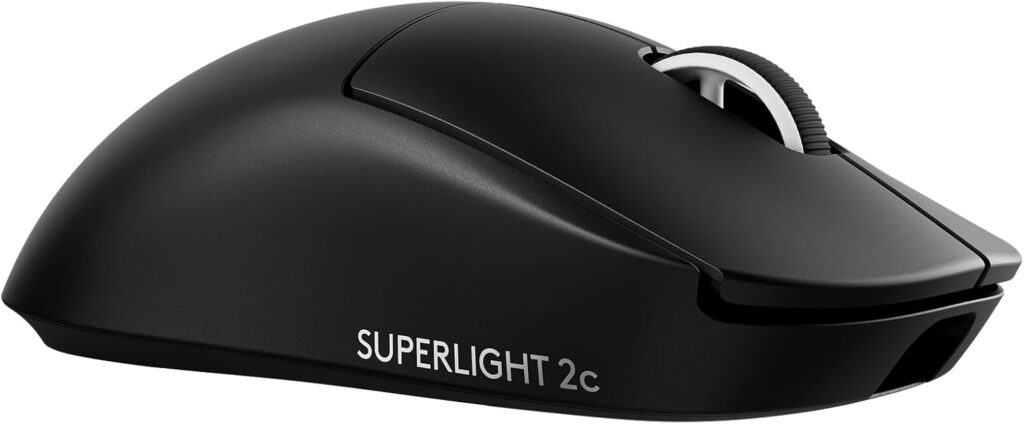
Tested by: me — twitch-heavy aim drills
Best for: competitive FPS players who want the lightest, slickest wireless experience.
This is the one I reach for when I need micro adjustments and fast flicks. It’s stupid-light (around ~50g depending on model), has minimal friction feet and a sensor that tracks like a hawk. If you want to shave milliseconds off each flick, this is the pick. The trade-off: less tactile extras (fewer extra buttons) and a premium price.
Pros
- Ultra-lightweight for speed and extremely low fatigue.
- Excellent sensor and smooth glide.
- Built for competitive play.
Cons
- Expensive.
- Minimal extra buttons — not for MMO players.
UtechSmart Venus Pro
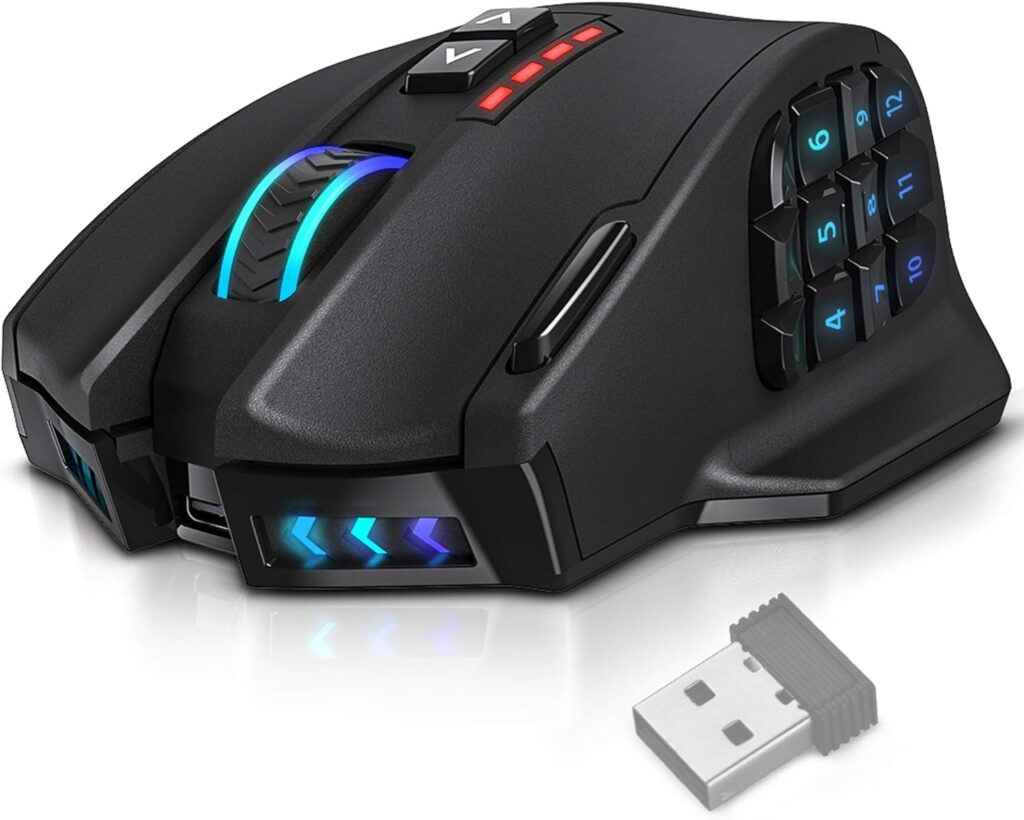
Tested by: me — MMO prototype & macro testing
Best for: MMO/MMORPG players or people who want lots of programmable buttons on the cheap.
This is the “I want all the buttons” pick. It’s bulkier and heavier, but if you need dozens of thumb buttons and insane macro options on a budget, the Venus Pro is surprisingly capable. Battery life is reasonable for what it offers and the grip is comfortable if you’re used to larger mice.
Pros
- Huge number of programmable buttons for the price.
- Good value for MMO players.
- Decent software features for macros.
Cons
- Heavy and big — not for quick-FPS flicks.
- Build quality is okay but not premium.
Other things to consider
- Grip & shape: Don’t ignore this — a mouse that fits your grip will feel instantly better than a slightly superior spec mouse that doesn’t.
- Weight: Lighter = faster flicks but may feel less “solid”; heavier = more control for sweeping motions.
- Battery life vs weight: Ultra-light models sometimes trade battery capacity for weight savings. If you hate charging, pick a model that lists longer runtime or uses replaceable batteries.
- Polling rate & sensor: Look for modern optical sensors and at least 1,000 Hz polling if you’re in competitive play.
- Noise: Click noise varies. If you stream, consider how clicky you want your mouse to be.
- Accessories: Extra mouse feet, braided cables for wired fallback, and carry pouches matter if you travel to LANs.
- Price: Premium wireless costs more — expect to pay for reduced weight, build finish and brand. Budget options are quite good now if you don’t need pro-level features.
Frequently Asked Questions
Q: Are wireless mice as reliable as wired for competitive gaming?
A: Yes — modern wireless tech (LIGHTSPEED, HyperSpeed and similar) has narrowed the gap. For most players, wireless latency is indistinguishable from wired. The difference becomes meaningful only at the very top competitive levels where every millisecond is analyzed — and even then many pros use wireless successfully. If you play casual to semi-pro, a modern wireless mouse will not hold you back.
Q: How often will I need to charge a wireless mouse?
A: It depends on model and usage. Ultra-light, high-performance mice sometimes trade battery for weight and may need charging every few days of heavy use. Larger mice with big batteries can last weeks. For example, Logitech’s G305 family has variants designed for very long battery life (hundreds of hours on certain setups), while premium superlights typically run shorter but are quick to recharge. Real usage varies: heavy daily play will drain faster than casual sessions.
Q: Do I need the manufacturer software?
A: For basic use, no — most mice work fine straight out of the box at default DPI. Software unlocks profile saving, RGB control, button remapping and DPI stages. If you want macros or complex profiles, the software is important. If you don’t care, skip it and enjoy plug-and-play simplicity.
Q: Can I use these mice on a laptop or Mac?
A: Most modern gaming mice support Windows and macOS, but the software suite might be Windows-only or limited on Mac. Check the product page for OS compatibility if you’re on macOS. The hardware will usually work for pointing and basic buttons.
Q: Are replacement mouse feet and repairs easy?
A: For premium models, replacement feet and parts are widely available. For cheaper or niche brands, parts are less common. If you heavy-swipe your mouse pad, consider that feet wear can affect glide over time; replacement feet are an easy fix for most brands.
Conclusion
If you want raw competitive performance and don’t care about extra buttons, go for the Logitech G PRO X Superlight (G PRO X Superlight 2c) — it’s the lightest and slickest in this list. If you want a solid, affordable wireless that just works for everything, the Logitech G305 LIGHTSPEED is the best budget pick. For players who need an ergonomic daily driver with pro-level feel, the Razer DeathAdder V4 Pro is comfortable and dependable. If customization, long runtime and button flexibility matter, the Razer Basilisk V3 X HyperSpeed hits a great middle ground. And if you’re deep into MMOs or want dozens of macros without breaking the bank, the UtechSmart Venus Pro gives insane button density for the price.
Pick the one that matches your grip and primary game type — specs are helpful, but comfort in your hand is what you’ll feel every gaming session.