A desk setup is more than just a table and chair. It shapes productivity, comfort, mood, and even long-term health. Whether you are a gamer, remote worker, student, streamer, or business professional, choosing between a gaming desk setup and an office desk setup can significantly affect your daily experience.
Although both setups share similarities, they are designed with different priorities in mind. Gaming setups focus on immersion, entertainment, aesthetics, and performance, while office setups prioritize productivity, organization, professionalism, and ergonomic comfort.
This article explores the key differences between gaming desk setups and office desk setups, including design, functionality, ergonomics, equipment, costs, and ideal use cases.
What Is a Gaming Desk Setup?
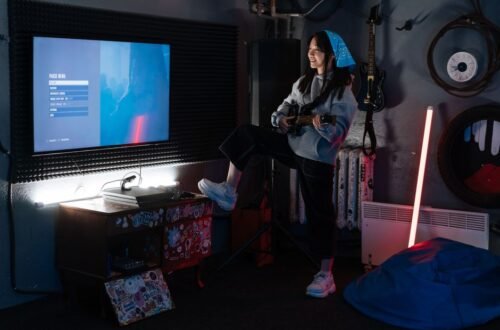
A gaming desk setup is a workspace designed primarily for gaming experiences. It often includes high-performance hardware, RGB lighting, multiple monitors, gaming accessories, and customized aesthetics.
Gaming setups aim to create an immersive environment that enhances gameplay, comfort during long sessions, and visual appeal.
Common Features of a Gaming Setup
- RGB lighting systems
- Large gaming monitors or ultrawide displays
- Mechanical keyboards
- Gaming mice with programmable buttons
- Gaming chairs
- Powerful PCs or consoles
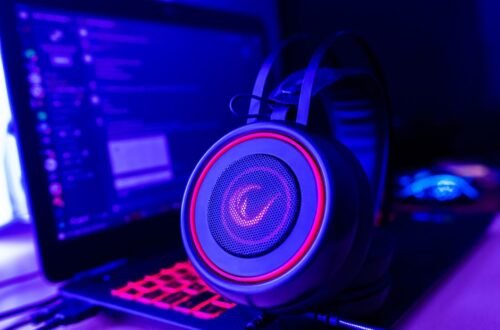
- Headsets and surround sound systems
- Cable management accessories
- LED wall décor and themed accessories
Gaming setups are often personalized based on favorite games, colors, or streaming preferences.
What Is an Office Desk Setup?
An office desk setup is designed for work, studying, meetings, and productivity-focused tasks. The emphasis is on efficiency, comfort, organization, and maintaining a professional environment.
Office setups are typically cleaner, more minimal, and optimized for long working hours.
Common Features of an Office Setup
- Ergonomic office chair
- Adjustable desk or standing desk
- Productivity monitors
- Minimalist accessories
- Filing or storage solutions
- Desk organizers
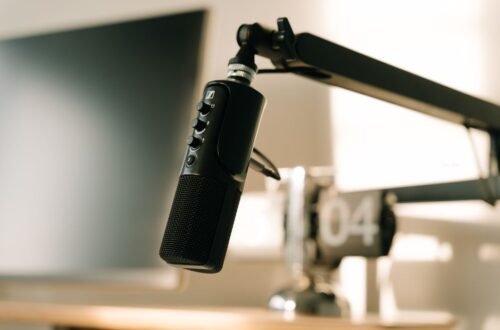
- Webcam and microphone for meetings
- Neutral lighting
- Quiet and distraction-free design
Office setups focus less on entertainment and more on workflow optimization.
Major Differences Between Gaming and Office Desk Setups
1. Purpose and Functionality
Gaming Setup Purpose
Gaming setups are designed to maximize entertainment and performance. Every component aims to improve responsiveness, immersion, and enjoyment.
Key priorities include:
- Fast refresh rates
- Comfortable gaming sessions
- Aesthetic appeal
- Audio immersion
- Streaming capability
Office Setup Purpose
Office setups are built for productivity and concentration. The goal is to help users work efficiently while reducing physical strain.
Key priorities include:
- Ergonomics
- Organization
- Focus
- Professional appearance
- Efficient multitasking
2. Desk Design
Gaming Desks
Gaming desks usually feature:
- Aggressive or futuristic designs
- RGB lighting
- Carbon-fiber textures
- Headphone hooks
- Cup holders
- Cable routing systems
Some gaming desks are specially shaped for immersive monitor placement and peripheral organization.
Advantages
- Stylish appearance
- Better support for gaming accessories
- Enhanced immersion
Disadvantages
- Can appear cluttered
- Sometimes less professional
- RGB lighting may become distracting
Office Desks
Office desks are generally:
- Minimalistic
- Functional
- Spacious
- Professional-looking
Many office desks include:
- Drawers
- Storage cabinets
- Adjustable height systems
- Neutral color schemes
Advantages
- Better organization
- Professional appearance
- Easier to maintain
Disadvantages
- Less visually exciting
- Fewer gaming-focused features
3. Ergonomics and Comfort
Gaming Setup Ergonomics
Gaming chairs often feature:
- Racing-style designs
- Adjustable armrests
- Reclining functionality
- Lumbar cushions
While many gaming chairs look impressive, not all provide ideal ergonomic support for long-term use.
Gaming setups may also prioritize posture during long gaming sessions but sometimes sacrifice practical comfort for aesthetics.
Office Setup Ergonomics
Office setups usually focus heavily on ergonomics.
Typical ergonomic features include:
- Adjustable office chairs
- Lumbar support
- Standing desks
- Monitor arms
- Wrist rests
- Footrests
These elements reduce strain on:
- Neck
- Back
- Wrists
- Eyes
For individuals working 8–10 hours daily, office ergonomics are often superior.
4. Monitor Configuration
Gaming Monitor Setup
Gaming setups commonly use:
- Dual monitors
- Triple monitors
- Ultrawide curved monitors
Important gaming monitor features include:
- High refresh rates (144Hz or higher)
- Low response times
- Adaptive sync technologies
Gamers prioritize smooth visuals and fast reactions.
Office Monitor Setup
Office users prioritize:
- Screen clarity
- Productivity space
- Eye comfort
Popular office configurations include:
- Dual monitors for multitasking
- Ultrawide monitors for spreadsheets and editing
- Vertical monitors for coding or reading
Office monitors often focus more on color accuracy and comfort than speed.
5. Lighting Style
Gaming Lighting
Gaming setups often include:
- RGB strips
- Smart lighting systems
- Backlit peripherals
- Ambient room effects
Lighting helps create immersion and mood.
However, excessive lighting can become distracting during work or study sessions.
Office Lighting
Office setups favor:
- Natural lighting
- Warm white desk lamps
- Eye-friendly brightness
- Professional environments
The goal is to reduce eye fatigue and improve concentration.
6. Keyboard and Mouse Choices
Gaming Accessories
Gaming keyboards typically feature:
- Mechanical switches
- RGB backlighting
- Macro customization
- Fast response times
Gaming mice include:
- Adjustable DPI
- Programmable buttons
- Lightweight designs
These tools improve gaming precision and speed.
Office Accessories
Office keyboards and mice focus on:
- Quiet operation
- Comfort
- Long-term typing experience
- Battery efficiency
Wireless ergonomic devices are especially popular in office environments.
7. Cable Management
Gaming Setup Cables
Gaming setups often involve many connected devices:
- PCs
- Consoles
- Speakers
- Lighting systems
- Capture cards
- Multiple monitors
Without proper organization, cable clutter becomes a major issue.
Many gamers invest in:
- Cable trays
- Sleeves
- Velcro straps
- Under-desk organizers
Office Setup Cables
Office setups usually contain fewer accessories and prioritize clean organization.
A tidy workspace improves:
- Professional appearance
- Focus
- Cleaning convenience
Minimal cable visibility is a common office setup goal.
8. Aesthetic Style
Gaming Aesthetics
Gaming spaces often emphasize:
- Bold colors
- LED lighting
- Character collectibles
- Posters
- Custom PC builds
The setup reflects personality and gaming identity.
Office Aesthetics
Office setups generally prefer:
- Neutral tones
- Minimalism
- Simplicity
- Clean layouts
Professional aesthetics help maintain concentration and reduce visual distractions.
9. Audio Setup
Gaming Audio
Gamers frequently use:
- Gaming headsets
- External microphones
- Surround sound speakers
Audio quality is important for:
- Competitive gaming
- Communication
- Immersion
Office Audio
Office users usually prioritize:
- Noise-canceling headphones
- Clear microphones
- Meeting audio quality
The focus is communication rather than entertainment.
10. Cost Comparison
Gaming Setup Costs
Gaming setups can become expensive due to:
- High-end GPUs
- RGB accessories
- Gaming monitors
- Mechanical keyboards
- Streaming equipment
Premium gaming setups may cost thousands of dollars.
Office Setup Costs
Office setups can also be expensive, especially with ergonomic furniture and premium productivity tools.
However, minimalist office setups are often more budget-friendly than advanced gaming setups.
Which Setup Is Better for Productivity?
Office setups are generally better for productivity because they:
- Reduce distractions
- Improve posture
- Encourage organization
- Focus on workflow efficiency
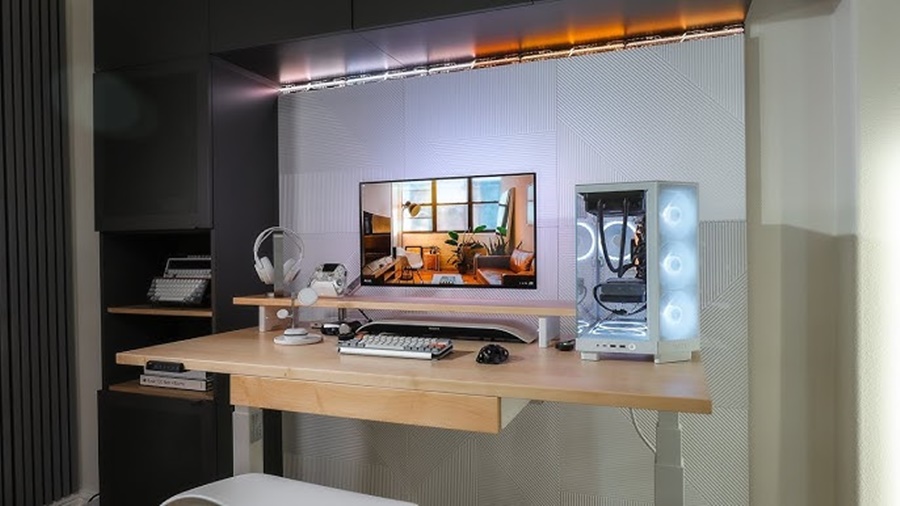
However, modern hybrid setups combine gaming aesthetics with office functionality.
For example:
- Minimal RGB lighting
- Ergonomic chairs
- Dual-purpose monitors
- Mechanical keyboards with professional designs
This balance works well for remote workers who also game.
Which Setup Is Better for Streaming and Content Creation?
Gaming setups usually perform better for:
- Streaming
- Video editing
- Live broadcasting
- Entertainment content
This is because they often include:
- Better GPUs
- Advanced microphones
- Multiple monitors
- Lighting systems
- Capture devices
Content creators often blend gaming and office elements together.
Hybrid Desk Setups: The Best of Both Worlds
Many people today prefer hybrid setups that combine:
- Office ergonomics
- Gaming performance
- Minimal aesthetics
- Productivity tools
A hybrid setup may include:
- A standing desk
- An ergonomic chair
- RGB lighting used subtly
- A gaming PC
- Clean cable management
- Productivity-focused monitor layouts
This approach creates a versatile workspace suitable for both work and gaming.
Tips for Building the Perfect Desk Setup
Choose the Right Desk Size
Ensure enough space for:
- Monitors
- Accessories
- Comfortable arm positioning
Prioritize Ergonomics
Invest in:
- Good chairs
- Monitor positioning
- Wrist support
Manage Cables Properly
Use:
- Cable clips
- Sleeves
- Under-desk trays
Use Proper Lighting
Avoid harsh brightness and screen glare.
Keep the Setup Organized
A clean workspace improves both gaming focus and work productivity.
Conclusion
Both gaming desk setups and office desk setups are designed to improve comfort and performance, but they serve different purposes. Gaming setups focus on entertainment, immersive experiences, and high-performance hardware, while office setups prioritize productivity, organization, and ergonomic support for long working hours.
Choosing the right setup depends on your daily needs, personal preferences, and budget. If you spend most of your time gaming, streaming, or creating content, a gaming setup can provide the features and atmosphere you need. On the other hand, if your main goal is professional work, studying, or remote productivity, an office setup offers a cleaner, more efficient workspace.
For many people, a hybrid setup is the ideal solution. Combining the ergonomic comfort of an office desk with the performance and style of a gaming setup creates a balanced environment suitable for both work and entertainment. In the end, the best desk setup is one that keeps you comfortable, organized, and motivated throughout the day.