Gaming setups have evolved dramatically over the years. What once started with a simple desk, keyboard, and monitor has transformed into fully customized battlestations designed for performance, immersion, and productivity. One of the biggest debates among gamers today is whether a single monitor setup or a dual monitor setup is the better choice.
Both options offer unique advantages and disadvantages depending on the type of games you play, your budget, your available desk space, and how you use your PC beyond gaming. Some gamers prefer the simplicity and focus of one display, while others enjoy the multitasking power and flexibility that comes with two screens.
This article explores the differences between single monitor and dual monitor gaming setups in detail, helping you decide which configuration best fits your gaming lifestyle.
Understanding Single Monitor Gaming Setups
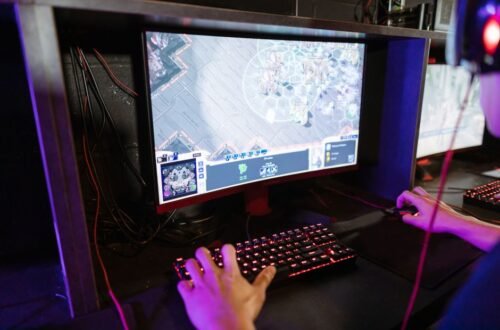
A single monitor setup uses one display for everything. This is the traditional gaming configuration and remains the most popular option among casual and competitive gamers alike.
Modern gaming monitors are available in various resolutions, refresh rates, and sizes, making a single-screen setup highly capable for almost any gaming experience.
Advantages of a Single Monitor Setup
1. Better Focus During Gameplay
One of the biggest benefits of using a single monitor is improved concentration. With only one display in front of you, there are fewer distractions while gaming.
Competitive players especially benefit from this setup because:
- Notifications are less tempting
- Peripheral distractions are reduced
- Eye movement remains centered
- Gameplay immersion increases
For esports titles such as FPS or battle royale games, maintaining focus can directly impact performance.
2. Lower Cost
A single monitor setup is usually more budget-friendly. You only need to purchase:
- One monitor
- One monitor arm or stand
- Fewer cables
- Less desk space
Instead of buying two average displays, many gamers invest the same money into one high-end monitor with:
- Higher refresh rates
- Better color accuracy
- Faster response times
- Higher resolutions like 1440p or 4K
3. Easier Setup and Cable Management
Single monitor setups are cleaner and easier to organize. There are fewer:
- Power cables
- HDMI/DisplayPort connections
- Mounting requirements
- Alignment issues
This makes your desk look more minimalistic and professional.
4. Reduced GPU Load
Running multiple monitors can slightly increase GPU workload, especially when displaying videos, streams, or applications on the second screen.
With a single monitor:
- GPU resources remain focused on gaming
- Power consumption is lower
- System temperatures may stay cooler
This is particularly important for gamers with mid-range PCs.
5. Ideal for Competitive Gaming
Professional and competitive gamers usually prefer one monitor because:
- It keeps visual attention centralized
- It reduces latency concerns
- It minimizes distractions
Most esports tournaments also use single-monitor environments.
Disadvantages of a Single Monitor Setup
1. Limited Multitasking
The biggest drawback is the lack of screen space. During gaming, switching between applications becomes inconvenient.
For example:
- Checking Discord requires minimizing the game
- Watching guides interrupts gameplay
- Monitoring streams becomes difficult
2. Less Useful for Streaming
Gamers who stream on platforms like Twitch or YouTube often need:
- Chat monitoring
- Stream controls
- OBS management
- Alerts and analytics
Managing all this on one monitor can feel cramped and inefficient.
3. Reduced Productivity
Outside gaming, a single monitor may slow down workflow for:
- Video editing
- Programming
- Content creation
- Stock trading
- Research work
A second screen often improves productivity significantly.
Understanding Dual Monitor Gaming Setups
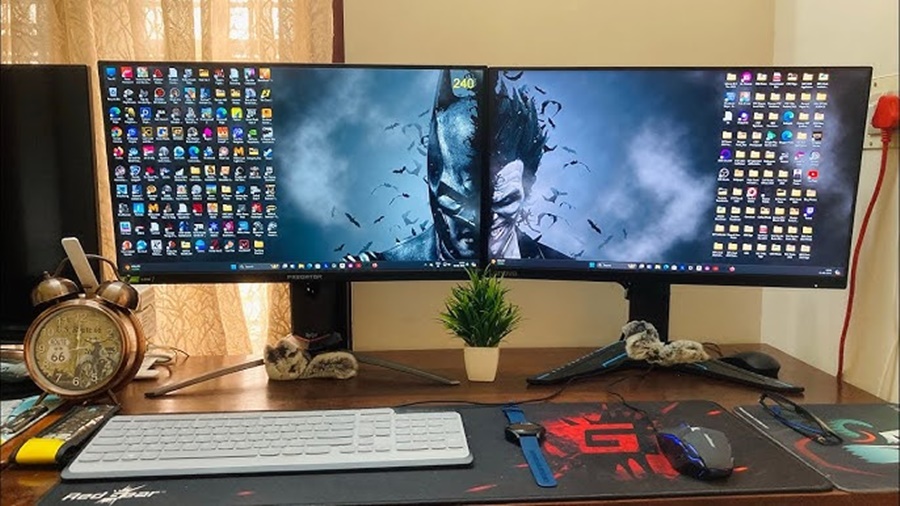
A dual monitor setup uses two displays connected to the same PC. Usually, one monitor handles gaming while the second monitor is used for secondary tasks.
This configuration has become increasingly popular among streamers, content creators, and multitaskers.
Advantages of a Dual Monitor Setup
1. Excellent Multitasking
The biggest advantage of dual monitors is multitasking convenience.
You can:
- Play games on one screen
- Watch YouTube on another
- Monitor Discord chats
- Browse the web
- Read guides or maps
- Control music apps
This creates a more seamless computing experience.
2. Perfect for Streaming
Dual monitors are extremely useful for streamers.
One monitor can display the game while the other handles:
- Streaming software
- Viewer chat
- Stream alerts
- Audio controls
- Analytics dashboards
This improves stream management without interrupting gameplay.
3. Increased Productivity
Outside gaming, dual monitors dramatically improve workflow.
Professionals benefit from:
- Simultaneous windows
- Easier file management
- Faster editing workflows
- Better organization
For students and remote workers, dual monitors can significantly boost efficiency.
4. Easier Communication
Many gamers communicate through:
- Discord
- TeamSpeak
- Slack
- Social media
A second monitor allows constant communication without tabbing out of the game.
5. Better Media Consumption
A second monitor can display:
- Videos
- Livestreams
- Sports
- Music players
- Podcasts
This is especially useful during grinding sessions in MMOs or simulation games.
Disadvantages of a Dual Monitor Setup
1. Higher Cost
Dual monitor setups are more expensive because you need:
- Two displays
- More desk space
- Better monitor arms
- Additional cables
You may also need a stronger GPU depending on usage.
2. More Desk Space Required
Two monitors occupy significantly more room.
Smaller desks may feel cluttered, especially when combined with:
- Speakers
- Consoles
- Microphones
- RGB accessories
Proper ergonomics become more important.
3. Potential Distractions
The second monitor can reduce focus during gameplay.
Notifications, videos, or chats may:
- Distract competitive players
- Reduce reaction times
- Break immersion
This can negatively impact performance in fast-paced games.
4. More Complicated Cable Management
Dual monitors create:
- Extra power cables
- Additional video cables
- More mounting hardware
Without proper organization, setups can become messy.
5. Increased GPU Usage
Although secondary monitors usually have minimal impact, heavy multitasking can increase GPU and CPU usage.
Examples include:
- Watching streams while gaming
- Running multiple applications
- Hardware acceleration tasks
Lower-end systems may experience performance drops.
Single Monitor vs Dual Monitor for Different Types of Gamers
Competitive Gamers
Best Choice: Single Monitor
Competitive gamers prioritize:
- Maximum focus
- Minimal distractions
- Fast response times
- High refresh rates
A single high-quality monitor is often the ideal setup.
Streamers and Content Creators
Best Choice: Dual Monitors
Streamers benefit enormously from dual displays because they need:
- OBS controls
- Chat windows
- Alerts
- Monitoring tools
Managing streams on one monitor can become frustrating.
Casual Gamers
Best Choice: Depends on Preference
Casual gamers may enjoy:
- Watching videos while gaming
- Browsing the internet
- Socializing online
In this case, dual monitors provide a more flexible experience.
However, players focused purely on immersive single-player games may prefer a clean single-screen setup.
Productivity Users Who Also Game
Best Choice: Dual Monitors
If your PC is used for:
- Work
- Editing
- Coding
- School
- Designing
then dual monitors can greatly improve productivity alongside gaming.
Ultrawide Monitor: A Middle Ground
Some gamers choose an ultrawide monitor instead of dual displays.
Ultrawide monitors offer:
- Expanded screen space
- Better immersion
- Cleaner setups
- Fewer bezels
However:
- They are expensive
- Not all games support ultrawide resolutions properly
- Competitive gamers may dislike the larger field of view
Still, ultrawides combine some advantages of both single and dual monitor setups.
Important Factors to Consider Before Choosing
1. Budget
If money is limited:
- One excellent monitor is usually better than two cheap ones
Prioritize:
- Refresh rate
- Panel quality
- Resolution
2. Desk Space
Measure your desk carefully before buying dual monitors.
Consider:
- Viewing distance
- Ergonomics
- Keyboard placement
- Speaker positioning
3. GPU Performance
Higher resolutions and multiple displays demand more GPU power.
Ensure your graphics card can handle:
- High refresh rates
- Background applications
- Streaming software
4. Gaming Style
Ask yourself:
- Do you play competitive games?
- Do you stream?
- Do you multitask frequently?
- Do you value immersion or productivity more?
Your answers will determine the best setup.
Best Monitor Arrangement Tips
For Single Monitor Setups
- Center the monitor directly in front of you
- Maintain eye-level positioning
- Use monitor arms for flexibility
- Keep the setup clutter-free
For Dual Monitor Setups
- Place the primary monitor directly ahead
- Angle the secondary monitor slightly inward
- Match monitor heights
- Use identical displays if possible
This improves comfort and aesthetics.
Conclusion
Choosing between a single monitor and a dual monitor gaming setup ultimately depends on your gaming habits, workspace, and personal preferences. A single monitor setup is perfect for gamers who value simplicity, focus, affordability, and competitive performance. It provides a clean and distraction-free experience that works especially well for fast-paced and immersive games.
On the other hand, a dual monitor setup offers greater flexibility and productivity. It allows gamers to multitask efficiently by keeping communication apps, streaming software, videos, or web browsers open on a second screen while gaming. This setup is especially beneficial for streamers, content creators, and users who rely on their PC for both gaming and work.