
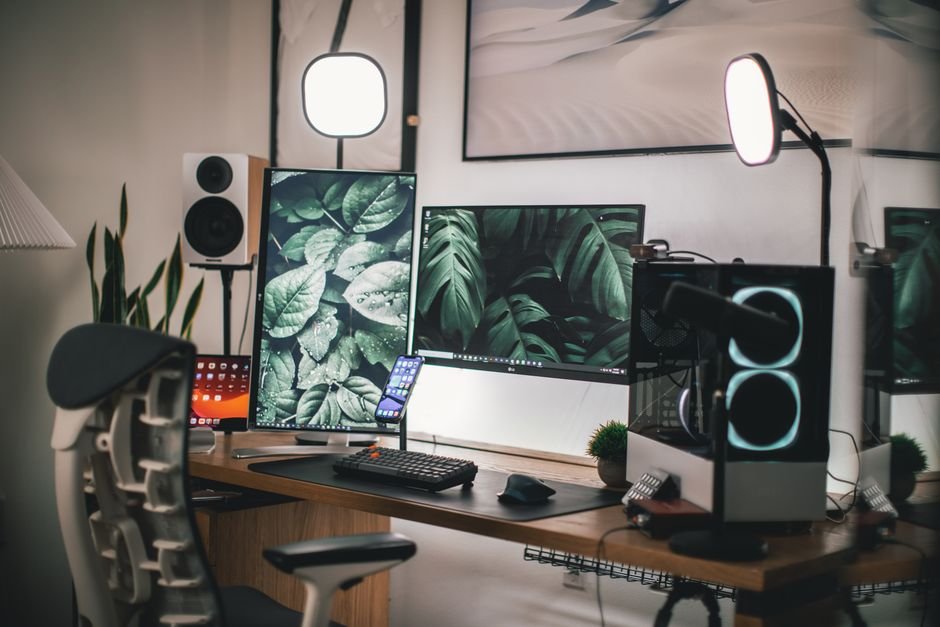
Setting up a gaming desk can cost anywhere from $150 to over $1,000, depending on the equipment you choose. One common mistake is underestimating the importance of layout; a cramped space can ruin your gaming experience. This guide will provide efficient strategies to optimize your gaming area without sacrificing comfort.
The first mistake many people make is diving into the aesthetic side of their setup without considering functionality. You may find a flashy desk that looks great in photos, but if it doesn’t serve your needs, you’ll quickly regret that choice. To get started, let’s focus on the most critical aspects.
Choosing the Right Gaming Desk
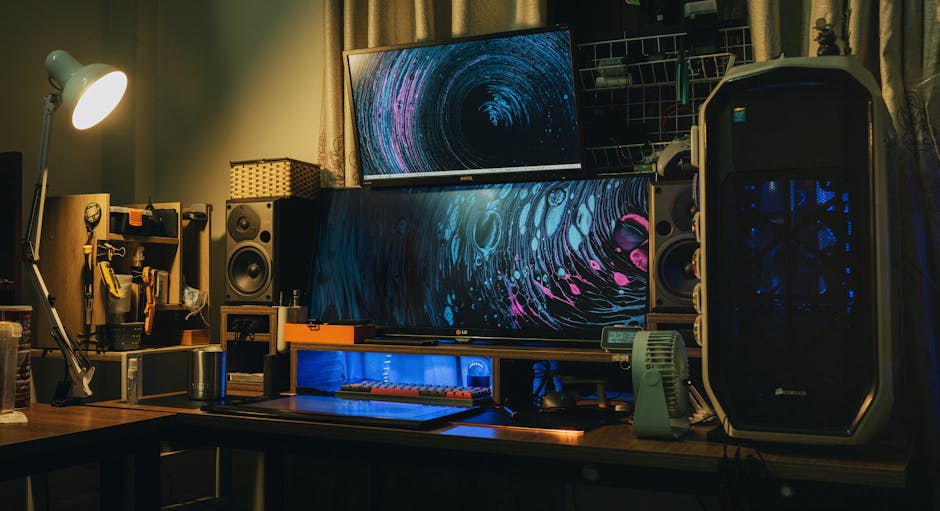
Picking the right gaming desk is fundamental to your entire setup. You want a desk that not only accommodates your gaming gear but also suits your space. A standard desk measurement sits around 60 inches in width, providing enough room for dual monitors and other peripherals. However, depending on your room size, you may need a compact option or a full-scale gaming battlestation.
Many gamers overlook the shape of their desk. L-shaped desks offer excellent space utilization if you have a corner available, providing ample surface area without dominating the room. If you go for a straight desk, ensure there’s enough depth. Around 30 inches is standard, allowing you to position your keyboard and mouse while keeping your monitors at a comfortable viewing distance.
Ergonomic Considerations for Comfort
One aspect I cannot stress enough is the ergonomic setup. Poor posture during gaming can lead to discomfort and health issues. The desk height is crucial; it should allow your elbows to bend at about 90 degrees while your hands rest on the keyboard. A height of 28 to 30 inches is typical for most desks, but you may need an adjustable chair depending on your personal measurements.
Monitor positioning can greatly influence your comfort during long gaming sessions. Ideally, your monitor should be at eye level or slightly below, about 20 to 30 inches away from your face. An adjustable monitor arm can help you position your screen correctly while freeing up valuable desk space. Don’t forget to invest in a good chair that supports your lower back, completing your ergonomic setup.

Cable Management: The Often-Overlooked Detail
Cable clutter can ruin the look of even the most sophisticated gaming setup. To tackle this, consider implementing a cable management system. This can be as simple as using cable ties to bundle cords together, or you might invest in a cable management box to hide them away.
Another key element in cable management is routing. Make sure your cables run along the edges of your desk or wall to maintain cleanliness. Many desks come with built-in cable management solutions, such as holes for routing cables. If you choose a desk without these features, consider using adhesive cable clips or sleeves to keep everything neat.
Lighting: Enhancing the Overall Experience
While gaming desk lighting may seem secondary, it can profoundly affect your gameplay experience. A proper lighting setup helps reduce eye strain and create an immersive environment. I recommend RGB LED strips that you can place around the desk or behind the monitors, as they give a dynamic feel to your gaming area.
Consider using a smart lighting system that allows you to change colors or brightness levels with your voice or smartphone. This not only enhances the atmosphere but also lets you adjust the lighting based on the time of day or the mood you want to create. Additionally, make sure to have sufficient task lighting, especially for reading or writing notes during gaming strategies.
Maximizing Space with Accessories and Organizers
There are countless accessories designed to help you maximize your desk space. Vertical monitor stands can elevate your monitors, allowing you to store your keyboard, mouse, or notebooks underneath. Cable management trays can also be mounted under the desk to keep cords out of sight.
If you’re short on desk space, look into wall-mounted shelves or pegboards to store games, collectibles, or even extra gear. Utilizing vertical space is key; it keeps your desk free for essential items while displaying your gaming pride.
Conclusion: Prioritize Functionality Over Aesthetics
For the best overall gaming desk, the Uplift V2 offers great adjustability and space for around $599, making it suitable for serious gamers. If you're on a budget, the IKEA Linnmon desk at about $50 works well for casual gamers and can easily accommodate basic setups.
Frequently Asked Questions
How can I make my gaming desk ergonomic?
To make your gaming desk ergonomic, ensure that your chair and desk height allow your elbows to be at a 90-degree angle while typing. Position your monitor at eye level, approximately an arm's length away, to reduce neck strain. Additionally, consider using a wrist rest and maintaining a comfortable posture.
What is the best way to organize gaming cables?
The best way to organize gaming cables is to use cable management solutions like cable clips, sleeves, or under-desk trays. Label your cables to easily identify them, and try to bundle them together to reduce clutter. Additionally, consider using zip ties or Velcro straps to secure loose cables.
Is lighting important for a gaming desk setup?
Yes, lighting is crucial for a gaming desk setup as it enhances the gaming experience and reduces eye strain. Ambient lighting can create an immersive environment, while task lighting, like adjustable desk lamps, can help improve visibility without causing glare on screens. Consider RGB lights for additional customization.
How do I choose the right gaming desk chair?
To choose the right gaming desk chair, look for one that provides good lumbar support and is adjustable in height. Consider the chair's material for comfort during long gaming sessions, and check if it has features like tilt and armrest adjustments. Test the chair to ensure it feels right for your body type.
Can I set up a gaming desk in a small space?
Yes, you can set up a gaming desk in a small space by selecting a compact desk design that fits your area without overwhelming it. Utilize wall-mounted shelves for equipment storage and go for multifunctional furniture that can serve as both a desk and additional storage. Keep the area organized to maximize usability.
To learn more about how to set up a gaming desk, consider resources that detail specific configurations and setups designed for optimal performance.




