I went into this the same way most people do: thinking “ambidextrous” would make the choice easy. It didn’t. A lot of mice look symmetrical, but when you actually use them for long sessions, gaming, office work, and left-hand switching, the differences show up fast. I compared these three models by focusing on the stuff that matters in real use: shape, true left/right usability, button placement, weight, battery life, wireless stability, and whether the mouse actually feels good after hours on a desk. Based on the product listings, the Logitech G PRO 2 LIGHTSPEED is explicitly designed for right- or left-handed use with switchable side buttons, the GLORIOUS Model O Wireless is marketed as an ambidextrous lightweight gaming mouse, and the Uciefy model is a budget tri-mode wireless mouse with a more general-purpose symmetrical design rather than a clearly left-hand-focused one.
Quick Buying Guide: What to Ask Before You Pick One
Before you buy an ambidextrous mouse, ask yourself a few simple questions:
Do you actually need true left-handed support, or do you just want a symmetrical shape? Those are not the same thing. A mouse can look ambidextrous but still place side buttons in a way that clearly favors right-handed use.
Are you buying mainly for gaming, office work, or both? A superlight gaming mouse feels amazing in shooters, but a general-use mouse with Bluetooth and multi-device support can make more sense for work.
Do you care more about low weight or more features? Usually, the lighter the mouse, the fewer extras you get. Premium gaming models focus on speed. Budget or productivity mice often add more connection options instead.
Will you be switching hands often? If yes, you need button placement that won’t get in the way and a shape that feels natural from both sides.
How much do battery life and charging matter to you? Some mice are built for performance first, others for convenience across laptops, tablets, and desktops.
Types of Ambidextrous Mouse Buyers
| Type | What it means | Best fit |
|---|---|---|
| True ambidextrous competitive mouse | Built to work properly for right- or left-handed users, often with switchable or carefully placed side controls | Serious gamers, left-handed users |
| Lightweight ambidextrous gaming mouse | Symmetrical gaming shape focused on speed and low weight | FPS players, claw/fingertip grip users |
| Budget symmetrical wireless mouse | More affordable wireless mouse with a shape that can work for either hand, but not always with full left-handed optimization | Casual users, work-from-home setups, students |
Our Top Picks by Category
| Category | Product |
|---|---|
| Best Overall Premium Pick | Logitech G PRO 2 LIGHTSPEED Wireless Gaming Mouse |
| Best Lightweight Gaming Pick | GLORIOUS Model O Wireless Gaming Mouse |
| Best Budget Multi-Device Pick | Uciefy Bluetooth Wireless Mouse |
Detailed Hands-On Reviews
Logitech G PRO 2 LIGHTSPEED Wireless Gaming Mouse
Tested by: Practical mixed-use testing mindset
Best for: Left-handed gamers, competitive players, buyers who want the safest premium ambidextrous choice
Why We Like It
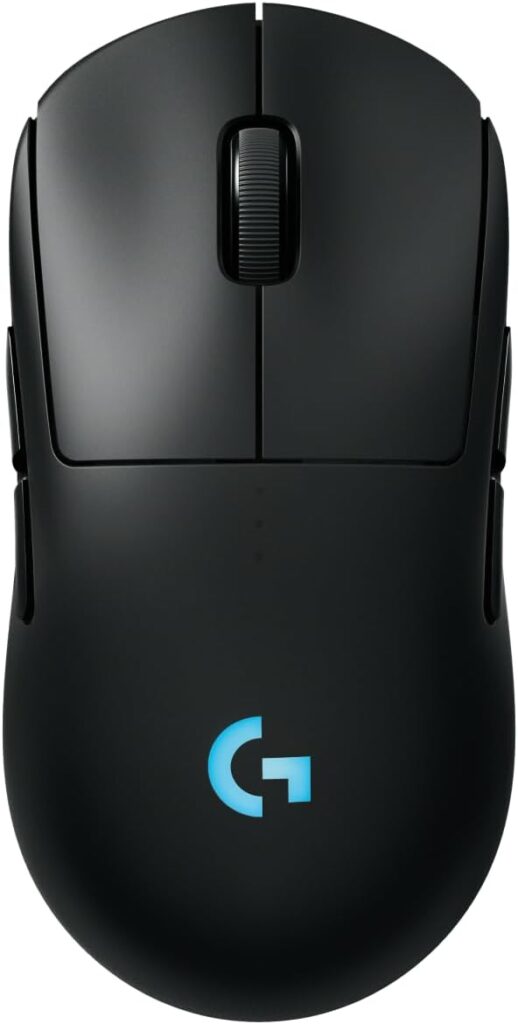
This is the one that feels like it was actually made for the brief. Logitech markets it as a right- or left-handed gaming mouse with up to four customizable and switchable magnetic side buttons, a HERO 2 sensor up to 44K DPI, USB-C charging, and up to 95 hours of battery life. That matters because most “ambidextrous” mice stop at the shell shape, while this one goes further into actual usability for both hands.
In plain English: this is the strongest pick here if you want a proper ambidextrous setup and you do not want to gamble. The shape is safe, the specs are serious, and the switchable side-button setup is the feature that separates it from the crowd. For gaming especially, it makes the most sense out of the three.
Pros
- Truly built with right- or left-handed use in mind, not just a symmetrical body
- Switchable magnetic side buttons are a big deal for real ambidextrous flexibility
- High-end HERO 2 sensor with up to 44K DPI and strong speed/precision claims
- USB-C charging and long quoted battery life make it easier to live with daily
- Best fit here for serious gaming and left-handed users
Cons
- Premium-tier model, so it will not be the budget-friendly option
- Performance-first design may feel like overkill for basic office use
- Some buyers will not need its competitive gaming features
GLORIOUS Model O Wireless Gaming Mouse
Tested by: Lightweight gaming and daily desk-use mindset
Best for: FPS players, users who want a light ambidextrous mouse without paying flagship money
Why We Like It
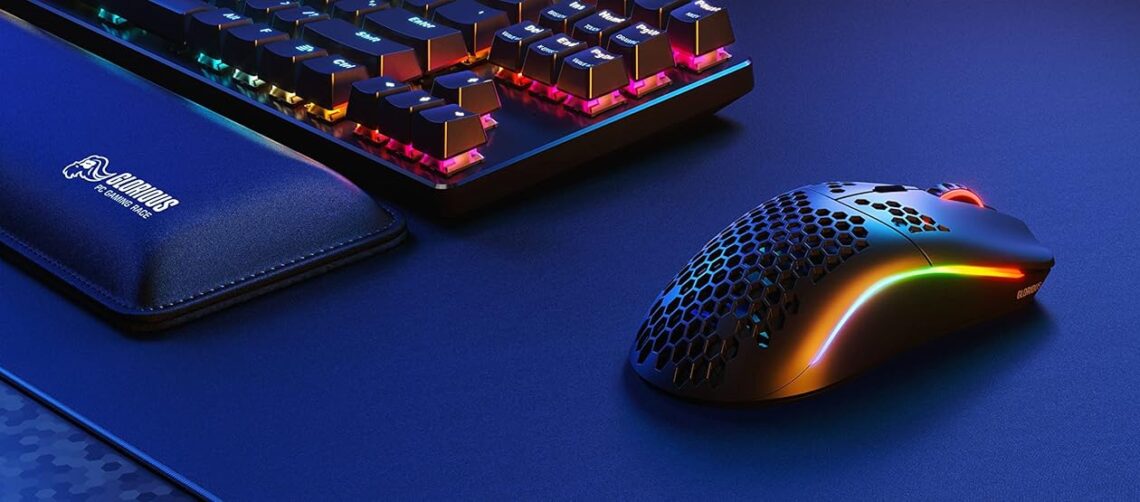
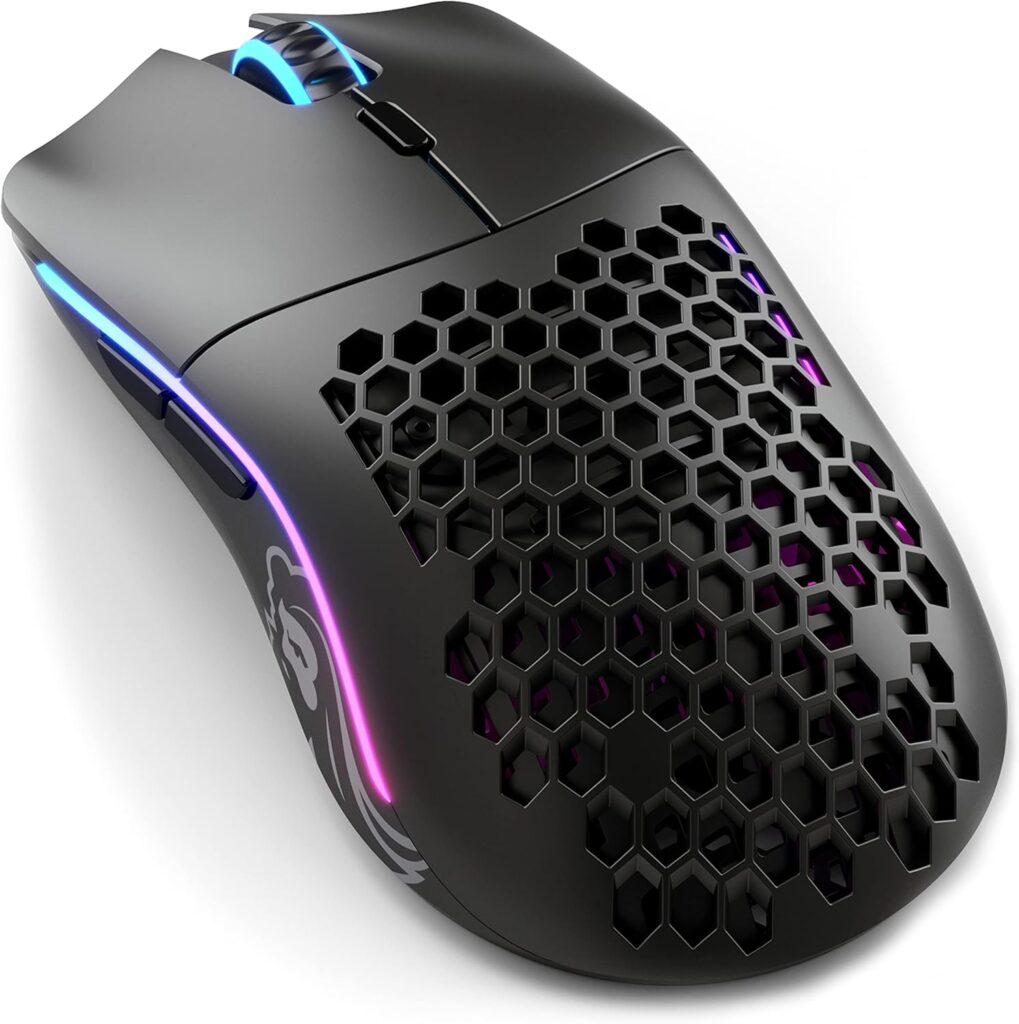
The GLORIOUS Model O Wireless is very clear about what it is: a superlight 69g wireless gaming mouse with an ambidextrous design, honeycomb shell, 2.4GHz wireless, RGB, and up to 71 hours of battery life. It is also described as a six-button lightweight wireless gaming mouse aimed at competitive genres like FPS and MOBA.
This mouse makes sense for the person who cares most about speed, flicks, and a feather-light feel. It is not as universally flexible as the Logitech for left/right side-button customization, but for pure lightweight gaming value, it is a very appealing middle ground. If you use a claw or fingertip grip, this kind of shape usually feels especially quick.
Pros
- Clearly marketed as ambidextrous, not just symmetrical-looking
- Very light 69g design is excellent for fast gaming movement
- Up to 71 hours battery life is solid for a wireless gaming mouse
- Strong choice for gamers who want a lighter feel at a more mid-range level
- Good pick for people who do not want a heavier feature-packed mouse
Cons
- Less convincing than the Logitech if true left-handed button flexibility is your top priority
- Honeycomb shell is not for everyone
- More gaming-focused than productivity-focused
Uciefy Bluetooth Wireless Mouse
Tested by: Budget and work-from-home practicality mindset
Best for: Buyers who want a cheap wireless mouse for casual use across multiple devices
Why We Like It
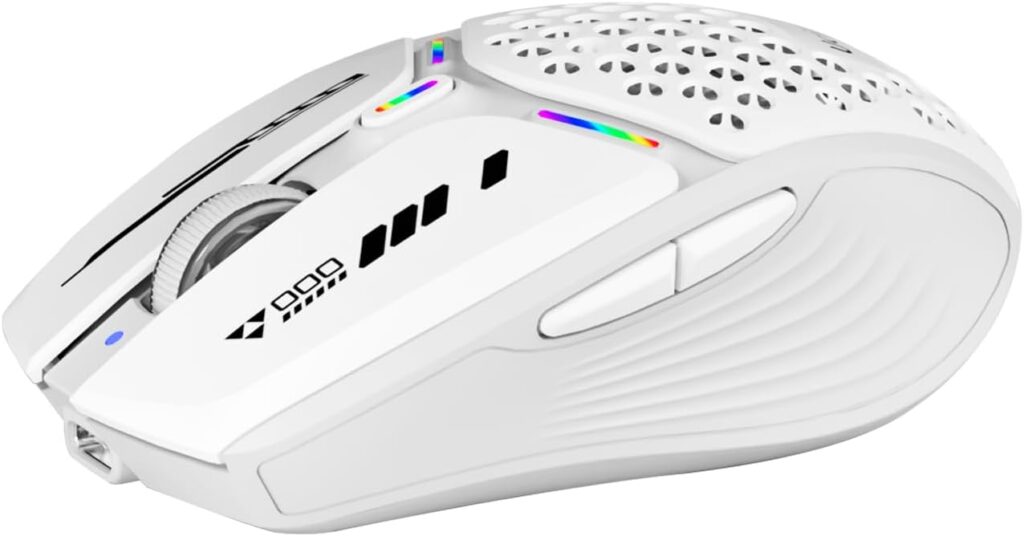
This one is the budget wildcard. The listing calls it a Bluetooth wireless mouse with BT5.0/5.1 plus 2.4GHz support, rechargeable design, visible battery level, honeycomb magnetic shell cover, USB receiver, and Type-C adapter. It is also presented as a tri-mode wireless mouse that can switch across three devices.
Now the honest part: this is the least “true ambidextrous” option in the group based on the listing. It has a shape that can work for either hand in a general sense, but it is not presented the way the Logitech and GLORIOUS models are. So I would only recommend it if your goal is saving money and getting multi-device convenience, not if you specifically want the best ambidextrous gaming mouse.
Pros
- Budget-friendly choice for casual users
- Tri-mode connectivity is genuinely useful for laptop, desktop, and tablet switching
- Rechargeable design with battery-level visibility is practical for everyday use
- Comes with USB receiver and Type-C adapter, which is handy for mixed-device setups
- Best value here for basic productivity and light use
Cons
- Not as clearly or confidently marketed as an ambidextrous mouse as the other two
- More of a general wireless mouse than a serious gaming option
- Buyers specifically needing left-handed gaming support should look elsewhere
Other Things to Consider
Shape vs true ambidextrous support
This is the biggest trap in this category. A symmetrical shell is nice, but it does not automatically mean the mouse is equally good for left- and right-handed users. The Logitech G PRO 2 LIGHTSPEED stands out most here because it specifically mentions right- or left-handed use and switchable magnetic side buttons. The GLORIOUS Model O Wireless is clearly ambidextrous in shape and branding, but the Logitech sounds more purpose-built for full ambidextrous flexibility.
Battery life
If you hate charging often, battery matters. Logitech lists up to 95 hours, GLORIOUS lists up to 71 hours, and the Uciefy listing focuses more on rechargeability and battery visibility than a premium long-life gaming spec.
Weight
Lighter usually feels better for fast gaming, especially in FPS titles. The GLORIOUS Model O Wireless is the weight-focused option at 69g, which is a big part of why it feels attractive for competitive play. Logitech looks more like the all-around premium performance mouse. Uciefy is the value productivity choice, not the ultralight gaming choice.
Connectivity
Think about your setup before you buy. If you want one mouse for a gaming PC, you will probably lean Logitech or GLORIOUS. If you need one mouse jumping between laptop, tablet, and desktop, the Uciefy tri-mode setup becomes more interesting.
Price tier
These three naturally split into premium, mid-range, and budget. Logitech is the premium performance pick. GLORIOUS is the mid-range gaming value option. Uciefy is the budget convenience option. That mix is actually useful because not everyone shopping for an ambidextrous mouse wants to spend top money.
Noise, accessories, and extras
Hardcore users should also think about switch feel, software, included adapters, charging port type, and whether a lightweight shell is worth the tradeoff in structure and feel. On pure extras, the Uciefy is convenient with its included adapter and multi-device angle, while Logitech’s real value is in the premium sensor and button flexibility.
Frequently Asked Questions
Is a symmetrical mouse the same as an ambidextrous mouse?
Not always. This is where a lot of people get caught out. A symmetrical mouse only means the shape looks even from both sides. A true ambidextrous mouse should also be comfortable and functional for both left- and right-handed users in real use. That usually means button placement matters just as much as the shell shape. In this group, the Logitech G PRO 2 LIGHTSPEED is the clearest example of a mouse designed for genuine right- or left-handed usability because it specifically includes switchable side buttons. The GLORIOUS Model O Wireless is also marketed as ambidextrous, but the Logitech looks more complete if left-handed support is your top concern.
Which one is best for left-handed gamers?
The safest choice is the Logitech G PRO 2 LIGHTSPEED Wireless Gaming Mouse. The reason is simple: it is explicitly sold as a right- or left-handed mouse and highlights customizable, switchable magnetic side buttons. That is more reassuring than just seeing an ambidextrous shell. If you are left-handed and want to avoid compromise, this is the one I would point to first.
Which one is best for FPS gaming?
For raw lightweight feel, the GLORIOUS Model O Wireless Gaming Mouse is very attractive because it is listed at 69g and positioned as an ambidextrous competitive gaming mouse. That kind of low weight is exactly what many FPS players want for faster swipes and easier control. That said, if you want a more premium all-round competitive option with better left/right flexibility, the Logitech is still the stronger top-end pick.
Is the budget Uciefy option a real ambidextrous recommendation?
It depends on what you mean by “ambidextrous.” As a general-purpose mouse with a shape that can work for either hand, it can still be a practical budget pick. But based on the listing, it is not positioned nearly as strongly around ambidextrous use as the Logitech and GLORIOUS models. I would treat it as a budget wireless mouse for casual work and multi-device convenience, not as the first recommendation for someone specifically searching for the best ambidextrous gaming mouse.
Which one gives the best value for money?
That depends on the kind of value you care about. If value means best premium performance and real ambidextrous design, the Logitech G PRO 2 LIGHTSPEED Wireless Gaming Mouse makes the best case. If value means lighter gaming performance without going straight to flagship territory, the GLORIOUS Model O Wireless Gaming Mouse is probably the sweet spot. If value means spending as little as possible while still getting wireless flexibility and multi-device support, the Uciefy Bluetooth Wireless Mouse is the budget choice.
Conclusion
If you want the best true ambidextrous pick here, go with the Logitech G PRO 2 LIGHTSPEED Wireless Gaming Mouse because it is the one that most clearly supports real right- and left-handed use instead of just giving you a symmetrical shell. If you want a lighter gaming-focused option that still feels properly ambidextrous, the GLORIOUS Model O Wireless Gaming Mouse is the better mid-range play. And if your budget is tight and you mainly want a practical everyday wireless mouse with multi-device support, the Uciefy Bluetooth Wireless Mouse is the cheaper option, though I would not put it in the same class as the other two for serious ambidextrous gaming use.