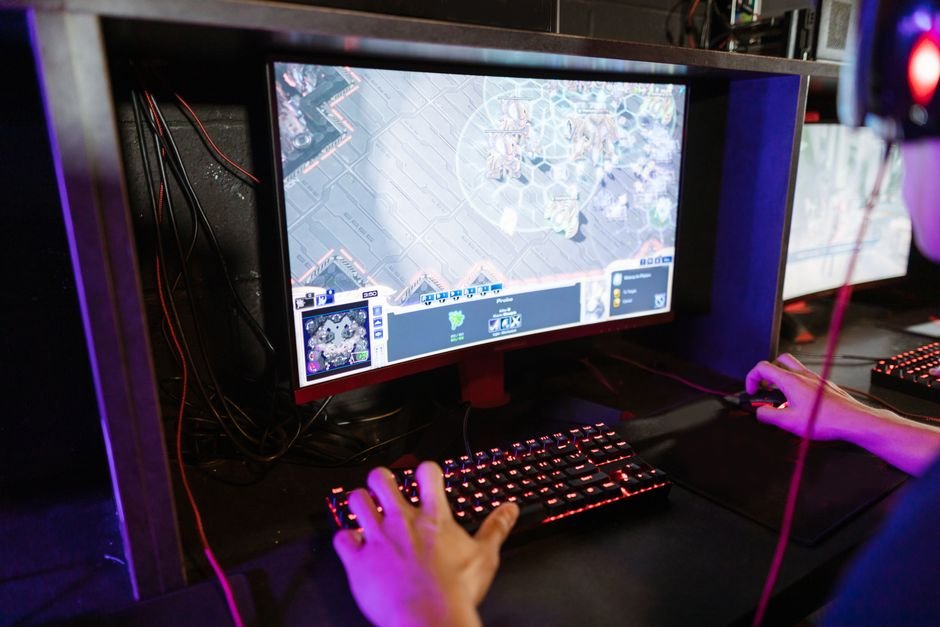
Studies show that 80% of gamers underperform due to poorly configured keybinds. Customizing your keybinds can drastically improve your gameplay by matching controls to your unique abilities, whether in FPS, strategy, or role-playing games.
Many gamers overlook the nuances of their keybind setup, sticking with default configurations that don’t suit them. Adjusting your keybinds can make fundamental differences in fluidity and efficiency. Here are the five crucial areas to focus on when redefining your controls.

1. Prioritize Common Actions
Your most frequently used actions should be the most accessible. For instance, in a shooter, you want your weapon switch and reload actions at your fingertips. I’ve often found that putting my primary weapon switch on a mouse thumb button drastically improved my reaction times, as I no longer need to stretch my fingers.
Gamers who enjoy fast-paced action, like FPS players, will benefit the most from this approach.
Start by analyzing your gameplay to identify which actions you perform most before mapping them to easily reachable keys.
2. Streamline Complex Actions
In many MMORPGs, you juggle multiple actions, such as casting spells or using items. If these actions aren’t quick and simple, you can quickly fall behind. I recommend binding intricate combos or sequences to fewer keys if your game allows for macro configurations.
Repetitive strain injury (RSI) is also a risk I am constantly aware of in these scenarios, so minimizing hand movement keeps me comfortable during long sessions.
If the game you play has macro features, invest the time to learn how they work to compress multiple actions into a single keystroke.
3. Use Modifier Keys Wisely
Many players underestimate the power of modifier keys, Shift, Alt, and Ctrl, as they allow you to access secondary functions without juggling too many different keys. For example, I use the Shift key to access secondary abilities while keeping my primary key layout intact. This structure is beneficial for players who thrive on mobility and flexibility in gameplay.
Evaluate which functions could be effectively managed with modifier keys without overloading your configuration.
4. Avoid Overcrowding Keybinds
Having too many actions mapped can hinder rather than help. I recall trying to squeeze too many functions onto one hand, and it resulted in confusion rather than improved efficiency. Keeping your key layout simple enhances your reaction under pressure, which is critical in competitive scenarios.
I’ve noticed that players who manage fewer than 20 unique keybinds generally perform better than those who attempt to master a more cluttered setup.
Focus on necessary actions and eliminate any that you use infrequently.
5. Regularly Re-evaluate Keybinds
Just like your gameplay evolves, your keybinds should evolve too. After significant updates in a game or when trying new strategies, take time to review your bindings. If I notice my efficiency slipping or find myself relying on the same few clicks, it’s a clear signal for adjustment.
Competitive players who play multiple games may also want to standardize certain controls across different titles for easier adaptation.
Schedule regular reviews of your keybinds every few sessions. Adjusting them periodically allows for a continued relevance of your setup.

How to Choose Your Keybinds
For serious gamers, a layout that prioritizes frequently used commands should be the go-to choice. Players focused on strategy will benefit from customizable binds to quickly adapt to shifting scenarios, while those in fast-paced shooters should prioritize rapid access to weapons and abilities. Additionally, resources like customizing keybinds for optimal gameplay provide valuable information.
Frequently Asked Questions
What are the best keybinds for gaming?
The best keybinds for gaming can vary based on personal preference and the type of game being played. However, commonly preferred keybinds include using keys that are easily accessible, like WASD for movement and nearby keys like Q, E, or R for abilities and actions.
Why is keybinding important in games?
Keybinding is important in games because it allows players to execute actions quickly and efficiently, enhancing their overall performance. Proper keybind customization can reduce hand strain and make essential actions easier to reach during fast-paced gameplay.
How can you customize game keybinds?
You can customize game keybinds by accessing the game's settings menu, usually found under 'Controls' or 'Keybindings'. From there, you can select specific actions and assign them to your preferred keys or buttons.
Is it better to use custom keybinds?
Using custom keybinds can be better for many players as it allows for a setup that aligns with their unique playstyle and comfort level. Customized keybinds can provide a significant advantage, particularly in competitive gaming scenarios.
Can customizing keybinds improve gameplay?
Yes, customizing keybinds can improve gameplay by enabling faster response times and making essential actions more intuitive. A personalized setup tailored to your preferences can lead to a more enjoyable and effective gaming experience.