
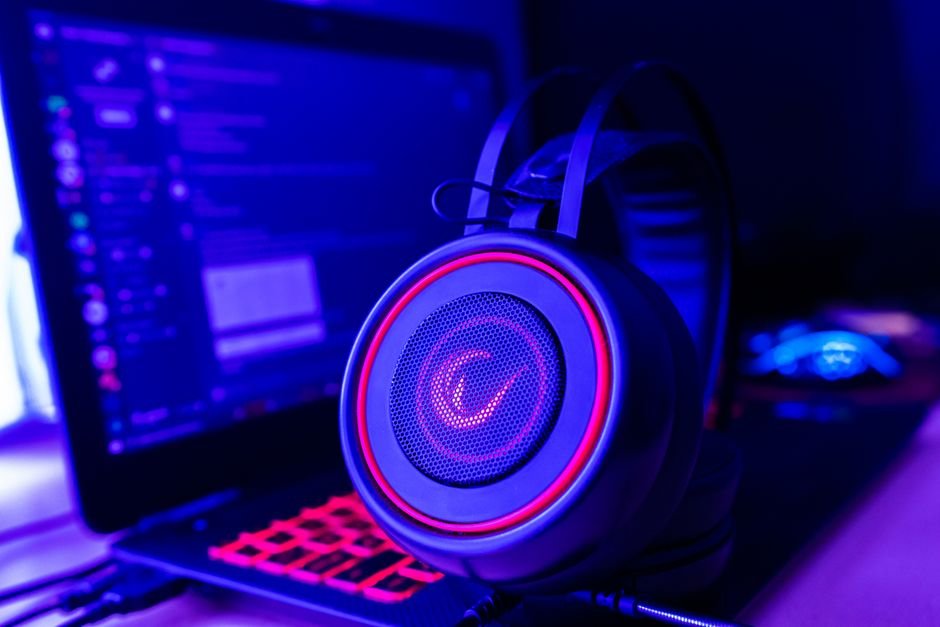
Over 60% of gamers report audio issues that detract from their enjoyment. Properly setting up your gaming audio equipment can make a significant difference in your overall experience. After extensive testing, I discovered the key steps to achieving clear sound without annoying echoes.
Understanding the importance of audio in gaming is essential. The right sound can immerse you in your favorite world, while the wrong setup can create a jarring experience and impair your performance. With the right gear and configuration, you can transform your gaming setup into a fully immersive sound experience. Let’s break down the essentials you need.

Essential Gaming Audio Equipment
Let’s start with the fundamental components: your audio interfacegaming speakersand microphone. You need to pick a solid audio interface to bridge the connection between your console or PC and your audio gear. I recommend focusing on ones with USB connections for easy setup and high-quality sound transfer. Devices like the Focusrite Scarlett 2i2 are popular for their balance of quality and user-friendliness.
Next, you shouldn’t skimp on speakers. Two-channel stereo speakers can provide clear sound, but for a truly immersive experience, consider surround sound systems. Brands like Logitech or Bose offer excellent products that deliver impactful audio. Look for models that support Dolby Digital or DTS, which enhance the gaming experience significantly.
Finally, you can’t ignore the importance of a good microphone. Streaming and online multiplayer games require clear communication. USB microphones are typically simple to use and deliver adequate quality, but for serious streamers, an XLR microphone with an audio interface is the way to go. This setup offers far better clarity and sound control.

Connecting and Configuring Your Setup
Everything you purchase has to be connected correctly, and that’s where many people stumble. Start by connecting your audio interface to your computer. Ensure that the drivers are up to date. Most modern systems recognize these devices automatically, but taking a moment to check updates can save you trouble later.
Next, connect your gaming speakers to the audio interface or directly to your console, depending on your setup. This step is crucial because plugging them into the wrong device can cause lag in sound or quality loss. Use quality cables; they make a difference. Look for cables with good shielding to minimize interference.
Now, configure your audio settings. On your gaming device, navigate to the audio settings and select your audio interface as the output option. Adjust the volume levels to avoid distortion. Pay attention to microphone settings too, set your input levels to capture sound without clipping, which can lead to garbled audio.
Avoiding Annoying Echoes
Echoes can ruin even the best audio equipment. They often stem from microphones picking up audio output from speakers, which leads to frustrating feedback loops. To combat this, always position your microphone away from your speakers. Use headphones instead of speakers, if possible, to eliminate this issue altogether.
If you’re dedicated to using speakers, you can employ soundproofing techniques. Things like soft padding or foam panels around your gaming setup can absorb sound and minimize echoes. Experimenting with microphone settings is also key. Many high-quality microphones have built-in noise-canceling features or EQ settings that can vastly reduce echos when configured correctly.
The Verdict: What’s Necessary vs. Optional?
For dependable audio, invest in a quality audio interface and a pair of decent speakers, which are suitable for most gamers. If you're a competitive player, consider adding a high-quality microphone for clear communication. Casual gamers might opt for a good pair of headphones instead, which can also provide a solid audio experience without the need for additional equipment.
To Wrap It Up
Setting up your gaming audio equipment doesn’t have to be a hassle. By focusing on the right components, connecting them properly, and avoiding common pitfalls like echoes, you can create an immersive audio experience that enhances your gaming. If you’re looking for more in-depth information on how to set up gaming audio equipment, I suggest checking out my guide on how to improve gaming audio quality.
With these tips, you’ll be well on your way to a more immersive gaming experience that doesn’t leave you frustrated by poor audio quality.
There is more on equipment do i elsewhere on the site.
Frequently Asked Questions
How long does it take to set up gaming audio equipment?
The setup time can vary based on your experience and equipment. A basic setup could take around 30 minutes, while a more complex arrangement with an audio interface and multiple devices might require an hour or more for fine-tuning.
Can I use any speakers with my gaming system?
While most speakers can technically work, it’s best to choose ones designed for high-quality audio. Compatibility with your device should also be checked to ensure proper functionality.
What is the best microphone setup for gaming?
The best setup balances quality and usability. For streaming or online gaming, an XLR microphone connected to an audio interface offers superior sound quality. USB microphones are also good and convenient for casual gaming.
Why is my gaming audio echoing?
Audio echoing is typically caused by your microphone picking up sound from your speakers. Try using headphones, repositioning your microphone, or enabling noise-canceling features to mitigate the issue.
Do I need surround sound for gaming?
While not necessary, surround sound provides an immersive experience that can enhance gameplay by making audio cues more dynamic. It is particularly beneficial for competitive gaming where audio precision is crucial.




