Over 70% of gamers report dissatisfaction with their audio experience due to poor speaker placement. Incorrectly positioned speakers can lead to sound distortion and a lack of immersion, preventing you from fully enjoying your gaming sessions.
In my experience, I’ve learned that strategic placement can transform your audio experience, revealing layers and detail that standard setups simply don’t provide. This article highlights common mistakes in gaming speaker arrangement, why they cost you, and how to fix them for optimal sound.

Neglecting Room Acoustics
Many gamers overlook the room’s acoustics when setting up their speakers. It’s a rookie mistake that can lead to muddled sound. Hard surfaces like glass, tile, or bare walls can create echoes and reflections, distorting the audio quality. Instead, take note of the materials around you. Carpets and drapes significantly dampen sound reflections, creating a more balanced audio environment.
When placing your speakers, consider their proximity to these surfaces. Keep them away from walls and corners if possible. Research indicates that positioning speakers at least three feet from walls can help eliminate unwanted reflections, allowing for clearer sound. Try using acoustic panels if you can, as they can help absorb excess sound waves and improve your gaming experience.
Ignoring the Power of Speaker Height
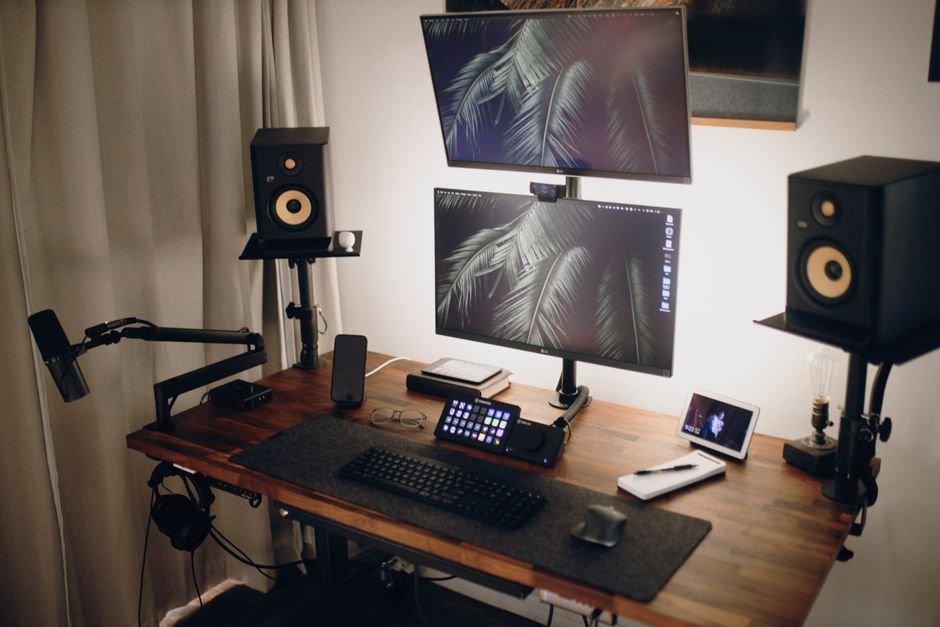
Another common error is improper speaker height. Putting them at desk level is usually not optimal, as it can lead to off-axis listening. For the best experience, you want your tweeters (the speakers responsible for high frequencies) at ear level when you’re sitting down. This little adjustment can have a big impact on clarity and detail in your game audio.
I’ve also found that using speaker stands or wall mounts helps in many cases. This way, you can angle the speakers towards your listening position, enhancing direct sound instead of reflections. A small elevation of just a foot can sometimes make a world of difference in how the sound reaches your ears.
Neglecting Surround Sound Configuration
If you’re using a surround sound systemone of the crucial mistakes is not ensuring that your rear speakers are positioned correctly. Many overlooks this, thinking that as long as they are behind you, the placement is sufficient. To truly immerse yourself in the sound, these speakers need to be spread evenly. Aim for a placement that creates a semi-circle around your listening position.
Additionally, calibrating your audio settings can elevate the experience. Most modern systems include calibration settings that adjust speaker levels based on their location. Don’t skip this step; taking the time to calibrate ensures your speakers work in harmony with one another, creating a cohesive soundstage.
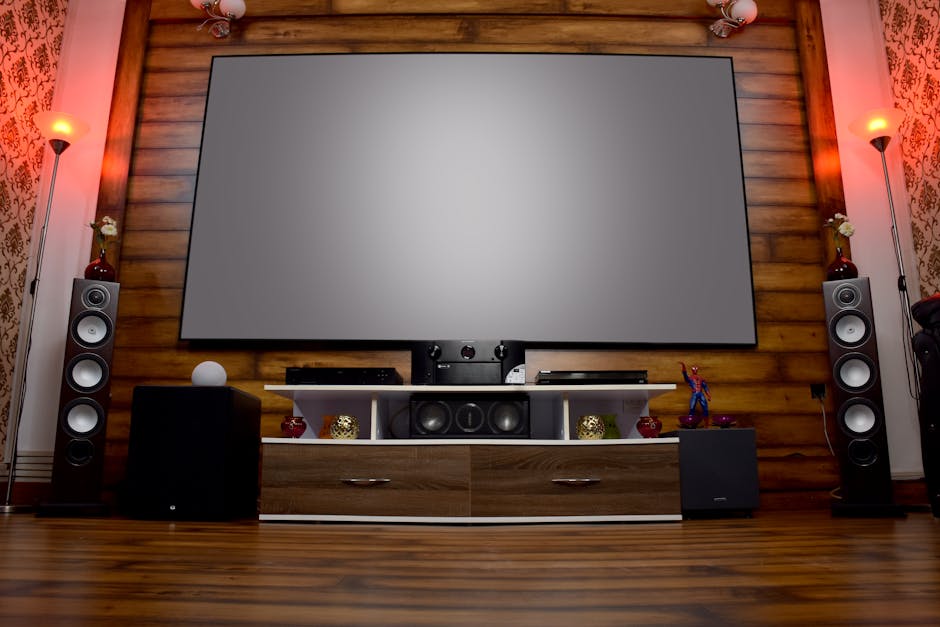
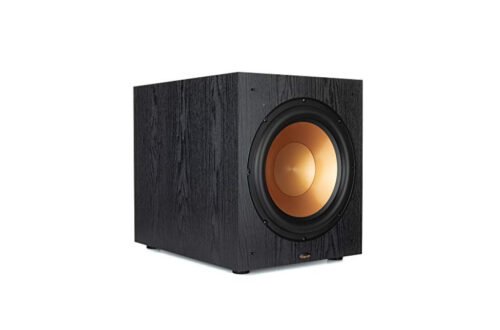
Overlooking Subwoofer Placement
A subwoofer can enhance your gaming experience with powerful bass, but if placed incorrectly, it can lead to uneven sound. Many gamers make the mistake of tucking their subwoofers away in corners or behind furniture, thinking it won’t matter where it goes. In truth, subwoofers can generate a muddy sound in corners due to the way bass waves travel.
The ideal spot for a subwoofer is often in the front of the room, midway between the left and right speakers. In my experience, placing it too close to walls or furniture can diminish its effectiveness.
Experimenting with different spots can help find where the bass sounds the best; many call this the “subwoofer crawl.” Put your subwoofer in different spots around your room while playing a few gaming sequences and find where it works best.
Failing to Adjust for Listening Position
Your listening position is also key for optimal sound; the sweet spot isn’t always where you think. Many people assume that the center of the couch or gaming chair is best, but that isn’t always the case. Find that sweet spot by sitting where you’ll be most frequently while gaming and listening for the clearest audio.
This often means adjusting both speaker angles and distances to find the right balance.
Don’t hesitate to make small adjustments and test it out. The ideal setup might only take a few minutes to find but can significantly enhance your gaming experience. Remember, you’re aiming to create an immersive bubble of sound, so each adjustment matters.
There is more on optimal performance elsewhere on the site.
Conclusion: The Path to Optimal Sound
For the best sound experience, invest in speaker stands for optimal height and angle, especially for competitive gamers who need clarity above all else. Casual gamers might explore wall-mounting options to save desk space while still achieving good sound quality.
Frequently Asked Questions
How do I position my speakers for gaming?
Position your speakers at ear level and form a triangle with your listening position for optimal sound. Ensure they are spaced evenly apart and directed towards your ears to enhance clarity and directionality.
What is the best speaker setup for gaming?
A 5.1 or 7.1 surround sound system is considered the best setup for immersive gaming, as it provides directional audio cues. Alternatively, a good quality stereo setup can also work well for gamers with less space.
Can speaker placement affect gaming experience?
Yes, speaker placement drastically affects the gaming experience by impacting sound clarity, directionality, and balance. Properly positioned speakers can make it easier to pinpoint sounds and enhance overall immersion.
Why is sound positioning important in gaming?
Sound positioning is crucial in gaming as it helps players detect in-game audio cues, such as footsteps or gunfire, which can provide a competitive advantage. Accurate sound placement contributes to the overall atmosphere and realism of the game.
How can I improve sound quality in my gaming room?
To improve sound quality, consider adding acoustic panels to absorb sound reflections and reduce echo. Additionally, ensuring that your speakers are placed correctly and using a subwoofer can enhance the overall audio experience. For more expert insights on gaming speaker placement for optimal sound, check out this resource.