A cramped gaming area can make or break your enjoyment, especially when you have only 50 square feet to work with. Using ergonomic furniture and smart organization can help optimize this limited space. Here are some effective gaming setup layout ideas that can enhance your experience.

1. Compact Desk Arrangements
A compact desk arrangement is all about utilizing minimal space while still making it functional. A well-designed small desk, typically around 47 to 55 inches wide, allows you to fit your monitor, keyboard, and other essentials without overwhelming the room. This setup is best for gamers who want to keep things sleek and tidy but still have enough space for gaming peripherals.
When selecting a compact desk, look for options with built-in storage or shelves to keep games and accessories organized without cluttering your desktop.
2. L-Shaped Desks for Corner Spaces
L-shaped desks fit perfectly in corners and provide significant workspace while saving space. This layout is especially beneficial for multi-monitor setups and ample space for gaming gear, making it ideal for serious gamers. If you have a corner that isn’t being utilized, this could be a great way to create a dedicated gaming zone.
To make the best of an L-shaped desk, ensure that your monitors are at eye level and invest in an ergonomic gaming chair to maintain comfort during long sessions.
3. Dual Monitor Setup
A dual monitor setup can drastically improve your gaming experience by allowing for multitasking between games and chats while maintaining a streamlined look. This setup works best if you use a monitor mount for flexibility, which frees up desk space. Gamers who want to manage gameplay and streaming simultaneously will find this particularly useful.
Ensure that your monitor heights align to reduce neck strain and adjust with a mounting bracket that suits your desk’s thickness.
4. Wall-Mounted Displays
Wall-mounted monitors are an excellent way to save desk space while providing a dynamic display. By freeing up desktop area, you can clutter less and create a visually appealing backdrop, ideal for RGB lighting and decorations. Best suited for smaller rooms, this setup leverages vertical space effectively.
Consider using a good quality VESA mounting kit that aligns with your monitor’s specifications to ensure stability and easy adjustments.
5. Minimalist Gaming Stations
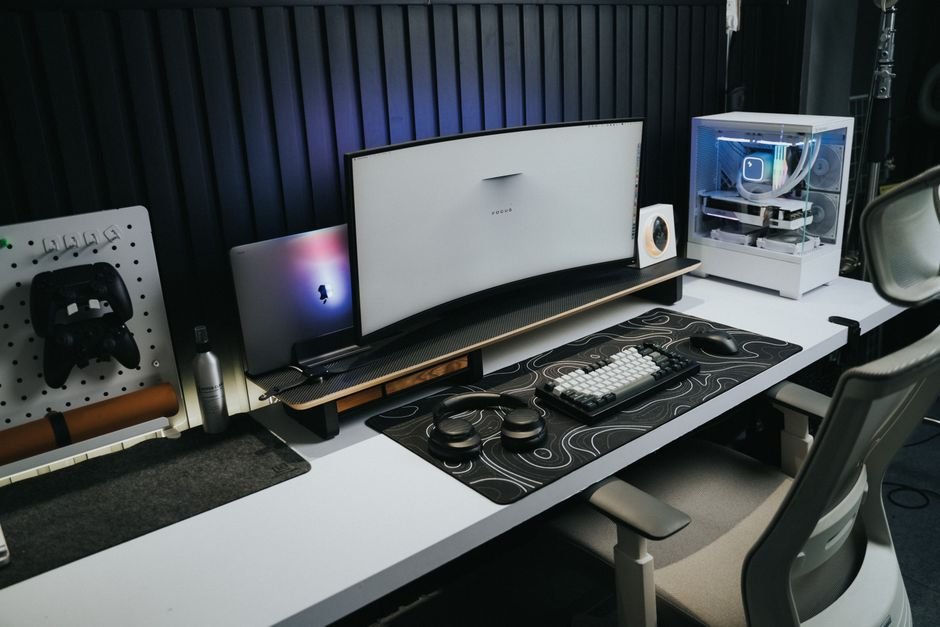
A minimalist approach means having only what’s necessary, which can be both stylish and functional. This setup works best in smaller spaces and helps prevent clutter, allowing gamers to focus on what’s essential. A simple single monitor, keyboard, and mouse setup on a clean desk provides a calming environment for gaming.
Implement a few cable management solutions to keep cords hidden and enhance the cleanliness of the overall look.
6. Ergonomic Gaming Chairs
Investing in an ergonomic gaming chair can dramatically improve your comfort and focus. These chairs are designed to provide support for long gaming sessions, reducing fatigue and promoting proper posture. This aspect is especially important if your gaming layout involves extended periods at your setup.
Look for adjustable features, such as lumbar support and armrests, so you can customize the chair to your body dimensions for maximum comfort.

7. RGB Lighting for Ambiance
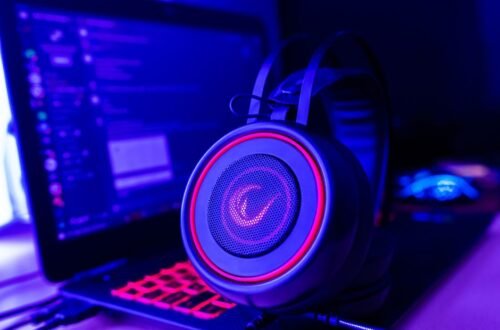
Incorporating RGB lighting can transform your gaming area, creating an immersive atmosphere. Strategically placing LED strips around your desk, shelves, or even backlighting your monitor adds visual appeal. This layout is fitting for gamers who want to bring personality and mood to their setup without sacrificing functionality.
Be mindful of the color choices; softer hues can reduce eye strain, while dynamic colors can energize your gaming sessions.
How to Choose
For gamers who prioritize comfort, an L-shaped desk paired with an adjustable chair is the best choice. Those who value minimalism might prefer a wall-mounted monitor setup, while collaborative gamers can benefit from a larger, shared table. Each option serves different gaming styles and preferences.
Frequently Asked Questions
What is the best gaming setup layout?
The best gaming setup layout typically includes a desk facing a wall or open space that allows for easy access to your equipment and gaming chair. A triangular layout, where your monitor, keyboard, and mouse form a triangle, can enhance comfort and efficiency. This arrangement ensures an optimal viewing distance and minimizes strain during long gaming sessions.
How can I arrange my gaming desk?
Arrange your gaming desk by placing your monitor at eye level, with your keyboard and mouse at a comfortable height for your arms. Make sure to leave space for other peripherals like a headset or gaming console. It's also useful to keep frequently used items within arm's reach to maintain an organized and efficient workspace.
Why is monitor height important in a gaming setup?
Monitor height is crucial because it affects your posture and comfort during gameplay. The ideal height allows you to view the screen without tilting your head upward or downward, which can prevent neck and eye strain. Proper monitor height also encourages a healthier ergonomic position, leading to improved focus and prolonged gaming sessions.
Can lighting affect gaming performance?
Yes, lighting can significantly affect gaming performance by influencing both visibility and mood. Proper ambient lighting reduces glare on screens while minimizing eye strain, enhancing concentration levels. Additionally, customizable RGB lighting can also improve immersion and create an engaging atmosphere tailored to your gaming environment.
What are essential items for a gaming setup?
Essential items for a gaming setup include a high-quality gaming monitor, a comfortable chair, and an ergonomic desk. Additionally, a reliable gaming keyboard and mouse, headset, and good cable management solutions are crucial for an organized space. Don't forget to incorporate a good sound system or speakers to enhance your gaming experience.
For more ideas on best gaming setup layout ideas, you can explore various creative designs that fit your personal style.