Up to 70% of gamers report that they are missing important audio cues that enhance gameplay. Sound can significantly affect in-game awareness and immersion, making it essential to prioritize audio quality. You can achieve noticeable improvements in your home theater audio with smart adjustments instead of relying solely on expensive upgrades.
Let’s dive into how to improve home theater audio for gaming without breaking the bank. The key lies in optimizing your current setup, calibrating your audio settings, and implementing some straightforward soundproofing tricks.

Optimizing Speaker Placement for Gaming
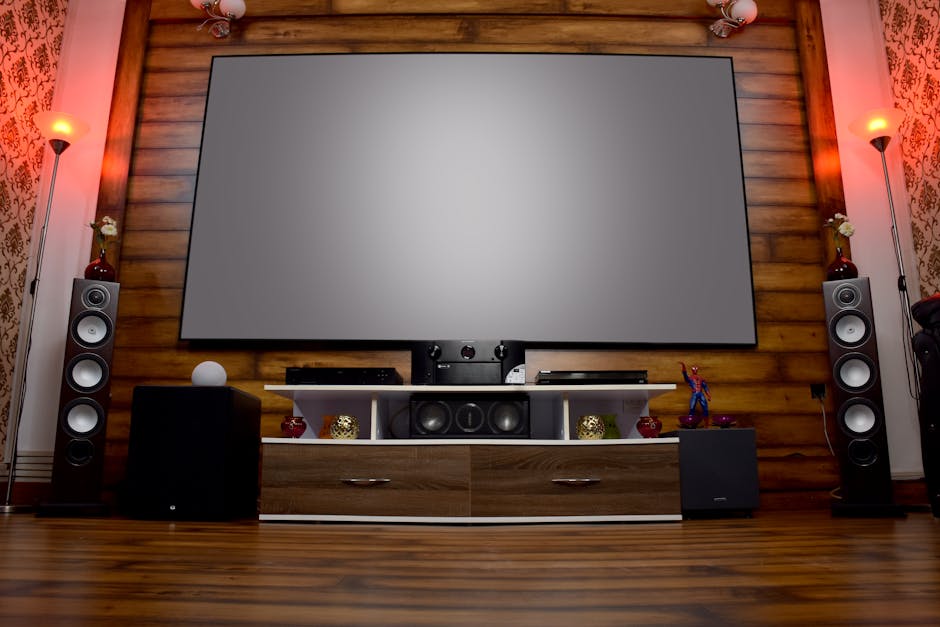
Speaker placement is fundamental to achieving the best gaming audio. Many people tend to use the default speaker layout, which often doesn’t do justice to the audio potential of their systems. For a true surround sound experience, place speakers to create an immersive soundstage. Ideally, the front speakers should be positioned at ear level, angled towards your listening position.
For surround sound, positioning your surround speakers slightly above ear level and at an angle can enhance the surround experience. If you’re using a subwoofer, ensure it’s in a corner or along a wall to take advantage of boundary effects, which boost bass. Experimenting with your speaker placement can yield marked improvements in sound clarity and immersion.
Balancing Audio Settings for Crisp Sound
The audio settings on your receiver or soundbar can often be the difference between decent and exceptional audio. Start by checking the level of bass, treble, and midrange frequencies. For gaming, you want a balanced sound profile that makes dialogues clear and effects punchy. Too much bass can overshadow important sound elements, while excessive treble can lead to listener fatigue.
Most gaming systems and audio devices have built-in calibration tools. Use these to fine-tune your setup. Adjust the speaker distances and levels based on your environment. A quick test of volume levels can help you identify any imbalances. If you’re still not satisfied, consider adopting an audio calibration app to get even more precise analyses of your sound setup.
Implementing Effective Soundproofing Techniques
If you’re dealing with external noise distractions, adding some soundproofing to your gaming space can notably improve your audio experience. Think about investing in acoustic panels to absorb sound and reduce reflections. Alternatively, heavy curtains, rugs, and soft furnishings can do an excellent job of dampening noise and enhancing audio clarity.
Additionally, it can be helpful to rearrange your furniture to minimize sound reflections. Smooth surfaces amplify echoes, so aim for a more muted décor that can soak up sound. If you’re up for it, seal cracks in doors and windows to further reduce outside noise interference.
Utilizing Audio Enhancement Technologies
Consider adopting technologies found in many gaming headsets or sound systems that enhance the audio experience. Features like virtual surround sound can create an immersive experience without needing a full speaker setup. Some systems allow for software-based enhancements, tuning audio profiles based on the game genre you’re playing.
These enhancements are usually just a quick setting change, but they can significantly change how you perceive sound within your games. Conversations or critical sound cues can become much clearer, allowing you to immerse yourself deeper into the story without distractions.
Investing Budget-Friendly Additions
If you’ve tuned and optimized everything but still feel something’s missing, consider affordable upgrades like dedicated subwoofers or soundbars. These usually don’t require a huge investment but can amplify the experience drastically. Soundbars can provide a cleaner look and often come with impressive sound technology that enhances your audio without the bulk of traditional speaker systems. To further explore options, you might want to check out the OXS S3 Sound Bars for TV that come with various features to enhance your setup.
Another possibility is to look into Bluetooth or wired headphones, which can give you a focused listening experience. Examples like gaming headsets not only provide comfort but often have built-in audio features that can boost the overall quality, such as noise cancellation and adjustable settings.
See also our take on best audio.
Conclusion: Elevate Your Gaming Audio Without Breaking the Bank
To truly enhance your gaming audio, consider investing in a dedicated soundbar for straightforward setup and quality improvement. For gamers who want a more immersive experience, a multi-speaker surround setup is ideal but requires more space and configuration. Focus on your specific needs and budget to choose the best option.
Frequently Asked Questions
How can I boost my home theater sound for gaming?
To boost your home theater sound for gaming, ensure all speakers are properly calibrated and positioned for optimal sound distribution. Additionally, consider upgrading your audio equipment, such as your receiver or speakers, and enabling features like Dolby Atmos for an enhanced experience.
Why is my gaming audio not clear?
Unclear gaming audio can result from several factors, including poor speaker placement or suboptimal audio settings. Check your sound settings, ensure your cables are not damaged, and verify that you're using high-quality audio sources.
What are the best settings for gaming audio?
The best settings for gaming audio typically include enabling surround sound modes, adjusting dialogue clarity settings, and ensuring the sound output is set to the proper format (like PCM or Bitstream). Tailor equalizer settings to your preferences, enhancing bass and treble to suit your gaming style.
Can I use a soundbar for gaming?
Yes, a soundbar can be used for gaming and offers a streamlined setup with better sound quality than TV speakers. Look for soundbars with surround sound capabilities and multiple input options to connect them to your gaming console.
How do I set up surround sound for games?
To set up surround sound for gaming, first connect your audio receiver to your gaming console and configure your speaker layout based on the room's acoustics. Use the receiver's calibration tool to optimize the audio settings for immersive gameplay.