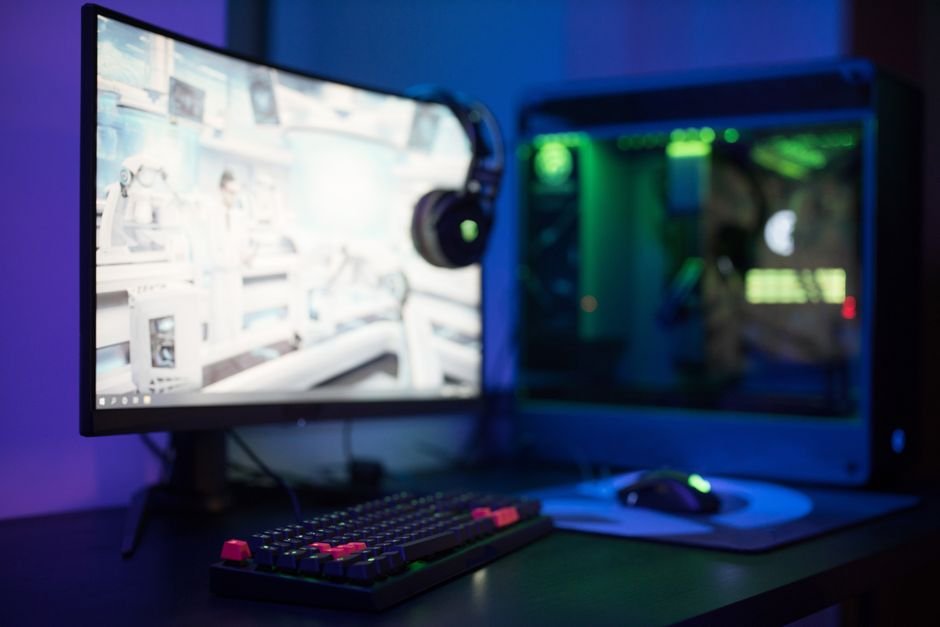
Right now, there are over 100 gaming monitors available for under $300, but many gamers miss out on solid options. This list highlights ten monitors that excel in refresh rates and performance to enhance your gameplay without breaking the bank.
When selecting a gaming monitor, consider the refresh rate, resolution, and screen size. Refresh rates (at least 144Hz) are critical for fast-paced games, ensuring smooth visuals. Full HD resolution (1920×1080) is the standard for clarity, while screen size impacts immersion. Keep these factors in mind to enhance your gaming setup.
Featured in this article




1. Sceptre New 22, Best for Casual Gamers
The Sceptre New 22 shines for gamers needing a compact display, providing a robust audio experience and a simple design that is easy to focus on. Its blue light filter significantly reduces eye strain, making it excellent for long gaming sessions. With a 75Hz refresh rate, it offers decent performance that casual gamers will appreciate.
Why we picked it: At its price point, the Sceptre New 22 provides features typically reserved for more expensive models, including good audio and eye-care technology which enhances your overall gaming experience. Many monitors in this range compromise on sound quality, but this one stands out.
Not ideal for: Serious competitive gamers may want a higher refresh rate and added features more suited for fast-paced titles.
Sceptre New 22
Best for: Casual gamers needing compact display
- Great audio for minimal setup
- Sinple design, easy to focus
- Blue light filter reduces eye strain
- Limited screen size for gaming
- Speakers could be better quality
2. Dell 27 240Hz Gaming Monitor, Best for Competitive Gamers
The Dell 27 is a powerhouse with an incredible 240Hz refresh rate, making it one of the best options if you thrive on smooth visuals. Its vibrant color accuracy and fast response time minimize lag, contributing to a competitive edge in FPS games.
Why we picked it: The high refresh rate puts this monitor above many others, providing a fluid experience that not only enhances gameplay but also reduces motion blur. This benefit is essential for players who require precision in their movements.
Not ideal for: Gamers on a tight budget may need to look at alternatives since this monitor sits towards the higher end of the budget range.
Dell 27 240Hz Gaming Monitor
Best for: Competitive gamers wanting smooth visuals
- Incredibly smooth 240Hz refresh rate
- Vivid colors with excellent accuracy
- Fast response time reduces lag
- Might require powerful PC setup
- Higher price for budget options
3. Acer 27in FHD 1920×1080 IPS, Best for Immersive Visuals
The Acer 27in FHD monitor offers stunning full HD image quality with vibrant colors due to its IPS technology. Coupled with a 144Hz refresh rate and adaptive-sync technology, it delivers a seamless gaming experience with minimized ghosting.
Why we picked it: Its adaptive-sync feature ensures that frame rates stay smooth, which is critical for immersive gameplay. Many monitors in this category struggle with color accuracy, but Acer consistently excels.
Not ideal for: If you need a monitor for competitive gaming, the response time might feel slow compared to others on this list.
Acer 27in FHD 1920×1080 IPS
Best for: Gamers seeking immersive visuals
- Stunning full HD image quality
- Fast response minimizes ghosting
- Adaptive-Sync for seamless gameplay
- Brightness could be better
- Limited adjustability for height
4. SANSUI 24 Inch Curved 160Hz, Best for Immersive Experiences
The curved display of the SANSUI 24 Inch monitor enhances immersion, pulling you into the action. With a 160Hz refresh rate, it offers smooth transitions and decent colors, bringing a new depth to your favorite games.
Why we picked it: The curved design is an attractive feature for gamers who want a broader field of view. Many flat monitors lack this immersion factor, making this one a unique option.
Not ideal for: If you prefer a flat screen for traditional gaming or simply don’t like the curve effect, this may not be your pick.
SANSUI 24 Inch Curved 160Hz
Best for: Gamers wanting immersive experiences
- Curved design enhances immersion
- High refresh rate for smooth gaming
- Good color range and brightness
- Might not fit small desks
- Limited tilt adjustments
5. ArcticPro 22 Inch Gaming Monitor, Best for Budget-Conscious Gamers
The ArcticPro 22 Inch monitor provides sharp Full HD resolution with a capable 144Hz refresh rate, ideal for gamers on a budget. Its performance is steady, and the wide viewing angles ensure you won’t miss a thing during gameplay.
Why we picked it: This monitor stands out for balancing price and performance, making it a steal for budget gamers without compromising on vital features like refresh rate.
Not ideal for: If you want an immersive large display, you’ll need to look elsewhere, this size is great for desk setups but not for wide-screen experiences.

ArcticPro 22 Inch Gaming Monitor
Best for: Budget-conscious gamers needing quality
- Sharp Full HD resolution
- Solid performance at 144Hz
- Wide viewing angles for comfort
- No built-in speakers provided
- Not ideal for very bright rooms
6. Philips 22 Inch Computer Monitor, Best for Casual Gamers and Movie Watchers
The Philips 22 Inch monitor impresses with crisp Full HD visuals and a smooth 100Hz refresh rate. With its wide viewing angles, it’s excellent not just for gaming but also for enjoying movies without losing detail from different positions.
Why we picked it: This monitor comes with built-in features that support comfortable viewing angles while maintaining high image quality, making it versatile for both gamers and non-gamers alike.
Not ideal for: Serious competitive play could be hindered by its lower refresh rate compared to others on this list.
Philips 22 Inch Computer Monitor
Best for: Casual gamers and movie watchers
- Crisp Full HD visuals
- Smooth 100Hz refresh rate
- Wide viewing angles
- Limited connectivity options
- Stand could be sturdier
7. LG 24G411A, Best for Performance Seekers
The LG 24G411A stands out with its 120Hz refresh rate and 1ms response time, making it a top choice for competitive gamers focused on high-speed action. For those wanting a larger screen, alternatives like the Acer R240HY offer a great balance of price and size.
LG 24G411A
Best for: Competitive gamers seeking performance
- Impressive 120Hz refresh rate
- Vivid HDR colors enhance gameplay
- 1ms response time reduces blur
- Might need calibration for accuracy
- Limited adjustments for height
How to Choose a Gaming Monitor
Understand Refresh Rates
A higher refresh rate means smoother gameplay, essential for fast-paced games. Look for monitors that offer at least 144Hz for improved fluidity in action scenes.
Consider the Resolution
Full HD (1920×1080) resolution is the standard for gaming monitors under $300. This resolution allows for sharp images without taxing your graphics card. Compromising on resolution can lead to a subpar experience.
Screen Size Matters
Monitor size impacts your gaming immersion. Larger screens, like the 27-inch Dell 240Hz model, can transform your gameplay feel, but ensure your desk space can accommodate it. Balance space with size for comfort.
Assess Special Features
Look for features like adaptive sync technology, which eliminates screen tearing. Models such as the Acer 27in or LG 24G411A offer additional tools that can enhance your gaming experience.
If you’re also dealing with workspace setups or how to organize your gear, I have a detailed guide on that here: Small Gaming Desk Setup vs Large Corner Gaming Setup.
Frequently Asked Questions
What are the best gaming monitors under $300?
The best gaming monitors under $300 include the Sceptre New 22, Dell 27 240Hz Gaming Monitor, Acer 27in FHD 1920×1080 IPS, SANSUI 24 Inch Curved 160Hz, ArcticPro 22 Inch Gaming Monitor, Philips 22 Inch Computer Monitor, and LG 24G411A.
How to choose a gaming monitor under $300?
When choosing a gaming monitor under $300, consider factors like refresh rate, resolution, and screen size. Look for features that enhance your gaming experience, such as a higher refresh rate like the 240Hz of the Dell 27 or the curved design of the SANSUI 24.
Can I get a good 144Hz monitor for under $300?
Yes, you can find good 144Hz monitors under $300, such as the SANSUI 24 Inch Curved 160Hz model. This monitor offers a higher refresh rate ideal for smooth gameplay.
What size gaming monitor is best for under $300?
The best size for a gaming monitor under $300 often depends on personal preference and desk space, but popular options include 22-inch and 27-inch models. The 27-inch Dell 240Hz Gaming Monitor and 24-inch models like the SANSUI and LG are great choices.
Are curved monitors available under $300?
Yes, curved monitors are available under $300, with the SANSUI 24 Inch Curved 160Hz being a prime example. Curved screens can enhance immersion by providing a more panoramic view.