
A high-quality Wi-Fi router can reduce lag by up to 50% in online gaming. For gamers, this means prioritizing models that deliver high-speed performance and low latency. Focus on routers with features specifically tailored for gaming to enhance your experience.
The right router can make a noticeable difference in your gameplay. I’ve seen firsthand how an upgrade can switch a painful gaming session, filled with lag and disconnects, into a smooth experience. Routers designed specifically for gaming come equipped with technology that minimizes lag, boosts internet speed, and enhances overall connectivity.

Why Conventional Routers Don’t Cut It for Gaming
One common mistake gamers make is settling for standard home routers without considering the unique demands of online gaming. While these routers might be adequate for basic internet use, they typically struggle under the pressure of high-bandwidth activities like gaming, streaming, and multiple device connections.
Users often report that their connection drops or lags during peak gaming hours when everyone is online, proving that a conventional router simply doesn’t hold up.
The cost of this oversight is more than just frustration. It can lead to poor performance in competitive gaming environments, where every millisecond matters. So what should you look for instead? Opt for dual-band or tri-band routers that provide dedicated bands for different types of traffic. This separation improves network performance, ensuring a more stable gaming experience.
Must-Have Features in Gaming Routers
When you’re on the market for a router, focus on a few key features that will enhance your gaming experience. Effective Quality of Service (QoS) settings is one of the most important. This feature allows you to prioritize bandwidth for gaming over other activities, ensuring that your connection remains steady when you need it most. It’s a game-changer for online multiplayer sessions.
Additionally, features like MU-MIMO (Multi-User, Multiple Input, Multiple Output) technology allow multiple devices to get high-speed connections simultaneously. This is crucial for households where several devices might be connected to the internet at once. Look also for routers that offer robust security protocols, as gaming can expose you to various online threats.
A solid router will help you stabilize your connection while keeping your network safe.
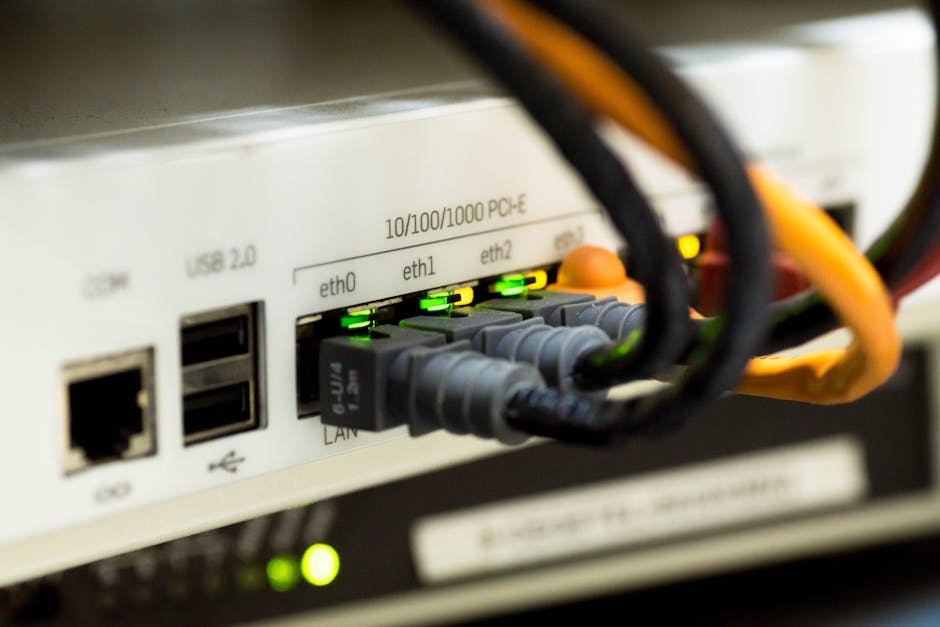
Wi-Fi Speed and Latency: The Key Metrics
When assessing routers, two metrics stand out as critical for gaming: internet speed and network latency. A solid gaming router should support speeds of at least 300 Mbps, but ideally, you want it to handle over 1 Gbps for optimum performance. This higher throughput is particularly beneficial if you plan on streaming while gaming or if several people are using devices simultaneously.
Network latency, measured in milliseconds, is another factor that cannot be overlooked. Lower latency translates to quicker response times in games, which can mean the difference between winning and losing. Generally, latency below 30 ms is considered excellent, while anything above 50 ms can lead to noticeable lag. Choosing a router that excels in both speed and latency will fundamentally transform your online gaming sessions.
Choosing Between Wired and Wireless Connections
While wireless connections provide the flexibility to game from any location in your home, wired LAN connections offer the most stable and reliable experience. If you’re serious about gaming, it’s worth considering a wired setup. Using an Ethernet cable can drastically reduce latency and provide a consistent speed that wireless connectivity may struggle to match.
For competitive gaming, where every second is crucial, this might be the best route.
If a wired connection isn’t feasible, ensure your router supports the latest Wi-Fi standards, like Wi-Fi 6. This technology is designed to improve throughput, efficiency, and reduce congestion, giving your Wi-Fi gaming experience a significant boost. Plus, it typically comes with better range and stability even in crowded networks, something you’ll appreciate during big multiplayer events.
Final Recommendation
The ASUS ROG Rapture GT-AX11000 is the top recommendation due to its impressive 10 Gbps speed and low latency settings, making it a strong choice for competitive gamers. For those on a budget, the TP-Link Archer AX50 offers solid Wi-Fi 6 support and excellent speed, making it suitable for casual gamers.
See also our take on traditional desk for gaming.
We cover dual monitor in more depth separately.
Frequently Asked Questions
What makes a router good for gaming?
A good gaming router typically offers high speeds, low latency, and robust connection stability to enhance overall gaming performance. Features such as Quality of Service (QoS) allow prioritization of gaming traffic, ensuring a smoother experience during online play.
Can a gaming router reduce ping?
While a gaming router can optimize your network for reduced latency and increased responsiveness, it may not directly reduce ping if your internet connection is slow. However, features like QoS can help ensure that gaming traffic is prioritized, indirectly benefiting ping times during gameplay.
How to choose the right gaming router?
When selecting a gaming router, consider factors such as speed, range, and the specific gaming requirements you have. Look for a router that supports the latest Wi-Fi standards (e.g., Wi-Fi 6) and includes features like QoS and multiple Ethernet ports for wired connections.
Is a wired connection better for gaming?
Yes, a wired connection is generally better for gaming, as it offers lower latency and more reliable speed compared to Wi-Fi. This can be crucial for competitive gamers who need consistent performance during intense gameplay.
What features to look for in a gaming router?
Key features to look for include dual-band or tri-band capabilities, QoS settings for traffic prioritization, high-speed Ethernet ports, and support for the latest Wi-Fi standards. Advanced security features and easy-to-use interfaces can also enhance your gaming experience.