
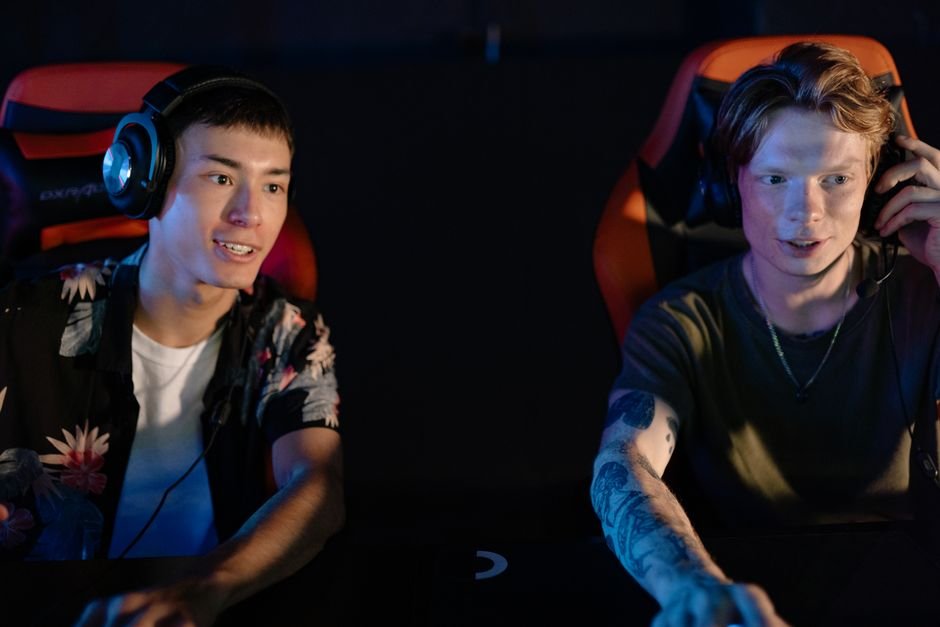
About 70% of gamers report issues with their headsets, often stemming from software or hardware malfunctions. Identifying the problem can help you avoid wasted gaming time and unnecessary frustration.
Most people find that common issues include mic problems, incorrect audio driversor compatibility issues with their gaming setup. If you know these pitfalls, troubleshooting becomes more straightforward, allowing you to get back into the game quickly.
Common Reasons Gaming Headsets Fail
While gaming headsets come with various features, several elements can lead to them not functioning correctly. One significant issue is that the audio drivers can become outdated or corrupted, leading to disrupted sound. I’ve had this happen more times than I care to admit. It’s crucial to regularly check for updates to avoid these pitfalls.
Another common problem arises from headset compatibility, especially if you are switching platforms. Some headsets work seamlessly with certain consoles but face issues with others. Not every headset is universal, and that’s something many players overlook in their excitement to upgrade their gear.
Lastly, hardware issues play a significant role in headset functionality. From frayed wires to malfunctioning connectors, physical wear and tear can lead to significant performance issues. Regular inspections can help you catch these problems before they become unmanageable.
Step-by-Step Headset Troubleshooting Guide
Getting to the bottom of gaming headset issues often begins with simple checks. First, confirm that the headset is securely connected to the device. Whether you’re using USB or audio jacks, an improper connection can result in complete audio loss. This step is essential; don’t skip it. I’ve seen far too many players miss this fundamental fix.
If the connection appears fine, the next step is to check your audio drivers. Head over to your device’s settings, locate the sound settings, and look for any updates. Installing the latest drivers can significantly improve your headset’s performance and often solves many sound-related issues.
Lastly, adjust your hardware settings. Sometimes, the issue may lie within the system settings, which may not prioritize your headset as the primary audio output device. It’s worth checking these settings to ensure that your headset is selected for output and input.
What to Avoid When Dealing with Headset Problems
In my experience, one mistake many people make is jumping to conclusions. Before assuming that your headset is broken, run through the basic troubleshooting steps. This approach can save you a lot of time and potentially eliminate a need for a replacement.
Furthermore, I suggest against relying solely on the software to fix hardware issues. If your headset is physically damaged, no amount of adjusting settings will help. Make sure to visually inspect the headset and check for any physical flaws before moving on to software solutions.
Lastly, don’t forget about compatibility issues. Always verify whether your headset is compatible with your gaming setup, especially if you’re using it across multiple platforms. Not doing this can lead to frustrating experiences that could have been avoided.
My Verdict: Troubleshoot or Replace?
If your gaming headset isn’t functioning as it should, first try troubleshooting. Update your audio drivers and check the hardware connections. However, if you’ve gone through these steps and the issues persist, it might be time to consider replacing your headset. Look for one that’s compatible with all your devices to prevent future connectivity problems.
Sometimes investing a bit more upfront can save you frustration in the long run.
For anyone who finds themselves struggling with sound issues beyond headsets, I recommend checking out my guide on audio troubleshooting for gamers.
Additionally, if you’re asking yourself why is my gaming headset not working, consider the various components that can contribute to the issue.
Frequently Asked Questions
Why does my gaming headset stop working?
Your gaming headset might stop working due to a loose or damaged cable, a malfunctioning audio jack, or an internal hardware issue. Additionally, software conflicts or incorrect audio settings on your device can also cause functionality problems.
How can I fix my gaming headset mic?
To fix your gaming headset mic, check if it is properly plugged in and not muted. You can also test it on another device to rule out compatibility issues, and verify that your computer or console recognizes it in the audio settings.
What to do if your headset has no sound?
If your headset has no sound, first check the volume levels on both your headset and the connected device. Ensure the headset is selected as the default audio output device and try plugging it into a different device to see if the issue persists.
Is my headset compatible with my console?
To determine compatibility, check the specifications of both your headset and the console. Most modern consoles support wired headsets via a 3.5mm jack or USB connection, but if it's a specific model, consult the manufacturer's compatibility list.
Can a software update fix headset issues?
Yes, a software update can potentially fix headset issues by addressing bugs or improving compatibility with devices. It's important to keep both your console or PC and headset firmware up to date to ensure optimal performance.
- Why does my gaming headset not work on a specific console? Compatibility issues are often the culprit. Ensure that the headset is designed to work with the console before attempting to use it.
- How can I fix my headset mic not working? Check your audio settings to make sure the microphone is enabled. Also, ensure that the microphone isn’t muted or disconnected.
- Are there any signs that my headset is broken? Physical damage, such as frayed wires or unresponsive buttons, indicates that replacement is necessary. If it also doesn’t function after troubleshooting, it may be broken.
- Can outdated audio drivers cause headset issues? Absolutely! Outdated drivers can lead to temporary audio disruptions or complete loss of sound.
- What should I do if my headset works on one device but not another? Investigate compatibility issues and ensure the correct settings are applied on the device that’s not recognizing your headset.



