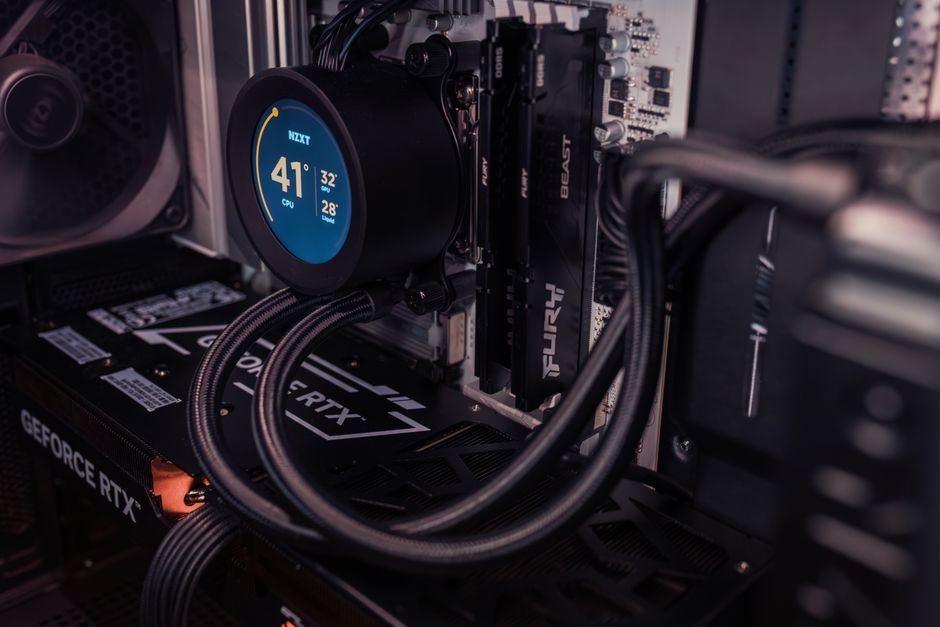
The NVIDIA RTX 3080 is designed to perform at a high level, and pairing it with the right monitor can significantly enhance your gaming experience. It's essential to select a monitor that complements its capabilities, as not all options will fully leverage this GPU's features.
This guide ranks the top gaming monitors that align well with the RTX 3080, considering factors like resolution, refresh rate, and G-Sync support.
When selecting your gaming monitorconsider three key factors: resolution, refresh rate, and size. A higher resolution means a sharper picture, which is essential for a card like the RTX 3080. Meanwhile, the refresh rate determines how smoothly games run, with higher numbers indicating better performance. Lastly, size influences your gaming experience. Each of these monitors offers something unique that enhances gameplay.
Featured in this article


1. Acer Nitro 27in QHD 2560×1440, High Res and Speed
The Acer Nitro is an outstanding choice for gamers craving high resolution coupled with speed. With a remarkable 320Hz refresh rate, it makes fast-paced competitive gaming smooth and enjoyable. Its zero-frame design maximizes screen space, enhancing the visual experience, especially in immersive environments.
Why we picked it: This monitor stands out because its fast refresh rate can keep up with the RTX 3080’s performance, allowing you to leverage every bit of its capabilities in competitive games. The vibrant colors make titles like “Cyberpunk 2077” truly pop.
Not ideal for: Those looking for a strictly 4K display should explore other options as this model is QHD.
Acer Nitro 27in QHD 2560×1440
Best for: Gamers wanting high res and speed
- Stunning visuals with vivid colors
- Incredibly fast 320Hz refresh rate
- Zero-frame design maximizes screen space
- Might be too large for some
- Color accuracy could be better
2. Alienware 27 Gaming Monitor AW2725DM, Impressively Vibrant
The Alienware 27 is a robust monitor that excels in delivering vibrant visuals, thanks to its impressive QHD resolution. With a dependable 180Hz refresh rate and G-Sync support, this model is perfect for gamers who want smooth gameplay without screen tearing.
Why we picked it: This monitor’s color calibration is exceptional, meaning you’ll enjoy a hyper-realistic experience in your favorite games. The gaming features and aesthetic design align perfectly with the RTX 3080’s capabilities.
Not ideal for: If you’re on a budget, you may want to consider more affordable options, as this one is typically on the pricier side.
Alienware 27 Gaming Monitor AW2725DM
Best for: Gamers who love vibrant visuals
- Impressive QHD resolution clarity
- Smooth 180Hz refresh rate performance
- Great color coverage for gaming
- Might be on the pricey side
- Stand could be sturdier
3. ASUS TUF Gaming 31.5” 1440P, Immersive Experience
The ASUS TUF Gaming monitor provides an impressive 180Hz refresh rate on a large 31.5-inch screen, making it perfect for full immersion. It features a curved display that draws you into the gaming world, reducing motion blur for an uninterrupted visual flow.
Why we picked it: Its performance specifications are ideal for professional gamers who demand seamless interaction in rapid, high-action environments. This monitor handles gaming demands well without compromise.
Not ideal for: If you’re looking for a compact setup, its size might be overwhelming.
ASUS TUF Gaming 31.5” 1440P
Best for: Professional gamers seeking immersion
- Ultra-fast 180Hz refresh rate
- Curved display enhances gaming experience
- Good at reducing motion blur
- Large size may not fit all
- Limited adjustment options for height
4. Sceptre Prime Curved 30, Budget-Friendly Wide View
The Sceptre Prime suits gamers seeking an ultra-wide option without breaking the bank. With its 21:9 aspect ratio and FreeSync technology, it effectively eliminates screen tearing while giving you an immersive experience through its curvature.
Why we picked it: The price point for its features is notably competitive, offering a good balance of performance and affordability for gamers on a budget. The wide views make a significant difference in gameplay.
Not ideal for: Serious competitive gamers may want more range in refresh rate options; the 75Hz refresh rate can be limiting in high-paced games.
Sceptre Prime Curved 30
Best for: Budget gamers needing wide view
- Wide 21:9 aspect ratio
- Multiple ports for connectivity
- FreeSync eliminates tearing effectively
- 5ms response time could lag
- Speakers are not high quality
5. Z, Competitive Speed
The Z monitor is tailor-made for competitive gamers needing rapid response times and high refresh rates. With a blistering 300Hz refresh rate and a 1ms response time, it ensures every frame counts, providing an edge in competitive scenarios.
Why we picked it: If split-second decisions during gameplay are crucial for you, the fast refresh rate is unbeatable. Coupled with the RTX 3080, it creates a seamless gaming environment.
Not ideal for: Casual gamers who prefer a more leisurely gaming experience might find this monitor overkill.
Z
Best for: Competitive gamers needing speed
- Blazing fast 300Hz refresh rate
- 1ms response time is impressive
- Curved design creates immersive visuals
- Lower resolution than expected
- Might require frequent adjustments
6. 32″ 4K 160Hz 1500R Curved, Visually Stunning 4K
This monitor leaps into the 4K realm, giving a new level of sharpness to games. With 160Hz refresh capability and immersive curvature, it’s an excellent choice for those wanting both superior detail and smooth frame rates.
Why we picked it: The combination of 4K resolution and a high refresh rate stands out, as it allows you to experience the breathtaking detail of AAA titles in all their glory while maintaining smooth gameplay.
Not ideal for: It tends to be more expensive compared to others, so budget-conscious gamers might want to consider alternatives.
32" 4K 160Hz 1500R Curved
Best for: Gamers looking for immersive 4K experience
- Incredible 4K visuals are stunning
- 160Hz smooth motion is impressive
- Built-in tools enhance gaming performance
- Curved design may not suit everyone
- Speakers underwhelm for serious gaming
7. ZZA 24.5 Inch FHD 120Hz, Compact but Fast
The ZZA monitor provides a more compact option for gamers using both PC and console setups. With a 120Hz refresh rate and a responsive design, it strikes a balance between performance and portability.
Why we picked it: Its sized-down dimensions make it an excellent candidate for smaller setups without sacrificing too much performance. It fast refresh capability enhances fast-paced gaming moments.
Not ideal for: Gamers who want a larger screen experience may find this option lacking.
ZZA 24.5 Inch FHD 120Hz
Best for: Competitive gamers and console users
- 120Hz refresh rate is fantastic
- Curved screen enhances immersion
- Responsive with no ghosting issues
- 24.5 inches feels a bit small
- Limited color depth compared to 4K
How to Choose the Best Gaming Monitor for RTX 3080
When selecting a monitor for your RTX 3080, the resolution should be your first consideration. A 4K monitor can provide an exceptional visual experience, but a high refresh rate at 1440p may offer smoother gameplay in competitive titles.
Next, examine the refresh rate. A minimum of 144Hz is preferred for competitive gaming, though if your setup allows, aiming for higher refresh rates like 240Hz or above can improve your experience significantly.
Lastly, don’t forget about size and aspect ratio. If you have space, a larger, curved monitor can enhance immersion and detail visibility, allowing you to dive deep into your gaming worlds. For tight spaces, compact monitors may work better without compromising too much on quality.
If you are also dealing with monitor color setups, I have a detailed guide on that here: Budget Gaming Setup vs Premium Gaming Battlestation.
If you’re considering a dual monitor setup, I’ve explored that topic as well in my guide on Small Gaming Desk Setup vs Large Corner Gaming Setup.
Frequently Asked Questions
What features should I look for in a gaming monitor for RTX 3080?
Look for a gaming monitor that offers high resolution, such as QHD or 4K, to fully utilize the power of the RTX 3080. Additionally, features like a high refresh rate, low response time, and G-Sync compatibility will enhance your gaming experience.
Why is refresh rate important for RTX 3080?
A high refresh rate is important for the RTX 3080 as it allows for smoother and more fluid gameplay, reducing lag and motion blur. This is especially beneficial in fast-paced games where quick reactions are crucial.
How does G-Sync enhance gaming with RTX 3080?
G-Sync technology synchronizes the monitor's refresh rate with the frame rate of the RTX 3080, eliminating screen tearing and minimizing stutter. This leads to a more immersive and visually appealing gaming experience.
Is a 4K monitor necessary for RTX 3080?
While a 4K monitor can provide stunning visuals, it is not strictly necessary for the RTX 3080, as it also performs exceptionally well with 1440p monitors. Depending on your gaming preferences and hardware setup, a high-quality QHD monitor may be sufficient.
Can the RTX 3080 support ultrawide monitors?
Yes, the RTX 3080 can support ultrawide monitors, allowing for an expansive field of view and enhancing immersion in gaming. However, ensure that the ultrawide monitor you choose has a suitable resolution and refresh rate to fully leverage the GPU's capabilities.