
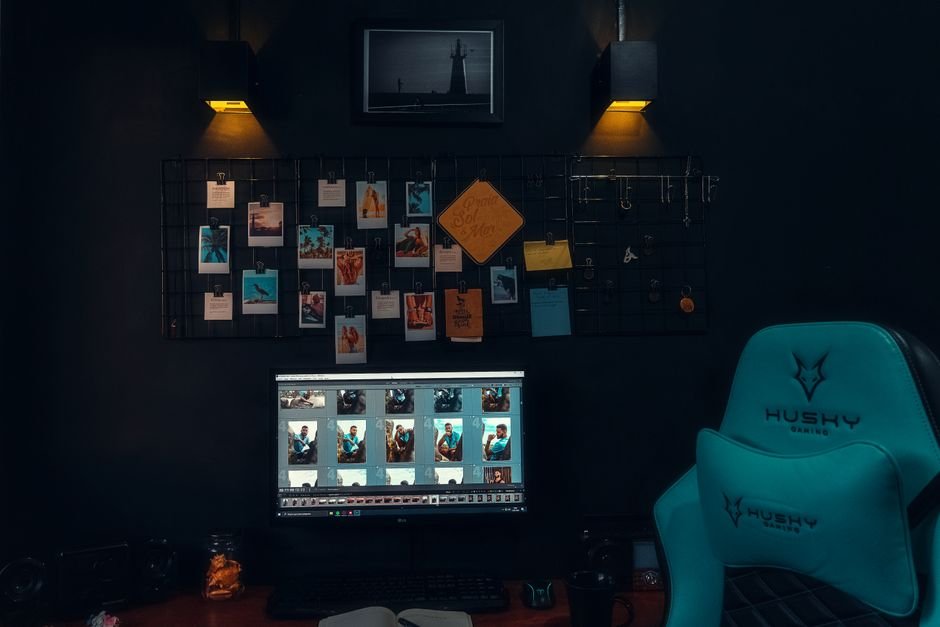
A basic gaming setup can cost anywhere from $500 to $2000, yet many overlook key components. Your gaming experience largely depends on how well-organized and equipped your environment is, impacting both performance and comfort during long-session gameplay.
I’ve found that many gamers overlook the foundational elements that can profoundly influence their gaming sessions. It’s not just about flashy peripherals but also about creating a comfortable and efficient workspace. Here’s a closer look at the gaming setup essentials checklist that can make a significant difference.
Key Components of a Successful Gaming Setup
First and foremost, the backbone of any gaming setup begins with a solid gaming desk. You want a desk that not only fits your available space but also accommodates multiple monitors or gaming accessories. A desk height adjustable model is a bonus; it allows you to change your position throughout the day, which can alleviate fatigue during long gaming marathons.
Alongside the desk, an ergonomic chair deserves special mention. A well-made ergonomic chair supports your back and promotes good posture. A mistake many make is purchasing a chair that looks great but doesn’t provide the necessary support. Look for one that offers adjustable height, lumbar support, and ideally, a reclining feature so you can switch positions as you game.
Optimizing Your Monitor Setup
Your monitor setup is another critical aspect not to gloss over. Single monitors might work for casual gaming, but for full immersion, consider a dual-monitor setup. This allows you to keep track of gameplay, chats, and stream stats simultaneously. If you’re committed to visuals, go for a monitor with a refresh rate of at least 144Hz for smoother gameplay, particularly in fast-paced titles.
Don’t overlook monitor positioning either. The top of your monitor should be at eye level, about an arm’s length away. This not only reduces strain on your neck but enhances your ability to stay focused on the screen. Adjustable monitor arms can be a game-changer here, allowing you to quickly find that sweet spot without cluttering your desk space.
Prioritizing PC Accessories
Once your desk and monitors are set, focus on the accessories that can elevate your setup further. A quality mechanical keyboard and mouse are a must. The tactile response of a good mechanical keyboard can enhance your gaming performance while adding comfort during long sessions. For maximum versatility, I recommend a hot-swappable keyboard.
This feature allows you to change switches without soldering, tailoring your typing experience to your liking. You can find several models that fit this description, including options highlighted in my guide to the best hot-swappable keyboards.
The mouse should offer customizable buttons for ease of access in-game. Look for a model with adjustable DPI settings, allowing you to switch sensitivity based on the type of game you’re playing. A mouse pad with ample space for high-precision movements can also make a difference, so consider one that’s larger than standard sizes.
Don’t Forget About Sound and Lighting
For an immersive gaming experience, sound and lighting can play significant roles. Quality speakers or a decent headset can create an audio experience that pulls you into the game. You’re sacrificing so much of the atmosphere when you rely solely on built-in monitor speakers.
Lighting is another aspect often overlooked until it becomes essential. RGB lighting can enhance the ambiance of your gaming space; however, functional lighting should be prioritized first. Invest in a good lighting solution, like a desk lamp with adjustable settings and brightness to reduce glare on your screen at different times of the day.
As a bonus, you might want to consider lighting that syncs with your games for an immersive effect.
Additional Considerations for Accessibility and Aesthetics
When planning your gaming setup, consider your accessibility needs. Cable management is not just about aesthetics; it reduces the chances of tripping and keeps your space organized. Using cable clips or sleeves can help manage excess cables effectively, which not only looks cleaner but is important for functionality.
Aesthetic elements also matter. Personalize your setup with posters, figures, or other decorations that reflect your interests. The gaming environment should feel welcoming and energizing, making you more excited each time you log on. This personal touch can also make your space conducive to inviting friends over for gaming sessions.
The Final Verdict on Gaming Setup Essentials
For optimal comfort, invest in an ergonomic chair and a quality desk; the Herman Miller Aeron is excellent for those who prioritize long hours in front of a screen. Consider mechanical keyboards and precision mice for serious gamers, while casual players can benefit from budget-friendly options like membrane keyboards and standard mice. Don’t forget to refer to a comprehensive gaming setup essentials checklist to ensure you cover all bases.
Frequently Asked Questions
What do you need for a gaming setup?
You need a good gaming computer or console, a high-quality monitor, and a comfortable chair to start a gaming setup. Additionally, peripherals like a responsive keyboard, mouse, and headphones enhance the overall experience.
How can I improve my gaming setup?
Improving your gaming setup can be done by upgrading your hardware, such as getting a better graphics card or faster RAM. You can also enhance your experience with a high-refresh-rate monitor and an ergonomic chair for long gaming sessions.
Why is an ergonomic chair important for gaming?
An ergonomic chair is important for gaming as it provides proper lumbar support, helping to prevent back and neck pain during long sessions. It also promotes better posture, which can enhance your overall gaming performance and comfort.
Can a budget setup be efficient for gaming?
Yes, a budget setup can be efficient for gaming by focusing on essential components that offer the best performance for the price. Prioritizing a capable graphics card, sufficient RAM, and a decently fast processor can create a satisfying gaming experience without breaking the bank.
How to organize cables in a gaming setup?
To organize cables in a gaming setup, use cable management clips, sleeves, or ties to bundle and route cables neatly. Consider using a cable management box or a dedicated cable tray to keep everything tidy and prevent clutter.




