Over 70% of gamers report that subpar audio systems negatively affect their gaming experience. A well-integrated audio setup can enhance your immersion and gameplay significantly. Paying attention to how your home theater audio syncs with gaming equipment is crucial to avoid issues like audio lag.
To ensure that your gaming sessions are as engaging as possible, I’ve found that investing in quality audio receivers and surround sound systems is a necessary step. The audio quality will define your in-game environment and influence your reaction time during crucial in-game moments. Let’s explore how you can effectively meld home theater audio with gaming and what essential factors to consider.

Audio Receivers: The Heart of Your Gaming Setup
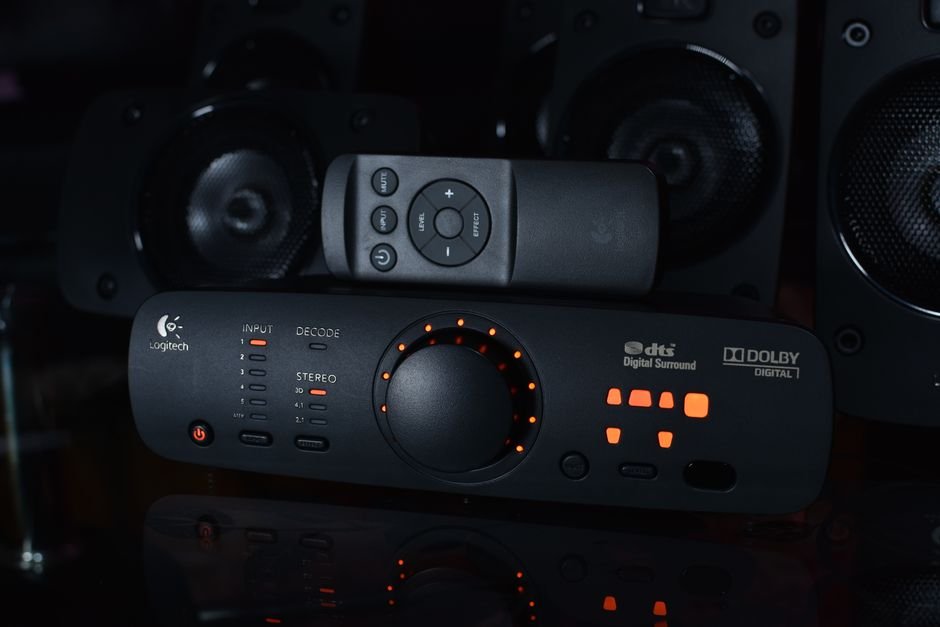
One of the most significant components for integrating home theater audio with gaming is the audio receiver. A robust receiver channels game audio to your surround sound systemenhancing both depth and clarity. For example, systems that support Dolby Atmos or DTS:X can create a true 3D sound experience, which is perfect for competitive gaming.
I recommend looking for receivers that offer multiple HDMI inputs, allowing versatile connections to both your gaming console and other media devices.
Additionally, features like low latency modes are essential. Low latency is crucial for keeping audio in sync with action happening on-screen; nothing is more frustrating than hearing gunfire a moment after it happens. Receivers such as those from Denon or Onkyo typically provide these gaming-specific features. Keep in mind that price range can vary significantly, so consider what features align with your gaming needs.
Surround Sound Systems: Choosing the Right Setup
When it comes to surround sound systems, the options can be overwhelming. However, I believe investing in a system with at least 5.1 channels is a solid choice for gamers seeking an immersive experience. This setup provides not only front left, center, and right speakers but also subwoofers and rear speakers, creating a surround sound bubble around you.
Many gamers often opt for soundbars as a more compact alternative, but they can lack the depth of a full surround setup. If space is a constraint, consider soundbars that come equipped with separate subwoofers and wireless rear speakers. In smaller rooms, this layout optimally utilizes space while still bringing the game to life.
Speaker Placement: Context is Everything
The placement of your speakers plays a critical role in how sound travels within your gaming space. A common misstep is positioning the speakers too close together or in the wrong height for optimal audio dispersion. Ideally, your front speakers should be at ear level, while rear speakers should be slightly elevated to create a more enveloping sound experience.
In my experience, utilizing the rule of thirds can be beneficial for speaker placement. Position your front speakers about one-third of the distance into your room from the back wall to create an immersive front stage. The subwoofer often benefits from being placed in corners, which can amplify bass.
Experimenting with positions can help you settle on a setup that resonates the most with your listening and gaming preferences.
Connection Options: Wired vs. Wireless
Deciding between wired and wireless connections can significantly impact your gaming experience. Wired connections often provide more stable and higher quality audio, but they can come with cluttered cables. On the flip side, wireless setups offer convenience and a clean aesthetic but can introduce lag or connectivity issues.
I’ve seen many gamers who prioritize aesthetics stumble into audio sync issues by relying solely on wireless connections without understanding their limitations.
For critical gaming, I would recommend sticking to wired setups where possible. Use HDMI or optical cables to connect your receiver and gaming console, ensuring that the signals remain strong and consistent. Most modern gaming consoles offer various output options, so take advantage of them to establish the most reliable connection possible.
Creating an Immersive Experience: Calibration and Optimization
Many gamers overlook the essential step of calibrating their audio systems, but it can be the difference between an average and an exceptional gaming experience. Most quality receivers come with an automatic calibration feature that tunes your speakers to the acoustics of your room. This process can adjust volume levels, speaker distances, and even equalization settings for you.
Furthermore, using quality audio calibration microphones can help further refine your settings. After calibration, ensure you’re regularly checking for software updates on your audio system and gaming console to keep the integration smooth and bug-free.
Final Recommendations: Setting Yourself Up for Success
In my assessment, blending home theater audio with gaming isn’t just about hardware, it’s about thoughtful integration. Invest in a capable audio receiver that offers low latency features, choose a surround sound system that fits your space, and don’t overlook the importance of speaker placement. Dedicate time to calibrate your system, and you will experience dramatically enhanced immersion during your gaming sessions.
If you also want to explore some top audio setups for gaming, I have compiled comprehensive guides on audio setups and surround sound systems that can fit various budgets and requirements. Your gaming experience deserves the effort, get it right, and you’ll unlock a new dimension of enjoyment and engagement. Additionally, for deeper insights into home theater audio integration with gaming, you can check out this resource.
Frequently Asked Questions
How to connect a gaming console to a home theater?
You can connect a gaming console to a home theater by using an HDMI cable from the console's HDMI output to one of the HDMI inputs on your home theater receiver. Make sure to select the appropriate input on the receiver to enjoy audio and video through your home theater system.
Can a home theater be used for gaming?
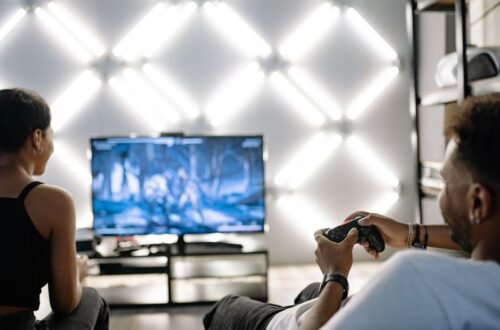
Yes, a home theater can definitely be used for gaming, providing an immersive audio and video experience. Using a large screen and surround sound enhances gameplay, making it more engaging compared to standard gaming setups.
Why is my gaming audio not syncing with visuals?
Audio-visual sync issues can occur due to latency in your audio setup, often caused by signal processing delays in your receiver or sound system. To fix this, you can check your settings for an audio delay option or update your system's firmware to reduce lag.
What is the best speaker setup for gaming?
The best speaker setup for gaming typically includes at least a 5.1 surround sound system, which consists of five speakers and one subwoofer. This configuration provides immersive sound that enhances the gaming experience, allowing you to pinpoint audio cues from all directions.
Is surround sound better than stereo for gaming?
Surround sound is generally considered better than stereo for gaming because it creates a more immersive audio environment. It allows you to detect the direction of sounds, which is crucial for gameplay involving spatial awareness and situational awareness.