Over 50% of gamers report feeling less engaged with just a basic two-speaker setup. Switching to surround sound can significantly enhance your gaming experience, providing clearer audio cues that can help you stay aware of your surroundings during intense gameplay. Investing in the right equipment and following proper setup techniques is crucial for any serious gamer aiming to improve their performance.
I’ve worked through the complexities of surround sound, and I understand it can seem daunting. But with a well-planned approach, you can create an impressive sound system that rivals a professional setup. Whether you prefer speakers or headphones, here’s how to get the best sound for your gaming experience.

Choosing the Right Equipment
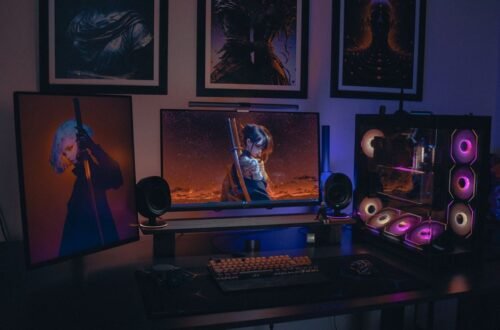
First, decide whether you’ll use a speaker system or a headset. Each option has its advantages. A surround sound speaker system for gaming typically involves a minimum of five speakers and a subwoofer, arranged in a way to maximize audio directionality. This setup offers spatial sound, letting you hear the slightest footsteps behind you or distant explosions.
If you have the space, I recommend a good 5.1 or 7.1 speaker system, as both create a more immersive experience.
On the other hand, high-quality gaming headphones can effectively simulate surround sound. Some headphones even come equipped with virtual surround sound technology, which creates the illusion of distinct sound sources in every direction. If you’re concerned about noise pollution or prefer a more personal experience, a noise-cancelling gaming headset could elevate your audio quality.
You can check out more on choosing between a gaming headset or a standard headset here.
Optimal Speaker Placement
Once you’ve selected your equipment, the next step is speaker placement. Correct positioning is vital for an accurate surround sound experience. Ideally, your main speakers should be at ear level and positioned at an angle from your gaming chair. The front speakers should be approximately 30 degrees from the center, with the subwoofer placed near a wall.
In my experience, plenty of gamers overlook the subwoofer; placing it too far from the main speakers skews the blend of bass and high frequencies. If using a 7.1 system, consider rear speakers placed slightly above ear level and aimed at your head.
For a headset, ensure it fits comfortably. Look for one that has adjustable straps and ear cups that mold to your ears for the best acoustic seal. Sometimes, people forget to focus on comfort, and an uncomfortable setup can hinder your focus and enjoyment.

Configuring Your Sound Settings
One common pitfall is neglecting to configure your sound settings correctly. Most gaming consoles and PCs offer adjustable audio settings that can make a significant difference. Start by ensuring your system recognizes the surround sound format. You’ll often find options for stereo, 5.1, and 7.1 output in the audio settings menu.
In many instances, automatically detecting the configuration can lead to missed opportunities for tuned sound. Manual adjustment allows you to test and listen to each channel, ensuring sound is fully optimized. Don’t ignore any equalizer settings that can enhance specific frequencies; boosting bass or treble can correct imbalances and provide a richer sound experience tailored to your needs.
Test and Adjust Regularly
After setting everything up, it’s crucial to regularly test and adjust your sound system. Play games with audio-intensive environments, such as shooters or RPGs, to determine where sound may need subtle tuning. I encourage you to use specific sound tests available online, which can isolate left, right, and surround channels to help identify any issues.
Every gaming environment is different, so don’t hesitate to move speakers or change settings after your initial configuration. Regularly testing your setup can reveal at what volume your sound remains clear without distortion, which is crucial during tense gaming moments.
Final Thoughts on Surround Sound Gaming Setup
For the best surround sound experience, consider a 5.1 speaker system if you have the space for it and want expansive soundscapes, or opt for a quality gaming headset if you're working with a more compact setup. Each option offers distinct advantages: speakers provide immersion while a headset offers portability and focus, making them suitable for different gaming environments. If you’re curious about how to set up surround sound for gaming, it’s essential to research configurations that best complement your equipment.
Frequently Asked Questions
How do I position speakers for gaming surround sound?
Position your front left and right speakers at ear level on either side of your screen, angled towards your main seating area. The center speaker should be directly above or below your screen, while the rear speakers should be placed behind the seating area, slightly above ear level, angled towards the listener.
Why isn't my surround sound working with games?
Your surround sound may not be working due to incorrect audio settings on your console or PC, or if the game does not support surround sound formats. Check the audio settings in both your system and the game to ensure surround sound is enabled and correctly configured.
What equipment is needed for gaming surround sound?
To set up gaming surround sound, you will need a receiver or an AV system compatible with surround sound, multiple speakers (typically five or more), and the necessary audio cables. Additionally, ensure your gaming console or PC has the appropriate audio outputs to connect to your surround sound system.
Can I use a soundbar for gaming surround sound?
Yes, you can use a soundbar for gaming surround sound, especially if it supports virtual surround sound features. Some soundbars come with additional subwoofers and surround capabilities, enhancing the immersive experience, though dedicated speaker setups typically offer better overall sound quality.
How does surround sound enhance gaming experience?
Surround sound enhances the gaming experience by providing a more immersive audio environment, allowing players to perceive directional audio cues more accurately. This can improve situational awareness, making it easier to locate in-game sounds such as footsteps or explosions, ultimately enriching gameplay.