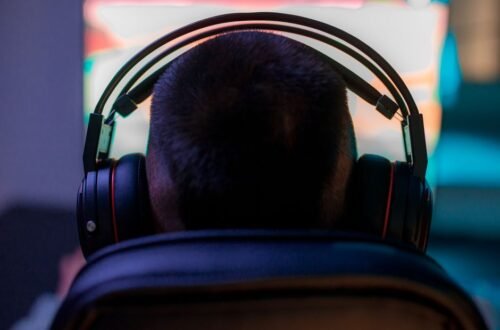
Over 60% of players reported that poor audio quality negatively impacted their gaming experience in MMORPGs. Configuring your audio settings properly can eliminate distractions and enhance focus, significantly improving your performance in the game. Prioritizing sound quality that reduces lag is essential for an immersive gameplay experience.
From my experience, tweaking the audio settings of your MMORPG can dramatically improve how you interact with the game. The right configuration ensures you hear everything from the faintest footsteps of enemies to your party’s calls for assistance. So, let’s walk through how to configure audio for MMORPGs effectively.
Essential Audio Settings for MMORPGs
First, you need to familiarize yourself with the basic audio settings present in your game. Most MMORPGs offer customizable options that allow you to fine-tune sound quality. Key settings include background music volume, ambient sound effects, voice chat volume, and sound effect settings from game characters and environments.
It’s common for players to leave these settings at default, but adjusting them can help you identify crucial audio cues during gameplay.
I recommend prioritizing sound effects above music. By reducing background music volume and increasing sound effects, you can pick up on important audio signals that you might otherwise miss. This decision strengthens your gameplay, allowing you to respond promptly to threats or opportunities presented within the game.
Adjusting Your Speaker or Headset Settings
The type of audio output device significantly impacts your overall experience. Whether you use speakers or a gaming headsetensure you check the specific configurations. For instance, gaming headsets often come with built-in audio profiles tailored to enhance in-game sound effects. These profiles elevate critical sounds that improve spatial awareness, making it easier to hear enemies sneaking up on you.
Always keep your headset drivers updated for optimal performance. Sometimes, the software provided by the manufacturer offers additional equalizer settings that help you adjust bass, treble, and mid-range frequencies to suit your playstyle. Trust me, the right balance can turn a chaotic environment into a manageable space. If your headset has virtual surround sound capabilities, enable that too; it can enhance directional audio significantly.

Steps to Optimize Sound for Gaming
To eliminate lag and enhance sound quality, follow these steps to optimize your audio settings:
- Check your audio card settings: Ensure your audio card is configured for gaming. Access your sound control panel and adjust the sampling rate to at least 24-bit, 96 kHz for accurate sound reproduction.
- Disable unnecessary sound enhancements: Many operating systems come with audio enhancements that can introduce latency. Disable features like virtual sound or crossfade to ensure your sounds come through clearly without delay.
- Adjust in-game settings: Use your game’s audio options to set the quality to high. Consider turning off options like reverb, as they can create echo that distracts you during fast-paced gameplay.
- Use a dedicated voice chat application: Relying on in-game voice chat can sometimes compromise audio quality. Try separate applications that specialize in voice communication to prevent any disruptions during your strategic discussions.
By implementing these adjustments, you’ll likely notice a significant difference in clarity and a reduction in audio lag. Every sound will become a part of your immersive experience, keeping you engaged.
Why Audio Latency Matters
Audio lag can disrupt your perception of time and space in the game. For instance, if there is a delay between when you see an enemy and when you hear their footsteps, it’ll affect your reactions. Many players have reported that audio latency impacts their ability to respond efficiently, especially in high-stakes scenarios.
To minimize lag, always prioritize wired connections over wireless. If you use a gaming headset, connect it directly to your PC or console, rather than relying on Bluetooth. Wired connections significantly reduce transmission time and ensure your audio is delivered instantly, which is essential for competitive play.
Choosing the Right Gaming Sound Quality
The clarity and depth of sound can greatly enhance immersion in MMORPGs. Consider investing in high-definition audio equipment if your budget allows. A good sound card paired with quality headphones can produce the rich soundscapes essential for deep gameplay. Look for headsets that support high-fidelity sound formats, which can deliver a more nuanced audio experience.
In the end, the effort you put into configuring your audio will pay off. Not only can effective sound settings keep you alert to in-game cues, but they also elevate the overall enjoyment of the MMORPG world. Listen to the details, and your gaming sessions will become much more engaging.
Verdict: Prioritize Effective Audio Configuration
For the best audio experience in MMORPGs, invest in a high-quality gaming headset like the SteelSeries Arctis Pro, which suits serious gamers looking for superior sound clarity. If you prefer an affordable option, the HyperX Cloud II is great for casual players seeking reliable performance without breaking the bank.
See also our take on boost your stream.
Frequently Asked Questions
How do I enhance audio quality in MMORPGs?
To enhance audio quality in MMORPGs, ensure that you are using a good pair of headphones or speakers with high fidelity. Additionally, adjust in-game audio settings to optimize sound effects, voice chat, and music levels to create a balanced audio experience.
Why is sound important in MMORPGs?
Sound is crucial in MMORPGs as it provides players with immersive experiences and helps in situational awareness. Sounds like footsteps, spells, and environmental cues can give players vital information about their surroundings and the actions of other players.
Can audio settings improve game performance?
Yes, adjusting audio settings can improve game performance, especially on lower-end systems. Lowering overall audio quality or disabling certain sound effects can free up system resources, allowing for smoother gameplay.
What are the best audio settings for online gaming?
The best audio settings for online gaming typically include setting the sound to stereo mode for better directional audio, reducing background music volume, and fine-tuning sound effects to ensure clarity. Enabling voice chat enhancements and adjusting the microphone sensitivity can also improve communication with teammates.
How to troubleshoot sound issues in MMORPGs?
To troubleshoot sound issues in MMORPGs, start by checking your audio device connections and ensuring that they are properly configured in your system settings. Next, confirm that the game's audio settings are correct, and try updating your audio drivers or restarting the game if problems persist.