Many newbies underestimate that a quality gaming audio setup can be built for around $100. By carefully selecting essential components, you can greatly improve your gaming experience without breaking the bank. Here's what beginners should focus on for their audio setup.
Let’s start by getting to the essentials. You’ll need quality headphones or speakers, a good microphone, and an audio interface if you want to boost your sound quality. It’s all about finding the right balance of features and cost-effectiveness without being overwhelmed by fancy technology. Here’s how to piece it all together.
Essential Components for Gaming Audio
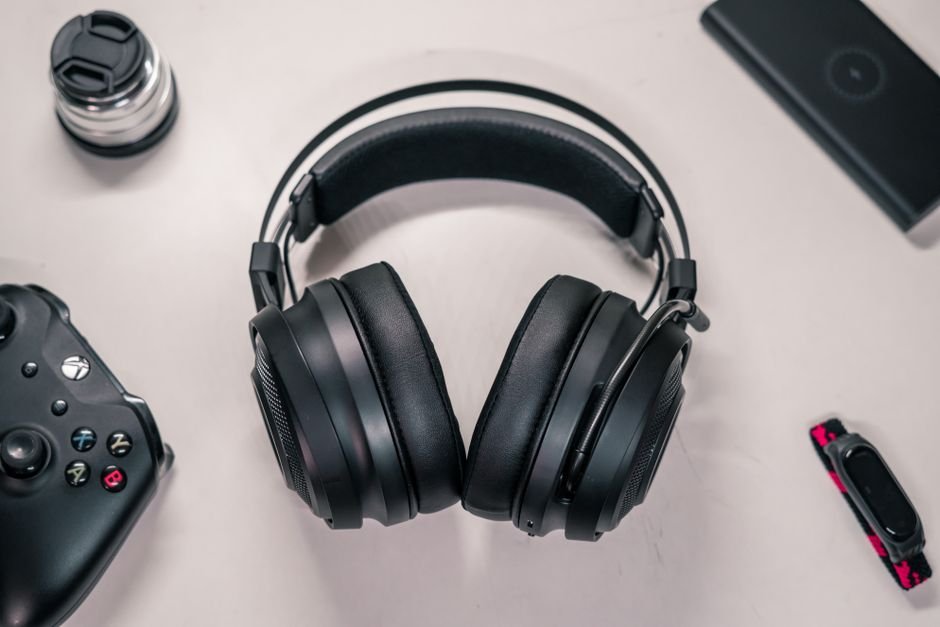
The core components of any gaming audio setup are the headphones, microphone, and, if you are looking for that extra edge, an audio interface. Each plays a different role in enhancing your overall experience. For headphones, consider options in the $50 to $150 range. Brands like HyperX offer solid choices with the Cloud II headset, which delivers great sound and comfort.
The sound stage is particularly important for gaming; you want to hear distant footsteps and other crucial audio cues.
For a microphone, whether you’re streaming or just wanting to communicate effectively in multiplayer games, investing around $50 for a decent USB microphone can go a long way. Options like the Blue Yeti provide exceptional clarity and ease of use, making them a favorite among streamers and gamers alike.
Finally, an audio interface can help improve sound quality significantly by enabling you to connect your microphone to your PC more effectively, offering clearer audio for any performance.
Choosing a Headset vs. Speakers
This decision often comes down to personal preference and the type of games you play. Headsets provide immersive audio, making it easier to pick up subtle sounds in competitive games. Alternatively, quality speakers might be better suited for casual gaming or watching movies. For a headset, I recommend you try on a few within your budget. Comfort is key, especially during long sessions.
A heavier headset can sometimes lead to fatigue, so balance weight with sound isolation.
Speakers, on the other hand, provide more of an environmental audio experience. A budget of around $100 can get you some solid stereo speakers that fill the room. However, when using speakers, don’t forget that sound quality diminishes in noisy environments, so the choice comes down to your setup’s specific conditions.

Sound Quality: What to Look For
Many beginners overlook sound quality, focusing instead on visual elements of gaming or the latest hardware. Poor sound quality can give you a disadvantage, particularly in competitive gaming. Look for headphones that cover a wide frequency range, typically 20 Hz to 20 kHz. This ensures a full audio spectrum, from bone-shaking bass to crisp highs.
Also, consider the design: open-back headphones offer better sound quality and a more expansive sound stage but are less effective at noise isolation.
For those wanting to dive deeper into audio quality, a DAC (Digital-to-Analog Converter) can drastically improve the audio experience. Starting at around $70, a simple USB DAC can better convert audio signals, offering clearer sound with less distortion. It’s a worthy investment for any serious gamer looking to enhance their setup further.
Optimal Setup Positioning
Placement of your headphones or speakers can also have a significant impact on sound quality. With headphones, ensure they fit snugly, as a poor fit can compromise sound isolation and comfort. For speakers, positioning them at ear level and forming an equilateral triangle with your seating position can provide optimal sound distribution.
Keep them about a foot from walls to avoid unwanted reflections that can muddy the sound.
Understand that speaker and headphone acoustics can vary widely based on environment. A good gaming audio setup for beginners often pays attention to the physical space. Using soft furnishings can help absorb sound reflections, enhancing your overall acoustical experience.
Final Recommendations
To sum up, start with the fundamentals: invest in a quality headset or speakers, a decent microphone for communication, and consider an audio interface or DAC for better sound quality. Don’t get lost in overwhelming options, focus on what enhances your experience. If you’re serious about streaming, a solid microphone should be a priority, whereas competitive players will benefit from investing in high-quality headphones.
Ultimately, you don’t need to spend a fortune to get a great gaming audio setup. Stick with the essentials, focus on comfort, and you’ll be well on your way to enjoying an immersive and enjoyable gaming experience. For those interested in improving their streaming setup, take a look at my detailed guide on the 7 Best Gaming Setup for Streamers here. Additionally, check out this resource for a comprehensive guide on setting up a gaming audio setup for beginners.
See also our take on setup vs wired.
Frequently Asked Questions
What is the best gaming audio setup for beginners?
The best gaming audio setup for beginners typically includes a good pair of gaming headphones or a headset with a quality microphone, as well as a USB or 3.5mm sound card if needed. Additionally, a simple desktop speaker system can enhance the experience when not using headphones.
How do I set up my gaming audio?
To set up your gaming audio, start by connecting your headphones or speakers to your gaming device, ensuring you use the correct audio jack or USB port. Then, navigate to your audio settings to select the appropriate output device and adjust the volume to your preference.
Why is sound important in gaming?
Sound is crucial in gaming as it enhances immersion by providing atmospheric sounds, effects, and cues that can influence gameplay, such as detecting enemies or understanding the environment. Good audio quality also contributes to a more enjoyable and engaging gaming experience.
Can beginners use a DAC with their setup?
Yes, beginners can use a Digital-to-Analog Converter (DAC) with their gaming audio setup to improve sound quality. A DAC can enhance audio clarity and provide a better overall experience, especially when using high-quality headphones.
Do I need a sound card for gaming audio?
A dedicated sound card is not strictly necessary for gaming audio, as most motherboards have integrated sound capabilities sufficient for most users. However, a sound card can improve audio quality and offer additional features for enthusiasts or more demanding setups.